W W W.ROCCAT.ORG / SUPPORT
mAiN CONTROL
Profiles
You can also assign profiles 1 to 5 to one of the
macro keys.
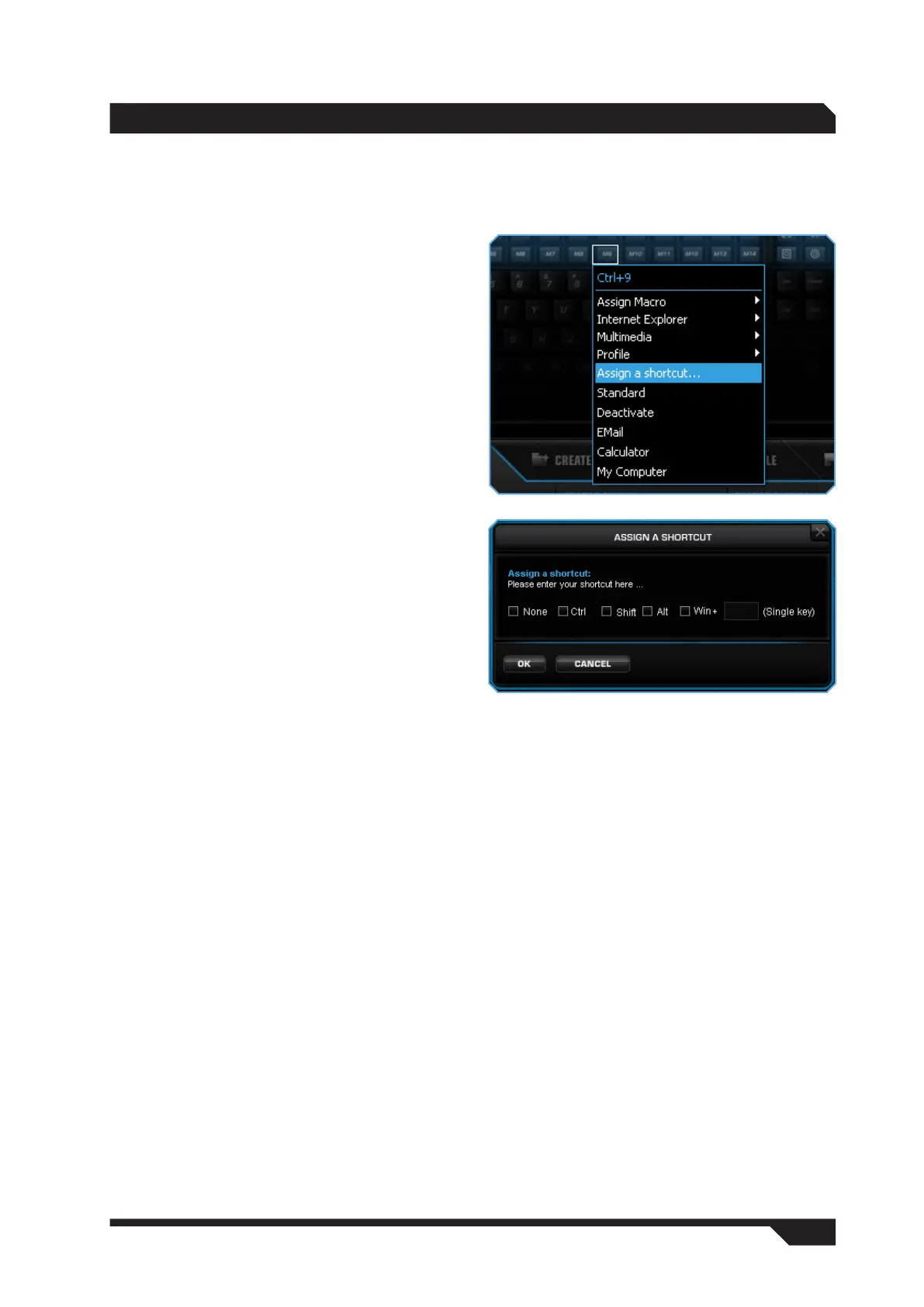
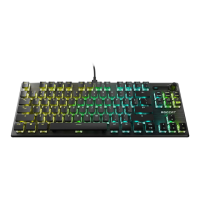
Assign a shortcut
You can assign a shortcut to the selected key
using the ‘Assign a shortcut’ option. You can
combine the Ctrl, Shift, Alt and Windows keys
with any other key and assign it to a single key.
‘Assign a shortcut’ also gives you the opportunity
to remap keys. To do that, select ‘None’ and press
the key whose function you’d like to remap. For
instance, you can remap motion keys which you
need during the game, such as Y for run and
spacebar for jump, next to the macro keys for
your riding or flying mounts, and so arrange all
the functions that are important to you into clear
categories.
Standard
Sets the key function back to its default setting.
Deactivate
Selecting the ‘Deactivate’ option for a key disables
its function.
Email
Assigning the ‘Email’ function to a key allows you
to open your email program at a single press.
Calculator
The ‘Calculator’ function launches the Calculator
program on your computer.
My Computer
You can open My Computer by assigning ‘My
Computer’ to a key.
Assign Macro
You can of course assign a macro you have
programmed yourself to any key using ‘Assign
Macro’. To do that, either use the in-game macro
recording function described above or the Macro
Manager.


 To Next Page