11
RF-HD25
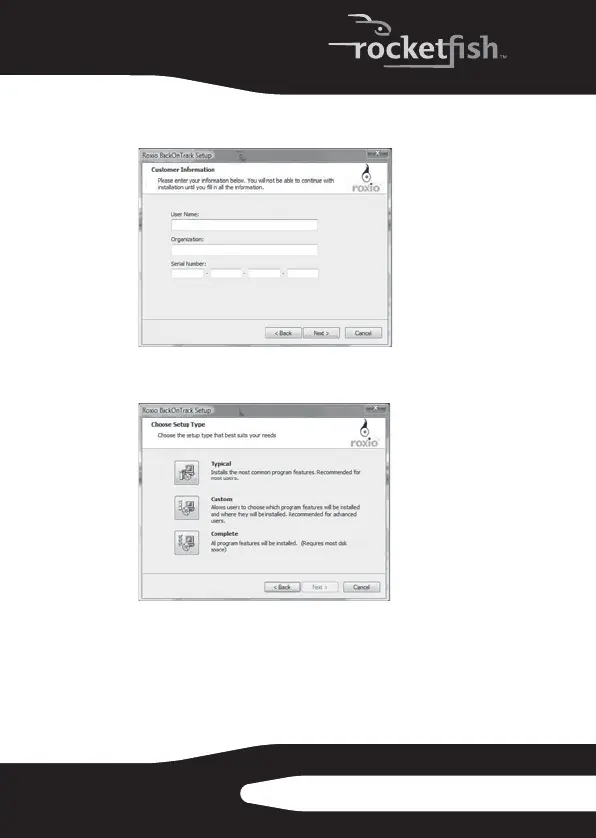
4 Read the license agreement, then click Next. The
Customer Information screen opens.
5 Enter your information, then click Next. The Choose
Setup Type screen opens.
6 Choose the setup type, then click Next.
RF-HD25_08-1730 - ENG.fm Page 11 Friday, October 10, 2008 1:21 PM



 To Next Page