11
Need help? Call 1-800-620-2790 (U.S. and Canada) or 01-800-926-3010 (Mexico)
RF-TVMP20 TV Wall Mount
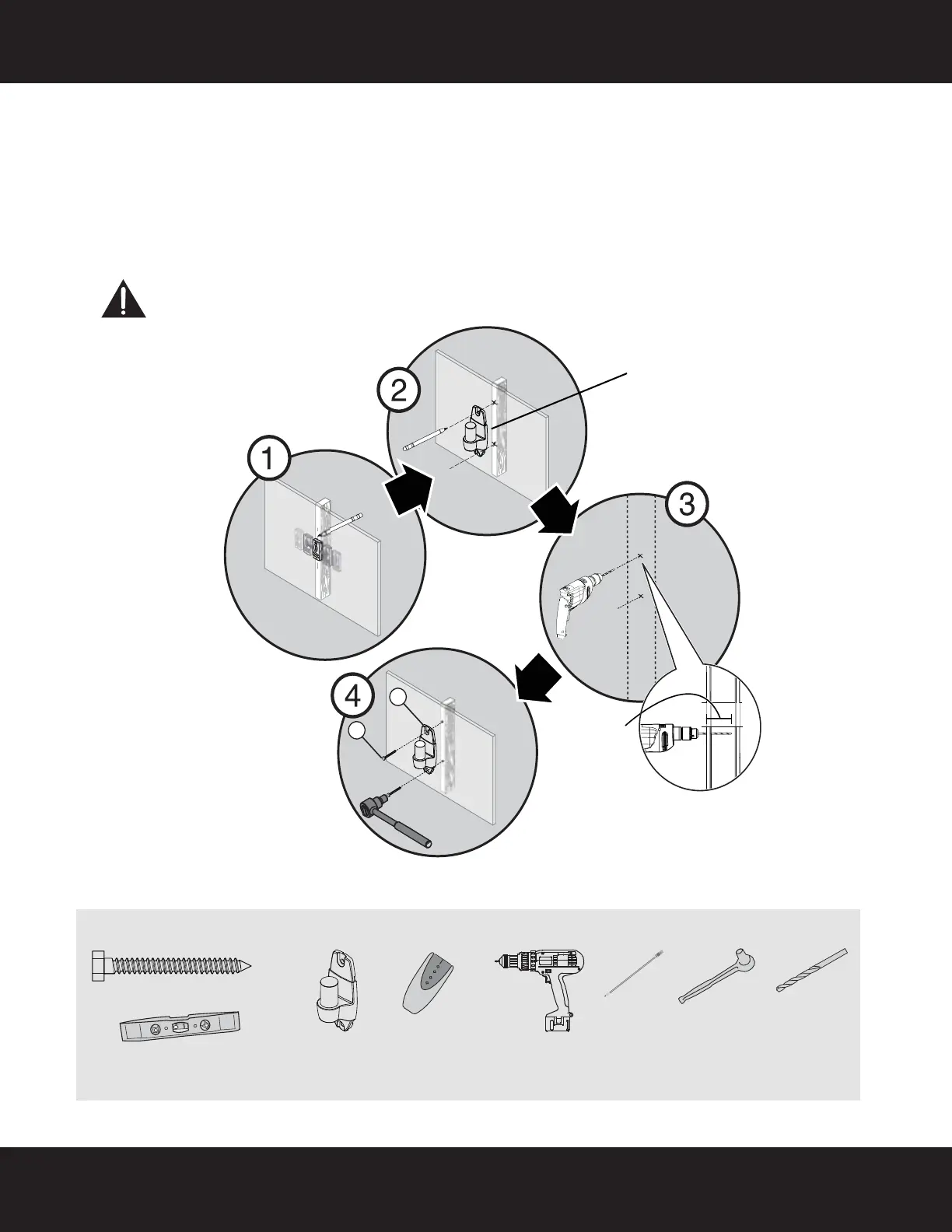
STEP 5 - Option 1: Installing on a wood stud wall
Note: Any wallboard or material covering the wall must not exceed 5/8" (16 mm).
1 Locate the stud. Verify the center of the stud with an edge-to-edge stud finder.
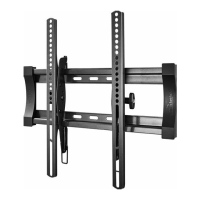
2 Align the wall plate (A) at the height you determined in the previous step and make sure that it is level. Use a
pencil to mark the lag bolt hole locations (2) on the stud centers. Remove the wall plate.
3 Drill pilot holes to a depth of 2-3/4 in. (70 mm) using a 7/32 in. (5.5 mm) diameter drill bit.
4 Align the wall plate (A) with the pilot holes, insert the lag bolts (W-A) through the holes in the wall plate,
then tighten the lag bolts only until they are firm against the wall plate.
CAUTION: Avoid potential injuries or property damage!
DO NOT over-tighten the lag bolts (W-A).
You’ll need
A
W-A
Center pencil mark made in
Step 1.
2-3/4 in.
(70 mm)
Edge-to edge
stud finder
W-A (2)
Pencil
Drill
7/32" wood
drill bit
1/2" socket
wrench
Level
A Wall
plate
RF-TVMP20_13-0707_MAN_V2_ENG.fm Page 11 Wednesday, July 10, 2013 6:23 AM








 To Next Page