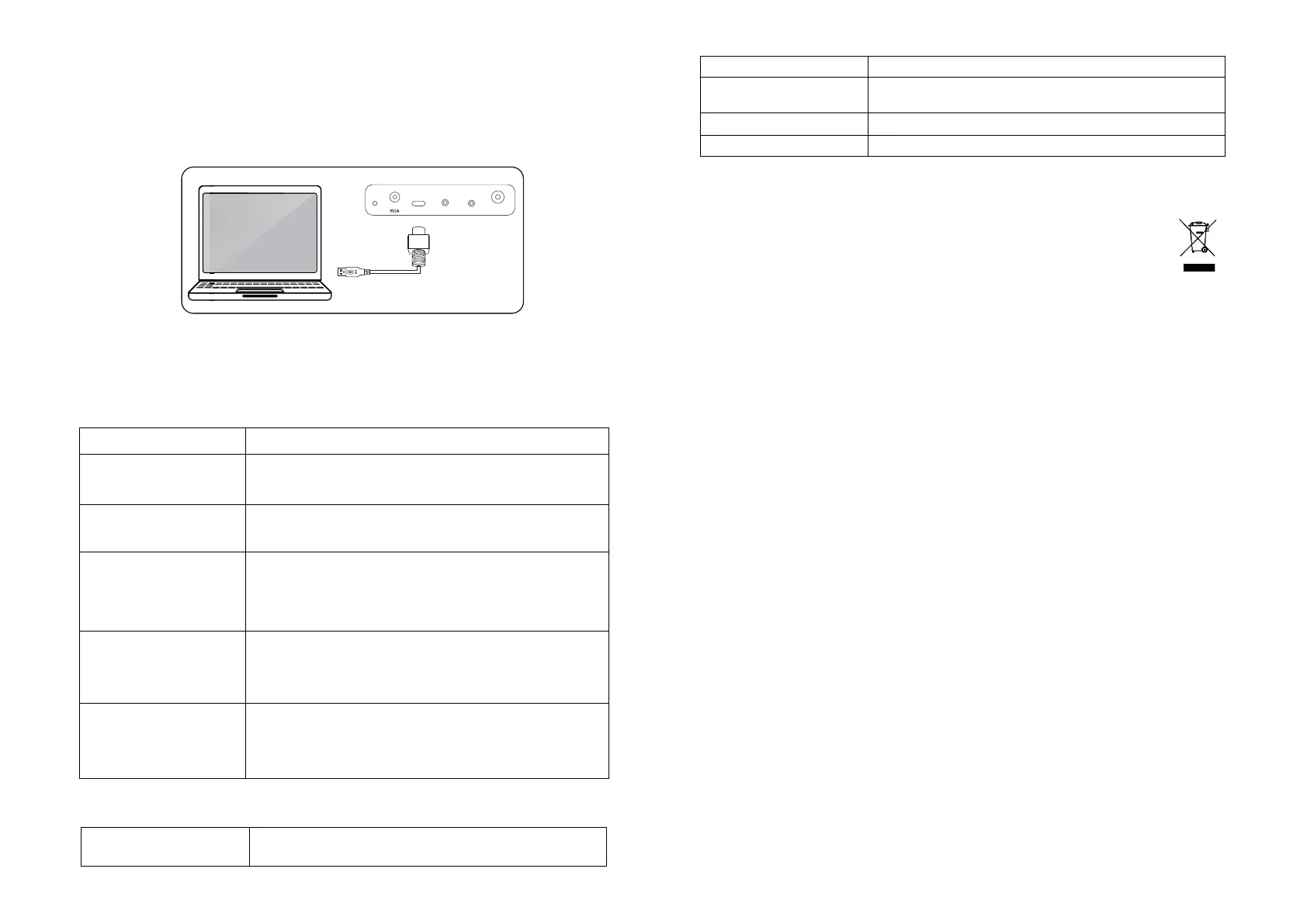
11. Connecting to a computer (MIDI Out)
The drum kit can be connected to a personal computer, either Windows or MAC using the USB-C cable supplied.
The drum kit hardware is compatible with both Windows and MAC and can be used with software such as Sonar,
Cubase, Nuendo and Ezdrummer.
12. Troubleshooting and Support
If a problem occurs please check the following table before returning the unit. If the problem cannot be solved with the
following information then please return the item to the store where it was purchased from.
Problem Remedy
Charging
The red charge light does not turn on.
- Make sure the power adapter cable is connected properly.
- Make sure the power switch on the drum kit is set to on.
- Make sure that the power outlet is switched on.
Abnormal sound
Drum sounds are heard when the
pedals are plugged and unplugged
- This is not a fault.
- To avoid the issue please insert the pedals before switching on.
No sound
In normal use
When using headphones
- Make sure the volume has not been set to minimum (Off position).
- Make sure that the headphones are plugged in fully and that the volume is not set to
minimum (Off position).
iPod/iPhone/Smartphone/MP3
playback
The volume of the music cannot be
adjusted with the VOL- and VOL+
buttons
- This is not a fault.
- Adjust the volume on the audio device.
Unresponsive
The drum kit buttons do not respond
to presses/ The audio frequency
lights do not turn on.
- This is not a fault.
- The drum kit may be out of charge. Connect the drum kit to a power source. The red
charge light should appear when charging. Charge for a minimum of 3 hours.
13. Product Specifications
DC Power:
Rechargeable Lithium Battery:
DC 5V @ 2A
7.4V, 1,800 mAh
46.2 (L) x 30.2 (W) x 11.0 (H) cm
Functions:
7 Drum pads, Velocity sensitive, 16 Drum kits, 30 Demo songs, Record,
Playback, MIDI out, AUX input, Audio output, Bluetooth
Weight: 2,510 g
14. Product disposal instructions
The symbol shown here and on the product means that the product is classed as Electrical or
Electronic Equipment and should not be disposed with other household or commercial waste at the end
of its working life.
The Waste Electrical and Electronic Equipment (WEEE) Directive (2012/19/ EU) has been put in place
to encourage the recycling of products using best available recovery and recycling techniques to minimise the impact on
the environment, treat any hazardous substances and avoid the increase of landfill.
When you have no further use for this product, please dispose of it using your local authority’s recycling processes. For
more information, please contact your local authority or the retailer where the product was purchased.
15. FCC Compliance Statement
FCC Class B Part 15
This device complies with Part 15 of the Federal Communications Commission (FCC) Rules. Operation is subject to the
following two conditions:
This device may not cause harmful interference.
This device must accept any interference received, including interference that may cause undesired operation.
CAUTION:
Changes or modifications to this unit not expressly approved by the party responsible for compliance could void the
user’s authority to operate this equipment.
This equipment has been tested and found to comply with the limits for a Class B digital device, pursuant to Part 15 of
the FCC Rules. These limits are designed to provide reasonable protection against harmful interference in a residential
installation. This equipment generates, uses, and can radiate radio frequency energy and, if not installed and used in
accordance with the manufacturer’s instructions, may cause interference harmful to radio communications.
There is no guarantee, however, that interference will not occur in a particular installation. If this equipment does cause
harmful interference to radio or television reception, which can be determined by turning the equipment off and on, the
user is encouraged to try to correct the interference by one or more of the following measures:
- Reorient or relocate the receiving antenna.
- Increase the separation between the equipment and receiver.
- Connect the equipment to an outlet on a circuit different from that to which the receiver is connected.
- Consult the dealer or an experienced radio or TV technician for help.
RockJam is a registered trademark of:
PDT Ltd., Unit 4B, Greengate Industrial Estate, White Moss View, Middleton, Manchester, M24 1UN, United Kingdom
info@pdtuk.com
iPod and iPhone are trademarks of Apple Inc. registered in the U.S. and other countries.
MAC is a registered trademark of Apple Inc.
PEDAL
DC
USB-C LINE IN PHONES


 To Previous Page
 Loading...