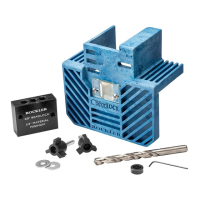
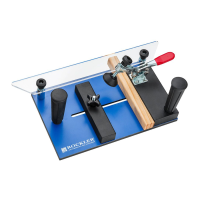
The Rockler Interlock Signmaker's Templates are a woodworking tool designed to help users create custom signs with a professional finish. This system allows for precise routing of letters, numbers, and symbols into wood, offering flexibility in design and a clean aesthetic.
Function Description:
The primary function of the Rockler Interlock Signmaker's Templates is to guide a plunge router with an appropriate guide bushing and router bit to carve out characters into a wooden surface. The templates are designed to connect together, forming a custom sign template that ensures consistent spacing and alignment of characters. The system includes both single-template letters and a unique two-template system for specific characters, which eliminates the need for careful freehand routing of inner islands, resulting in whole letters without splits. This two-template approach is particularly beneficial for characters like A, B, D, G, O, P, Q, R, 4, 6, 8, 9, 0, #, &, and @, as it allows the captured guide bushing to do the intricate work.
The templates also incorporate a kerning feature, which is the adjustment of spacing between letters to achieve a more professional and visually appealing look. The manual provides a kerning chart and examples for two-, three-, and four-letter combinations, guiding users on how to adjust templates for proper alignment in these specific scenarios. For more advanced kerning advice, Rockler.com offers an online Sign Making Wizard that can generate custom routing plans.
Important Technical Specifications (Inferred from manual):
- Template Material: The templates appear to be made of a durable, rigid material, likely plastic or composite, designed to withstand repeated use with a router guide bushing.
- Compatibility: Designed for use with a plunge router equipped with an appropriate guide bushing and router bit. The specific sizes of guide bushings and bits are not detailed but are implied to be standard for sign-making applications.
- Character Set: The system includes a comprehensive set of letters, numbers, and symbols, allowing for a wide range of sign designs.
- Two-Template System: Specific characters (A, B, D, G, O, P, Q, R, 4, 6, 8, 9, 0, #, &, @) utilize a two-part template system (e.g., A-1 and A-2) for creating complete characters without internal splits.
- Kerning Features: Templates include notches that serve as alignment guides for kerning adjustments, facilitating precise letter spacing.
Usage Features:
- Custom Sign Creation: Users can connect various templates (letters, numbers, spacers, symbols) to form any desired word or phrase.
- Template Attachment: Templates can be secured to the workpiece using painters or masking tape along the edges, sticky discs, or double-sided tape on the underside. In some cases, tacking the templates to the stock is also an option.
- Multi-Pass Routing: For deeper cuts, the manual recommends making multiple passes, gradually increasing the depth each time. This technique helps prevent dust build-up and clogging and extends the life of the router bits.
- Finishing Process: After routing, the sign can be sealed with a sanding sealer. To highlight the routed letters, a contrasting paint color can be applied, allowed to dry, and then belt sanded to remove any overlapping paint outside the letters. The final finish can be Spar Varnish, urethane, or oil.
- Two-Template Letter Routing: For characters requiring two templates, the process involves a first pass with one set of templates (e.g., O-1, D-1, G-1) and a second pass with the corresponding second set (e.g., O-2, D-2, G-2) to complete the character. Notches on the templates aid in precise alignment when switching between the two parts.
- Kerning Adjustment: The system allows for optional kerning to improve the visual appeal of the sign. The provided kerning chart and examples guide users through the process of adjusting spacing for specific letter combinations. The notches on the templates are crucial for aligning letters during kerning sequences.
- Safety Information: The manual emphasizes reviewing all instructions and safety warnings prior to use, including wearing safety glasses and hearing protection, maintaining a clean work area, using dust collection, and unplugging power tools before adjustments. It also warns against lifting the router off the template while the motor is running to prevent damage to the template.
Maintenance Features:
- Template Care: While not explicitly detailed, the durable material of the templates suggests they are designed for longevity. Keeping them clean and stored properly would be essential for their maintenance.
- Router Bit Maintenance: The recommendation for multi-pass routing for deeper cuts indirectly contributes to router bit maintenance by reducing wear and tear, thus prolonging their life.
- Manual Updates: Users are advised to check Rockler.com for the most recent manual version, implying ongoing support and potential updates to instructions or product information.
- Technical Support: Rockler provides technical support via phone and email for any questions or issues users may encounter, ensuring assistance is available for product maintenance and usage.

 Need help?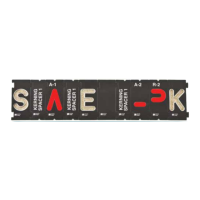

 To Next Page
 General