Protection Mode:
Short-circuit/Overpower Protection: If the DC output is short-circuited or over
powered(Load(s) power>150W), the unit will shutdown to protect itself. Please clear
the problem and recharge the unit to recover from protection mode.
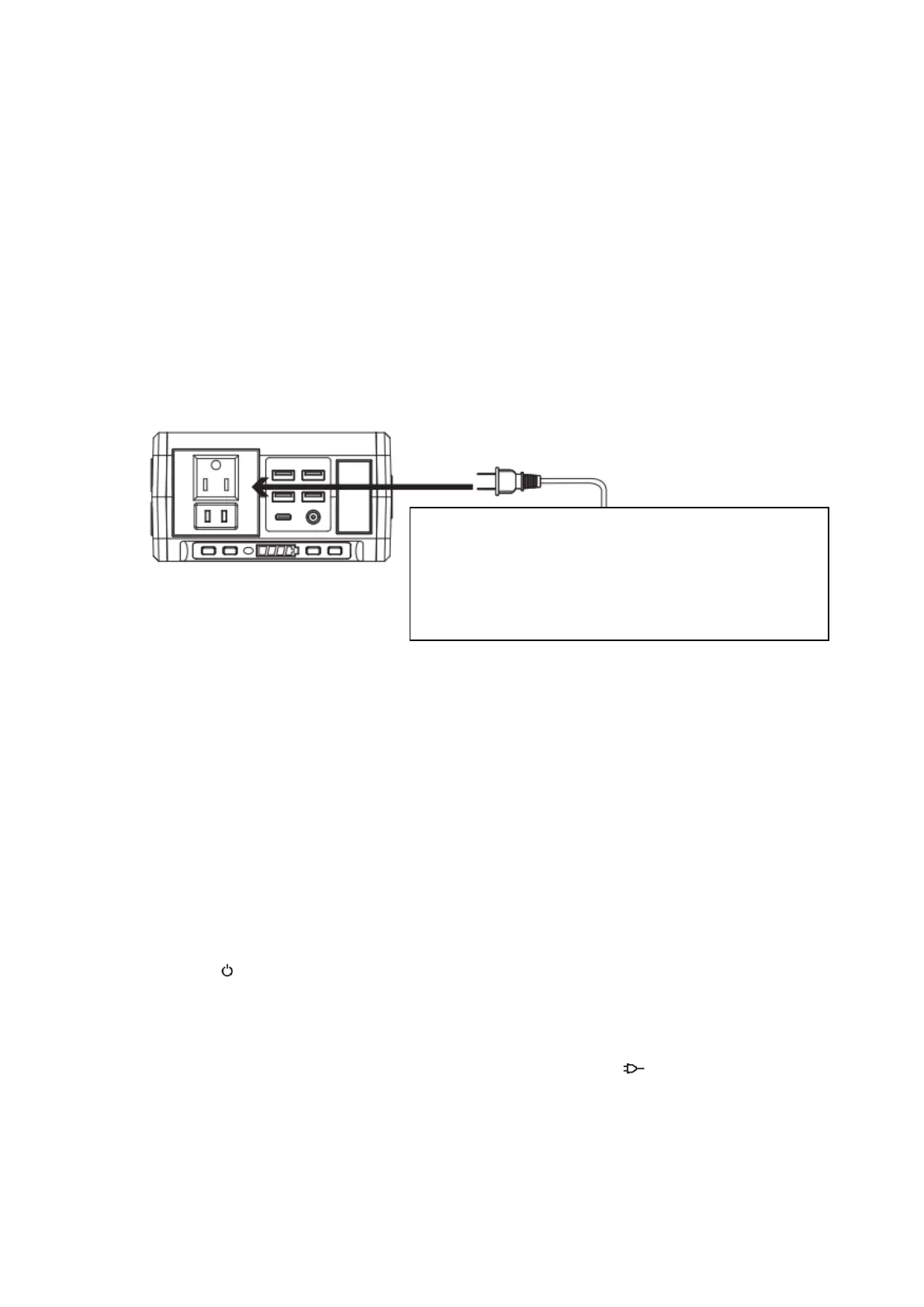
2) How to provide power for AC appliances with this product?
Connect the power cable plug of the electrical appliance to the AC outlet of the
product, switch on the power button and the unit will start providing power to your
appliances.
WARNING! The Ac outlets, AC voltage and frequency are different according to
different countries; please carefully check whether the product specifications are
consistent with the appliance specifications before use, otherwise it can lead to
dangerous situations.
【Top】
When the AC port is not in use, turn it off to conserve power.
Protection Mode:
Short-circuit/Overpower Protection: If the AC output is short-circuited or
overpowered (Load(s) power>80W), the unit will shutdown AC output to protect
itself. Please clear the problem and re-press the AC button for AC output.
※ Some devices, such as refrigerator, ice maker or a laser printer may require a surge
power to start or work during a very time period, the surge power could exceed
120W or even higher, this could cause overpower protection with this unit. Please
remove the devices and consult with the device manufacturers for more information.
Please clear the problem and re-press the AC button for AC output.
3) How to provide power for USB(C) digital appliances with this product?
Connect the standard USB cable of digital appliance to the USB output of the unit,
press the“ ” to turn on USB output.
Notice: Some smart devices, such as Bluetooth headphones and LED lights. require
very small input current to charge, which could be less than 150mA. The unit may fail
to charge these kinds of smart devices due to detection current limitation by the USB
output ports. On this occasion, user can press the AC button “ ” to keep the USB
port output running. Please turn off AC output when the smart devices are fully
charged to save power.
Limited Appliance Wattage<80W, Lamp, Electric
Fan, TV, etc. AC will shut down when it’s short
circuited or power overloaded. Remove the device
and the unit will recover from short-circuit or
overpower protection in a few seconds. Repress the
AC output button to switch on AC output again.


 To Next Page
 Loading...