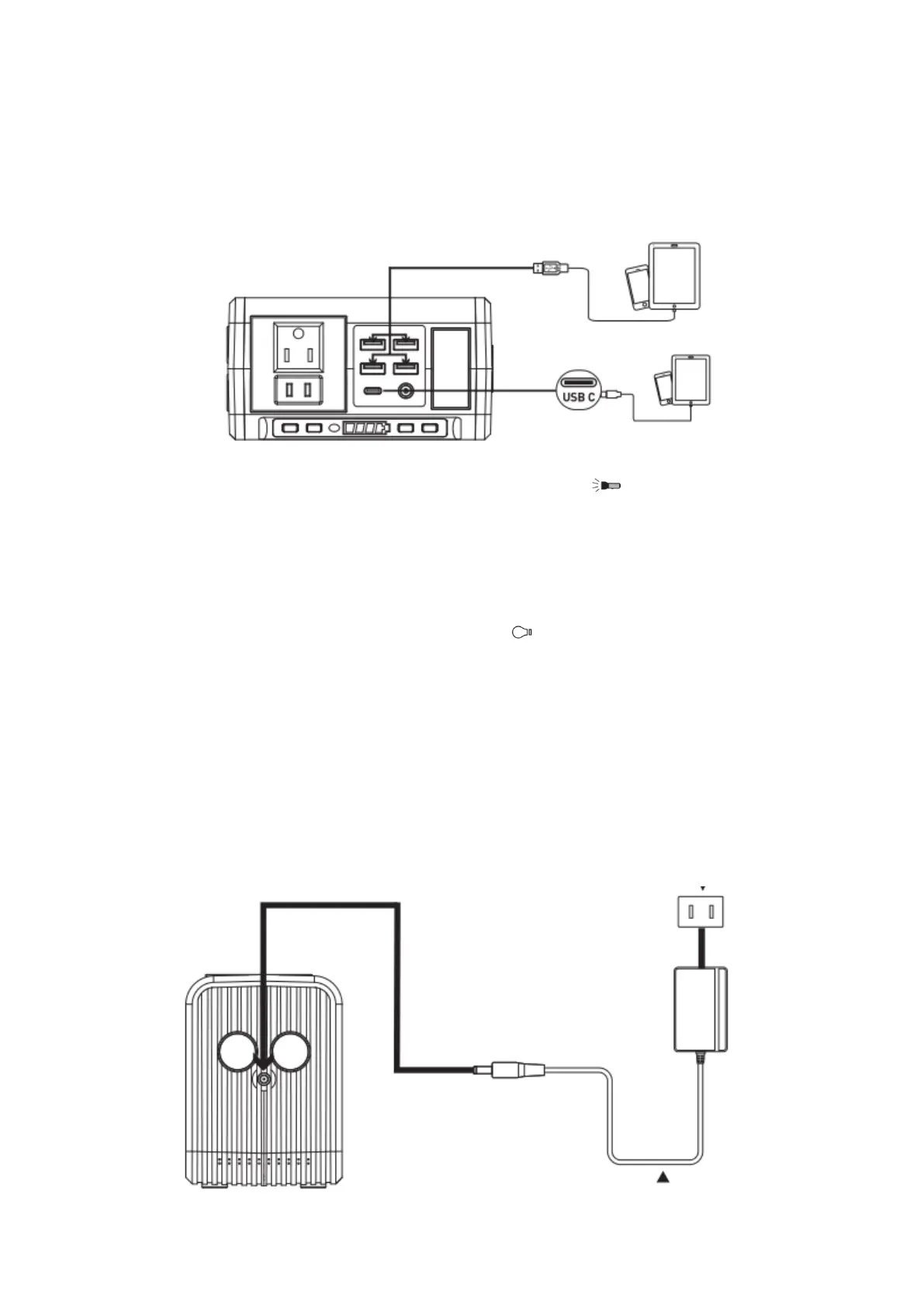
Quick Charge Output: This product supports Qualcomm QuickCharge 3.0 and USB C
PD(Power Delivery)2.0 Output, support: 5V/3A,9V/2A,12V / 1.5A 18W max output
for smartdevices which also support Qualcomm QuickCharge 3.0 or USB PD2.0
Protocol. The actual output voltage and current depends on the actual smartdevices,
it can be obtained by consulting the smartdevice manufacturer.
4) How to use the flashlight
This unit is built with ultra bright LED flashlight. Press the “ ” button to switch on
flashlight and single press the button to switch to blink/SOS mode, Press the button
to switch off.
Warning! Do not point directly at the eyes of human in case of any damage due to
the strong light.
5) How to use the Led light panel
This unit is built with LED light panel. Press the“ ” button to switch on light panel
and single press the button to switch brightness, Press the button again to switch off.
Warning! Do not point directly at the eyes of human in case of any damage due to
the strong light.
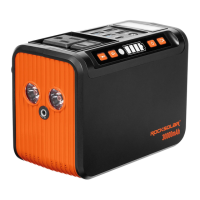
6) How to charge the unit?
a. Charge through AC Wall Charger
Using the included AC Wall Charger, plug the unit into any wall outlet to charge the
unit. You will know the unit is charging when the blue LED battery indicators are
blinking. The unit is fully charged when all battery indicators stop blinking and remain
solid. After the unit is fully charged, please remove the AC wall charger in time.


 To Next Page