EasyManua.ls Logo

Rockville USS10 - User Manual

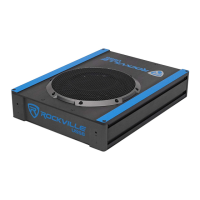
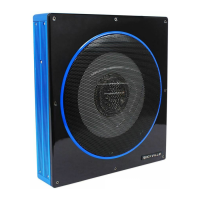
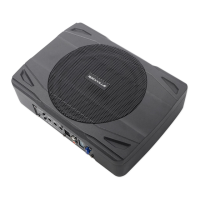
Rockville USS10
12 pages
Print Icon
To Next Page IconTo Next Page
Loading...
65-C1350-MA 210*140mm 105g铜版纸

Questions and Answers

  • R
    rhaleAug 15, 2025
    How to troubleshoot a Rockville USS10 Subwoofer amplifier that will not power up?
    • V
      vcarrollAug 16, 2025
      If your Rockville Subwoofer's amplifier won't power up, begin by checking for a solid ground connection and ensuring the Remote Input (Turn-On) receives at least 3VDC. Verify the (+) terminal has battery power of at least 12V. Inspect all fuses, replacing them if needed. Finally, confirm the Protection LED isn't illuminated; if it is, briefly power cycle the amplifier.
  • S
    Samantha AguilarAug 18, 2025
    What to do if my Rockville USS10 Subwoofer has no output?
    • D
      davidmoraAug 19, 2025
      If your Rockville Subwoofer has no output, verify that all fuses are in good condition and that the unit is properly grounded. Ensure the Remote Input (Turn-On) receives at least 3VDC. Check that the RCA audio cables are correctly plugged into the appropriate inputs and inspect all speaker wiring.
  • K
    Kristen BowmanAug 21, 2025
    Why does my Rockville Subwoofer have distorted sound?
    • R
      rodriguezadamAug 21, 2025
      If you're experiencing distorted sound from your Rockville Subwoofer, check that the Input Level Control is appropriately set to match the signal level of your head unit, keeping it as low as possible. Also, verify that all crossover frequencies are correctly configured and inspect the speaker leads for any short circuits.
  • C
    Cory OchoaAug 25, 2025
    What to do if the Protection LED comes on when my Rockville USS10 amplifier is powered up?
    • G
      George BarnettAug 25, 2025
      If the Protection LED illuminates when you power on your Rockville Subwoofer's amplifier, first lower the volume control on the head unit to prevent overdriving. Then, reset the amplifier. If the Protection LED persists, the amplifier may be faulty and require servicing.
  • S
    stacey98Aug 27, 2025
    Why is my Rockville USS10 amplifier getting very hot?
    • R
      Rebekah WarnerAug 27, 2025
      If your Rockville Subwoofer's amplifier is overheating, confirm that the speaker impedance matches the amp model's minimum requirement. Ensure adequate air circulation around the amplifier. Consider adding an external cooling fan if necessary.
  • M
    meganrossAug 30, 2025
    How to fix low output on my Rockville USS10?
    • B
      Brandi HowellAug 30, 2025
      If your Rockville Subwoofer has low output, try resetting the Level Control. Also, check the Crossover Control settings.
  • H
    hannah96Sep 2, 2025
    How to eliminate alternator whine in my Rockville USS10 Subwoofer?
    • E
      Erica IbarraSep 2, 2025
      If you're hearing alternator whine through your Rockville Subwoofer, check that the RCA grounds are not shorted to the vehicle chassis and ensure the head unit is properly grounded.
  • C
    Charlotte TuckerSep 5, 2025
    How do I reduce high hiss in my Rockville USS10 Subwoofer?
    • N
      Nicholas WilsonSep 6, 2025
      To troubleshoot high hiss in your Rockville Subwoofer, disconnect all RCA inputs from the power sub's control panel. If the hiss disappears, plug in the component driving the amplifier and unplug its inputs. Continue this process until you identify the faulty or noisy component. Set the amplifier's input level control as low as possible, maximize the head unit volume (without distortion), and minimize the amp input level for the best signal-to-noise ratio.
  • J
    Jean RamirezSep 8, 2025
    What causes engine noise (static type) in my Rockville USS10 and how to fix it?
    • J
      James HowardSep 8, 2025
      Engine noise (static type) in your Rockville Subwoofer is typically caused by poor quality RCA cables picking up radiated noise. Use high-quality cables and route them away from power cables.
  • L
    Loretta MaddoxSep 12, 2025
    What causes a squealing noise in my Rockville USS10?
    • M
      Mark AguilarSep 12, 2025
      If you are experiencing a squealing noise from your Rockville Subwoofer, check for improperly grounded RCA interconnects.

Summary

Introduction

What is included?

Lists all items included in the package for the USS8 and USS10 subwoofer.

Features

General Precautions and Protection Circuitry

POWER STATUS LED Protection Mode

Explains actions to take when the POWER STATUS LED indicates a protection mode engagement.

Installation Precautions

Mounting the Subwoofer

Subwoofer Mounting with Adhesive Tape

Details the steps for installing the subwoofer using the provided adhesive tape for secure placement.

Subwoofer Mounting with Legs

Outlines the procedure for attaching the unit using mounting legs and screws for installation.

Connecting the Subwoofer

Input Level Control Usage Warning

Warns against using the input level control as a volume control to prevent overload and distortion.

Panel Controls and Features

Low and High Level Input Wiring

Troubleshooting

Specifications

Rockville USS10 Specifications

General IconGeneral
Woofer Size10 inches
Low Pass Filter50Hz-150Hz
TypeActive Subwoofer
Impedance2 Ohms
THD<0.4%
S/N Ratio90dB

Related product manuals