3Publication 1783-UM002C-EN-P - April 2009 3
Table of Contents
Preface
About This Publication . . . . . . . . . . . . . . . . . . . . . . . . . . . . . . . . . . . . . . 5
Who Should Use This Publication . . . . . . . . . . . . . . . . . . . . . . . . . . . . . 5
Additional Resources . . . . . . . . . . . . . . . . . . . . . . . . . . . . . . . . . . . . . . . . 6
Chapter 1
Start
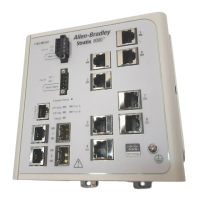
About the Switches . . . . . . . . . . . . . . . . . . . . . . . . . . . . . . . . . . . . . . . . . 8
Power and Relay Connector . . . . . . . . . . . . . . . . . . . . . . . . . . . . . . . . . 11
Console Port. . . . . . . . . . . . . . . . . . . . . . . . . . . . . . . . . . . . . . . . . . . . . . 12
Dual-Purpose Uplink Ports . . . . . . . . . . . . . . . . . . . . . . . . . . . . . . . . . . 12
10/100 Ports. . . . . . . . . . . . . . . . . . . . . . . . . . . . . . . . . . . . . . . . . . . . . . 13
100BASE-FX Ports . . . . . . . . . . . . . . . . . . . . . . . . . . . . . . . . . . . . . . . . 13
Rear Panel. . . . . . . . . . . . . . . . . . . . . . . . . . . . . . . . . . . . . . . . . . . . . . . . 13
Cabling . . . . . . . . . . . . . . . . . . . . . . . . . . . . . . . . . . . . . . . . . . . . . . . . . . 14
Auto-MDIX Feature . . . . . . . . . . . . . . . . . . . . . . . . . . . . . . . . . . . . 14
Status Indicators. . . . . . . . . . . . . . . . . . . . . . . . . . . . . . . . . . . . . . . . . . . 15
Switch and Port Status Indicators . . . . . . . . . . . . . . . . . . . . . . . . . . 15
Dual-purpose Port Status Indicators . . . . . . . . . . . . . . . . . . . . . . . 17
Expansion Module Status Indicators . . . . . . . . . . . . . . . . . . . . . . . 18
CompactFlash Memory Card. . . . . . . . . . . . . . . . . . . . . . . . . . . . . . . . . 19
Chapter 2
Install the Switch
Installation Guidelines . . . . . . . . . . . . . . . . . . . . . . . . . . . . . . . . . . . . . . 24
Environment and Enclosure Guidelines . . . . . . . . . . . . . . . . . . . . 24
Before You Begin. . . . . . . . . . . . . . . . . . . . . . . . . . . . . . . . . . . . . . . . . . 24
Place the Switch . . . . . . . . . . . . . . . . . . . . . . . . . . . . . . . . . . . . . . . . 25
Verify Package Contents . . . . . . . . . . . . . . . . . . . . . . . . . . . . . . . . . . . . 26
Add Modules to the Switch . . . . . . . . . . . . . . . . . . . . . . . . . . . . . . . . . . 26
Expansion Module Configurations . . . . . . . . . . . . . . . . . . . . . . . . . 26
Install the Switch . . . . . . . . . . . . . . . . . . . . . . . . . . . . . . . . . . . . . . . . . . 29
Attach Expansion Modules (optional) . . . . . . . . . . . . . . . . . . . . . . 29
Mount the Switch. . . . . . . . . . . . . . . . . . . . . . . . . . . . . . . . . . . . . . . 32
Install the SFP Module (optional). . . . . . . . . . . . . . . . . . . . . . . . . . 37
Ground the Switch. . . . . . . . . . . . . . . . . . . . . . . . . . . . . . . . . . . . . . 38
Wire the DC Power Source. . . . . . . . . . . . . . . . . . . . . . . . . . . . . . . 40
Attach the Power and Relay Connector . . . . . . . . . . . . . . . . . . . . . 42
Wire the External Alarms (Optional) . . . . . . . . . . . . . . . . . . . . . . . 44
Install or Remove the CompactFlash Card. . . . . . . . . . . . . . . . . . . . . . 47
Set Up the Switch Initially with Express Setup. . . . . . . . . . . . . . . . . . . 48
Configure and Manage the Switch. . . . . . . . . . . . . . . . . . . . . . . . . . . . . 53
Use the Device Manager Web Interface. . . . . . . . . . . . . . . . . . . . . 53
Use RSLogix 5000 Software . . . . . . . . . . . . . . . . . . . . . . . . . . . . . . 54
Download Cisco Network Assistant. . . . . . . . . . . . . . . . . . . . . . . . 56
Use the Command-Line Interface. . . . . . . . . . . . . . . . . . . . . . . . . . 57
Use SNMP Management Applications . . . . . . . . . . . . . . . . . . . . . . 57


 To Next Page
 Loading...