14
If you wish to program additional CVs, repeat numbers 5.-9.
To stop the programming, switch the centre to “STOP“ or enter the address “80“ and briefly activate the
direction of travel change.
As a Motorola
3)
Digital Centre from Märklin
2)
can only be programmed by entering numbers between 01
and 80, the value “0“ has to be entered via the address as “80“.
Programming instructions for the Märklin
2)
“Mobile Station“ and “Central Station“
▸ No locomotives are to be on the tracks except the one which is to be programmed!
Programming with the Märklin
2)
Mobile Station:
1. Press the “ESC“ button
2. Turn the rotary controller to the right until you reach menu item “CHANGE LOC“
3. Turn the rotary controller 2x to the left until you reach menu item “REG“
4. Turn the rotary controller until the required CV address ashes
5. Turn the rotary controller until the required CV value ashes
The decoder conrms the programming with a slight movement at the engine.
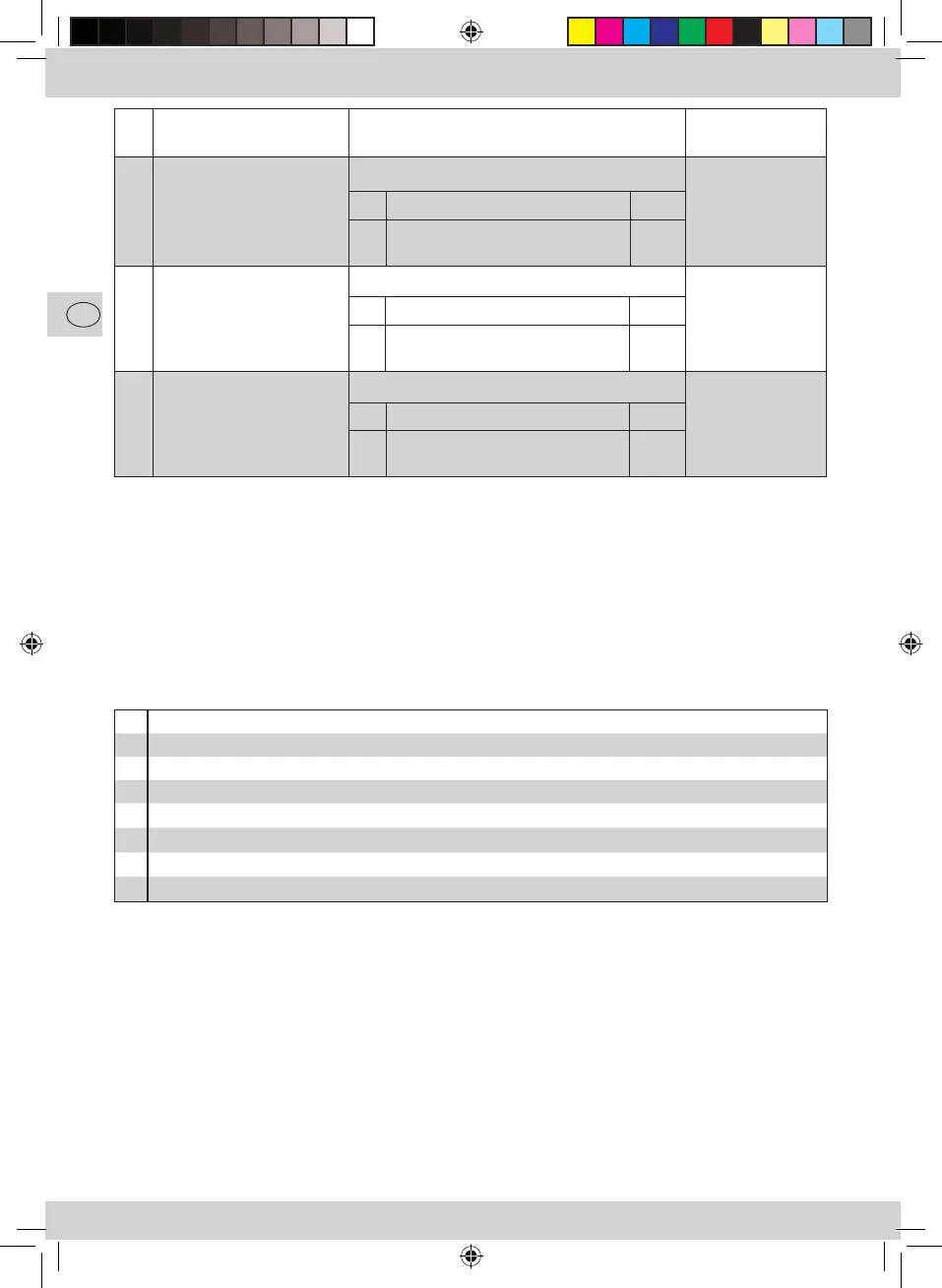
CV Name Description Works Value
29 Conguration register Analogue functionality 14
Change: 10
124 Special conguration Braking distance 0
Change: 32
112 Special conguration Type of braking distance 0
Change: 64
Bit
Function Value
3 Deactivate analogue operation
Activate analogue operation
0
4
Bit
Function Value
5 Deactivate braking distance
Activate braking distance
0
32
Bit
Function Value
6 Direct current braking distance
Alternating current braking distance
0
64
1.
Press the ESC button
2.
Select the menu item “New Loc“
3.
Select the menu item “Database“
4.
Select the article number “36330“ with the rotary knob
5.
Press the ESC button
6.
Move to menu option (Change Locomotive”) with the knob
7.
Choose menu option (“Address”)
8.
Choose menu option (“Name”)
8010884920 V_2013.indd 14 07.03.2013 11:56:10



 To Next Page