EasyManua.ls Logo

Rocstor BIGROC 1S - User Manual

Rocstor BIGROC 1S
59 pages
Print Icon
To Next Page IconTo Next Page
Loading...
store your future
BIGROC 1S
User Manual
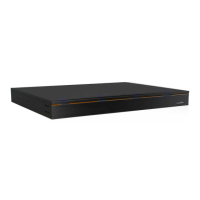
4-Bay RAID - 1U Rack Mount System
SAS
Question and Answer IconNeed help?

Do you have a question about the Rocstor BIGROC 1S and is the answer not in the manual?

Summary

Important Notices

Safety Notices

Safety guidelines for device operation and handling.

Precautions for the RAID System

General Precautions

Essential precautions for safe and proper RAID system operation.

Minimum System Requirements for Mac and Windows OS

Inserting;Replacing the Hard Drives in the RAID System

Connecting the RAID System to a Computer

RAID Modes

RAID 0 (Striping)

Explains RAID 0 configuration for performance.

RAID 1 (Mirroring)

Explains RAID 1 configuration for data redundancy.

RAID 5

Explains RAID 5 with parity for data protection and performance.

External Bootup

Questions & Answers Concerning RAID Systems

Specifications

Partitioning and Formatting the Bigroc 4-Bay Drive on a Mac OS

Instructions for Partitioning and Formatting

Step-by-step guide for partitioning and formatting on Mac OS.

FAT32 to HFS+ Formatting Guide

Specific instructions for converting FAT32 to HFS+ on Mac.

Partitioning and Formatting the Bigroc Drive on Windows 2000, XP and Vista and Windows 7

Reaching Computer Management and Disk Management

Steps to navigate Control Panel to Disk Management.

FAT32 to NTFS Formatting Instructions

Detailed guide for partitioning and formatting drives to NTFS on Windows.
Limited Warranty

Technical Support

Contact Information

Rocstor BIGROC 1S Specifications

General IconGeneral
BrandRocstor
ModelBIGROC 1S
CategoryStorage
LanguageEnglish

Related product manuals