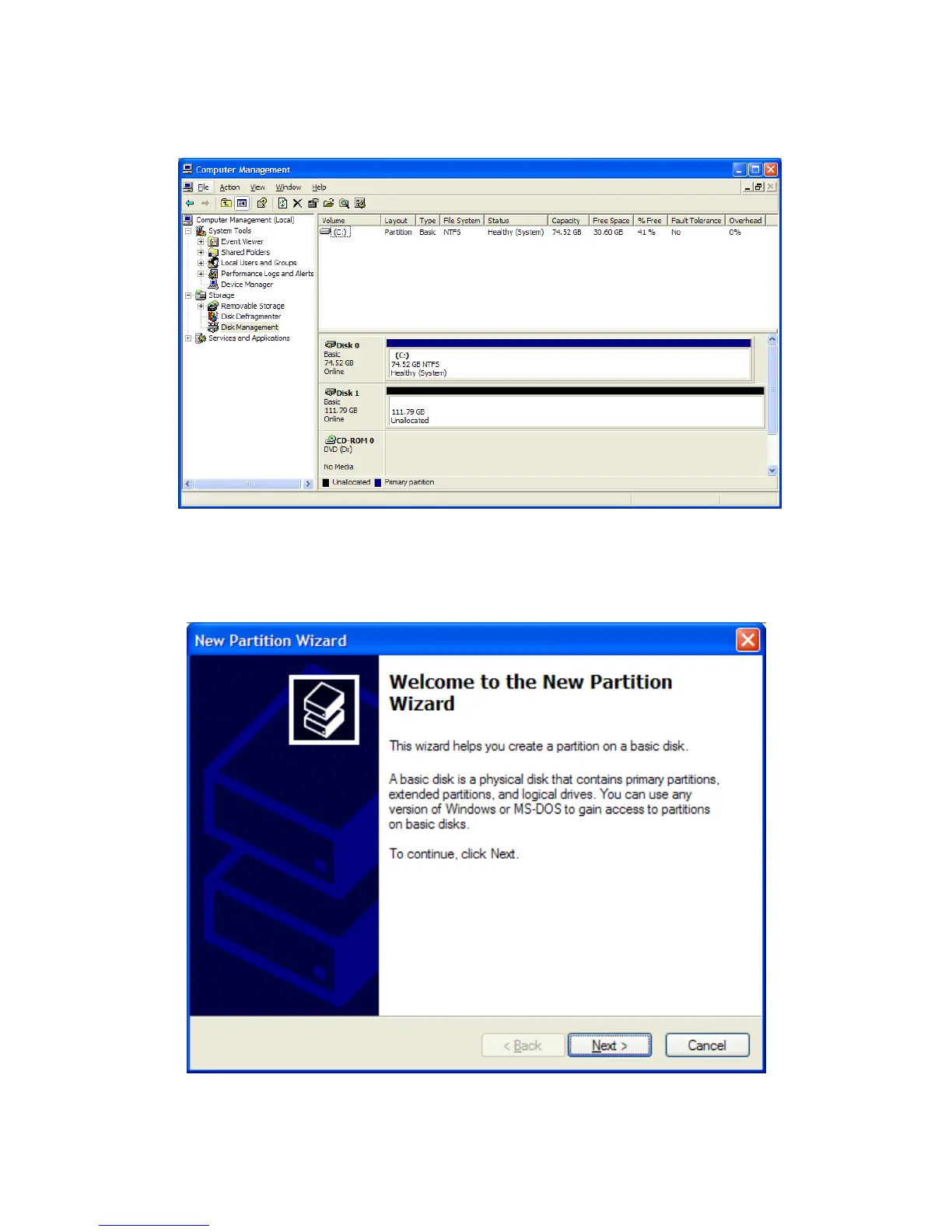
4. The Rocstor drive will show up in the lower menu as an “Unallocated” disk.
5. Right click anywhere in the “Unallocated” disk area in the lower menu.
6. Click on “New Partition.”
7. You are taken to “Welcome to the New Partition Wizard.” Click “Next”.
8. Click on “Primary partition” (it should be selected as the default partition). Click “Next”.
ROCSTOR | LANCER LX user manual Page | 29










 To Next Page