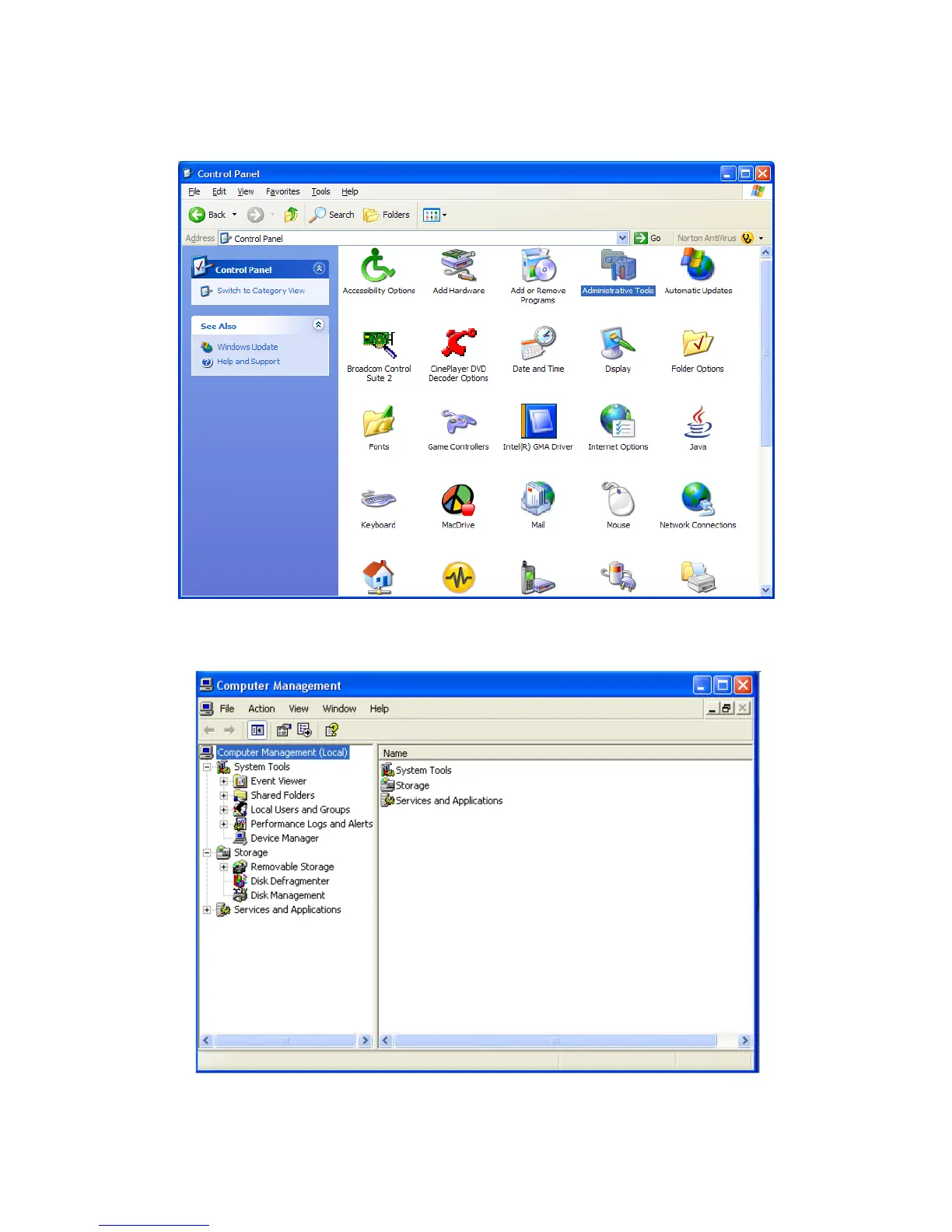
INSTRUCTIONS UPON REACHING CONTROL PANEL
a. After reaching the Control Panel, click on Administrative Tools.
b. After reaching Administrative Tools, click on Computer Management.
c. After reaching Computer Management, click on Disk Management.
ROCSTOR | LANCER LX user manual Page | 27










 To Next Page