INSTRUCTIONS FOR PARTITIONING AND FORMATTING FROM FAT32 to NTFS
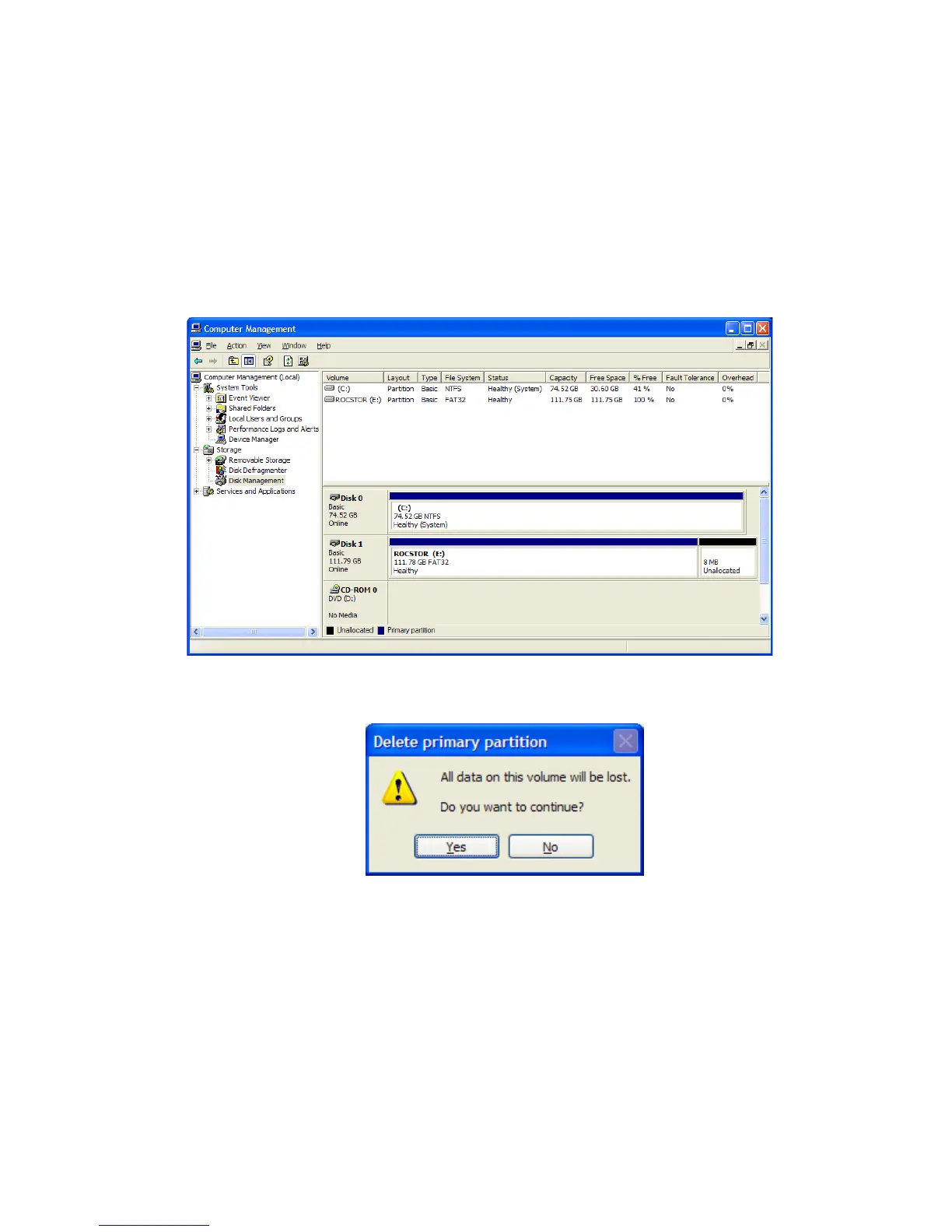
1. In the “Disk Management” window, right click the Rocstor drive in the upper portion of the
menu to highlight it. In the drop down menu, select “Delete Partition.”
WARNING: Formatting and Partitioning the Lancer Drive will destroy all of its data. To protect
your data, back it up before formatting or partitioning this device.
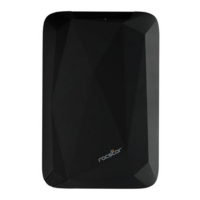
2. The next window is “Delete primary partition.” Click on Yes.
3. At this point the Rocstor drive will not show up on the “Disk Management Volume”
window in the upper menu.
ROCSTOR | LANCER LX user manual Page | 28










 To Next Page