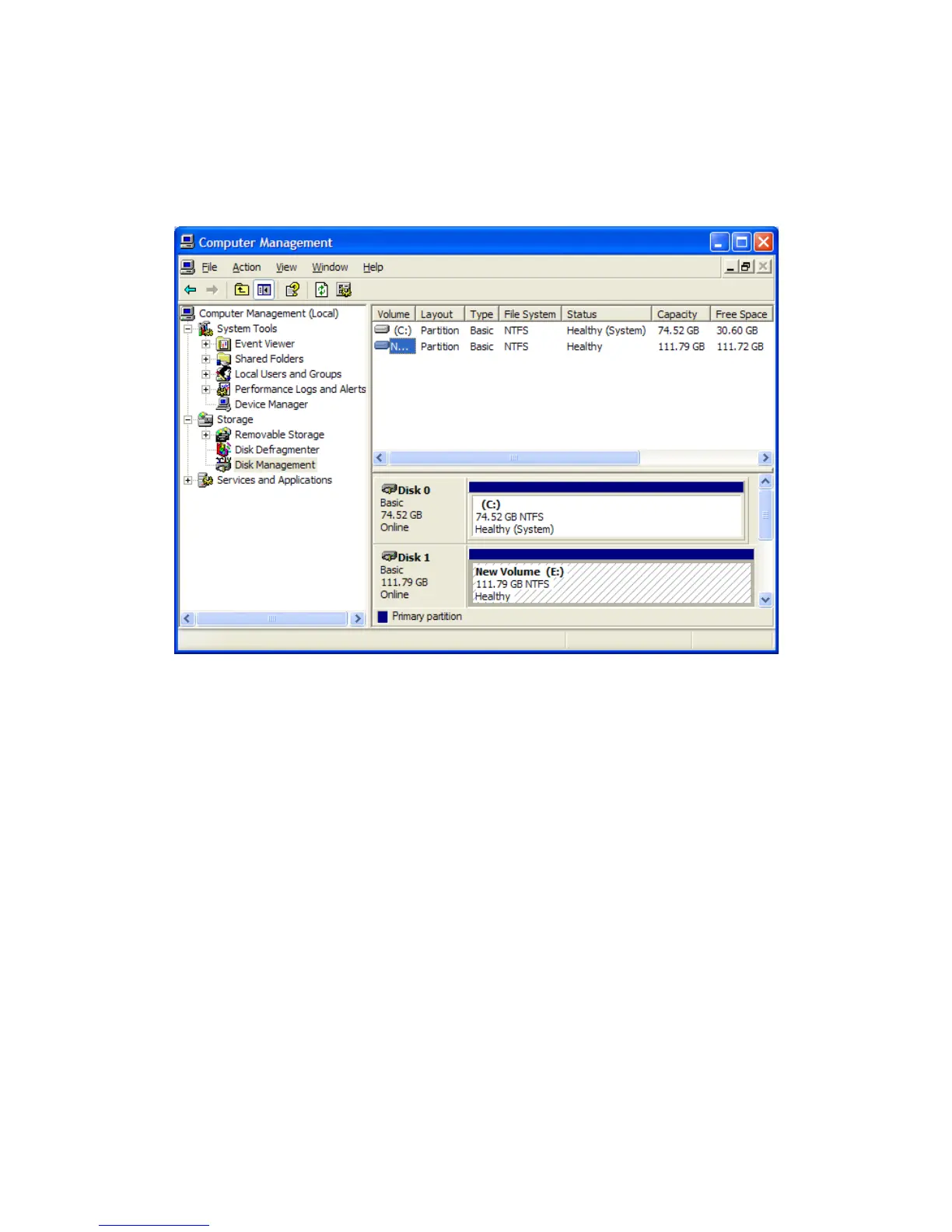
entered in the “Volume label,” the Rocstor drive will show up as “New Volume.” To
rename the volume at this time, right click “New Volume” and click “Properties.” You can
now change the volume name up to 11 characters. Click OK.
16. You can also change the name at any time in the future by reaching the “Properties” menu
of the Rocstor drive.
17. You can now Exit or close to return to the desktop.
ROCSTOR | LANCER LX user manual Page | 33










 To Next Page