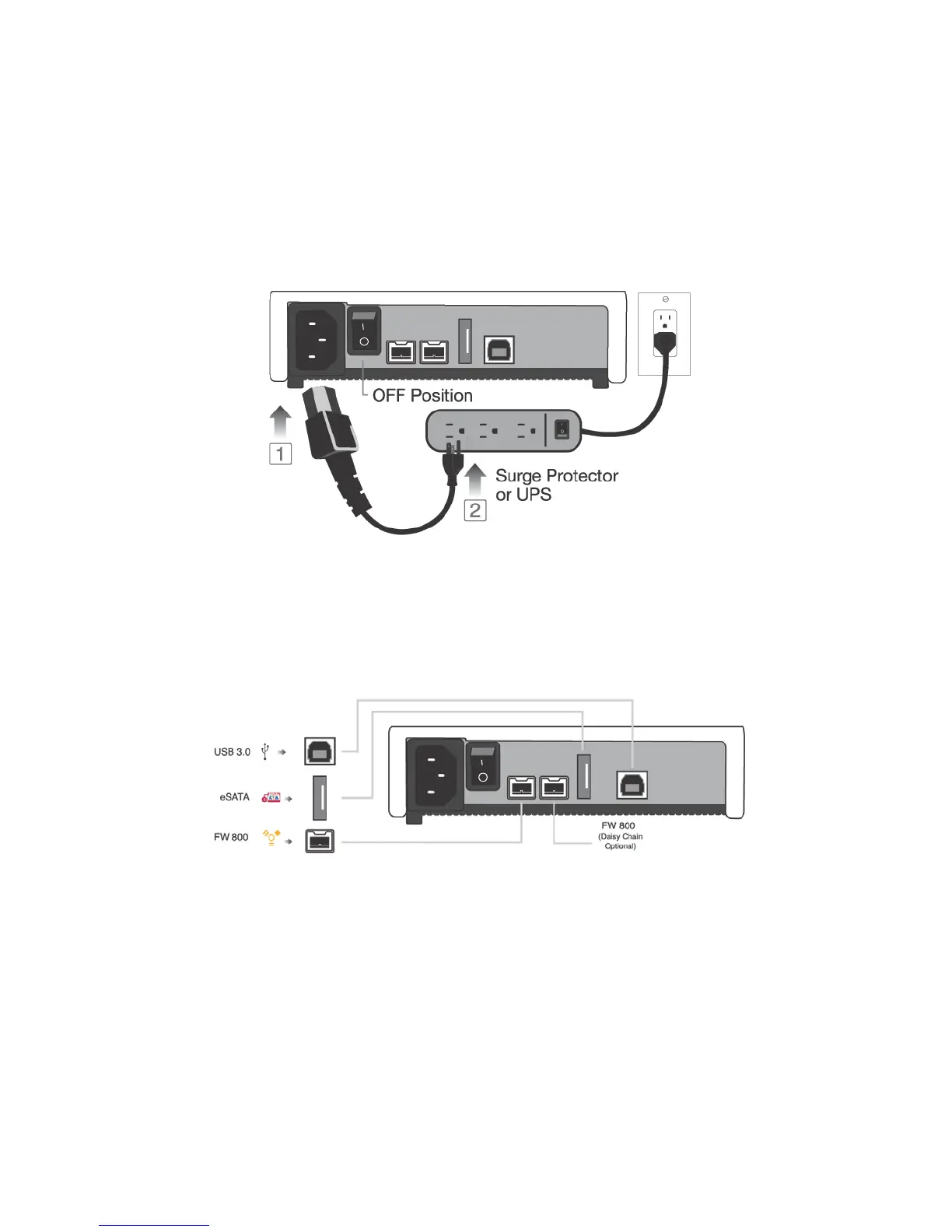
QUICK INSTALLATION
How to Connect the Interface Cables - Connecting the Drive
1. Turn ON your computer and wait until it fully boots up to load all programs.
2. Connect one end of the power cord directly to the Rocpro 900e and the other end to an AC
outlet, surge protector or battery Backup (UPS).
3. Using only one interface cable at a time, select the interface port you wish to use on your
computer. Connect one end of the cable to the Rocpro 900e and the other end to the
computer. Please review cable types on the next page:
4. Turn the Rocpro 900e Hard Drive switch ON.
5. The Hard drive is preformatted for Plug-and-Play operation. After a few seconds a
Rocstor HD icon will show on the “My Computer” folder under the Windows OS. Under
the Mac OS, the Rocport HD will appear on the “Desktop.”
6. Click (double click) on the Rocstor HD icon to access the drive.
ROCSTOR | ROCPRO 900e user manual Page | 9












 To Next Page