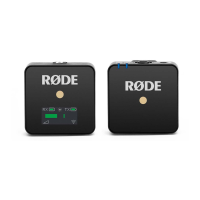
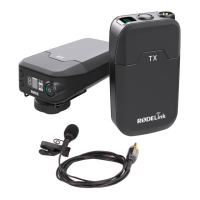
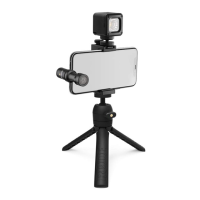
The RØDE Wireless GO II is a versatile and ultra-compact dual-channel wireless microphone system designed for recording two sound sources simultaneously into a single device. This system comprises a dual-channel receiver and two transmitters, offering a comprehensive solution for various recording scenarios, from interviews to live presentations.
Function Description:
The Wireless GO II allows users to connect two transmitters to a single receiver, enabling the recording of two distinct audio sources. Out of the box, the transmitters are pre-paired to the receiver and retain their assigned channels, eliminating the need for repeated pairing. The receiver's LED screen provides crucial information, including battery life, signal strength, and input levels for each transmitter, as well as receiver battery life, backlight mode, and output gain. An output level meter on the receiver facilitates easy monitoring of audio levels, preventing clipping or distortion.
The system supports both 'Merged' and 'Split' recording modes. In 'Split' mode, each transmitter's output is recorded onto separate channels (left and right) on the Wireless GO II's output, allowing for individual processing in post-production. This is ideal for scenarios like two-person interviews where independent editing and mixing of each sound source are required. In 'Merged' mode, the two transmitters are combined into a single summed output. This is beneficial when using only one transmitter and desiring audio on both channels of the recording device, or when utilizing the safety channel. Switching between these modes is achieved by pressing and holding both buttons on the receiver for three seconds.
Important Technical Specifications:
The Wireless GO II utilizes RØDE’s all-new Series IV 2.4GHz digital transmission with 128-bit encryption. This advanced technology provides an extended transmission range of 200 meters (line of sight) and ensures extremely stable operation even in environments with high RF activity, such as dense urban areas, shopping malls, universities, convention centers, and offices. Each transmitter features a high-quality in-built omnidirectional condenser capsule, designed to capture sound from all directions in great detail. The system's in-built lithium-ion batteries offer up to seven hours of operation for both transmitters and the receiver.
Usage Features:
- Turning On and Pairing: To power on the Wireless GO II, press and hold the power button on the receiver. For transmitters, press and hold their power buttons one at a time. They will automatically pair to the receiver within a few seconds.
- Reconnecting Transmitters: If a transmitter loses connection, its blue '∞' LED will flash, and its channel icons on the receiver will go blank. To reconnect, press and hold the pair button ('∞') on the receiver for three seconds to enable pairing mode, then single-click the power button on the desired transmitter.
- Disconnecting Transmitters: To disconnect a transmitter, select it by single-clicking the pair button, then press and hold the pair button for three seconds.
- Channel Selection: Clicking the pair button on the receiver cycles through the two transmitters. A single click selects transmitter 1, a second click selects transmitter 2, and a third click exits channel selection. This function is active only when transmitters are on and paired.
- Mute Control: Transmitters can be muted via the receiver or the transmitter itself. From the receiver, select the desired transmitter via channel selection, then single-click the gain control/mute button. From the transmitter, a single click of the power button mutes/unmutes (this functions only when the power button is configured to 'Mute' mode, which is the default setting and can be changed via RØDE Central).
- Gain Control: The receiver features a three-stage pad for gain control, cutting output levels in 12dB increments (0dB, -12dB, -24dB). A single click of the gain control button cycles through these settings. An additional fine gain control mode can be enabled via the RØDE Central app. Note that gain control only affects the 3.5mm output, not the digital USB-C output.
- Connectivity:
- To Cameras: Use the supplied SC5 cable to connect the Wireless GO II to cameras and other devices with a 3.5mm TRS input. For XLR inputs, an adapter like the VXLR Pro is required.
- To Computers: Connect the receiver to a computer using the supplied USB-C to USB-A cable (or USB-C to USB-C for compatible computers). Select 'Wireless GO II RX' as the input device in audio settings, effectively turning the receiver into a wireless USB audio interface.
- To Mobile Devices: For iOS devices with a Lightning input, use the SC15 or SC19 RØDE Lightning Accessory Cables (standard USB-C to Lightning cables are not compatible). For Android and other USB-C input devices, use the SC16 USB-C to USB-C cable. Connecting via USB-C to mobile devices offers high-quality digital audio output, bypassing the device's analog input circuitry, and frees up the 3.5mm output for headphone monitoring.
- Headphone Monitoring: When connected via USB-C, the 3.5mm output can be used for headphone monitoring, with the gain control adjusting headphone volume.
- Windshields: The system includes three furry windshields, redesigned for a strong connection. To attach, align the two white dots on the windshield with the black dots on the receiver, push down, and twist to lock. Reverse to remove. These are recommended for outdoor or windy environments to reduce wind and background noise.
Maintenance Features:
- Battery Life and Charging: The Wireless GO II units have in-built lithium-ion batteries lasting up to seven hours. Low battery is indicated by a flashing LED on the transmitter (faster flash for very low battery) and amber/red icons on the receiver screen. When charging, the transmitter LED flashes, and the receiver displays a lightning bolt icon. The units can be used while charging via the supplied USB cables.
- Power Saver Mode: To conserve battery, power saver mode can be activated on the receiver, turning off the LED backlight after 10 seconds of inactivity. Single-clicking the power button disables this mode. A small sun icon indicates if power saver mode is engaged (full sun = disengaged).
- RØDE Central: This desktop and mobile companion app allows for complete device configuration, including:
- Configuring the on-board recording function.
- Unlocking advanced features like the safety channel and fine gain control.
- Changing the Ø button function.
RØDE Central also enables optimization and export of on-board recordings, access to device information, and firmware updates. It requires MacOS 10.15+, Windows 10 Version 1803+, iOS 14+, or Android 9.0+.

 Need help?
 General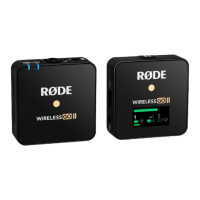

 To Next Page