2
FEATURES
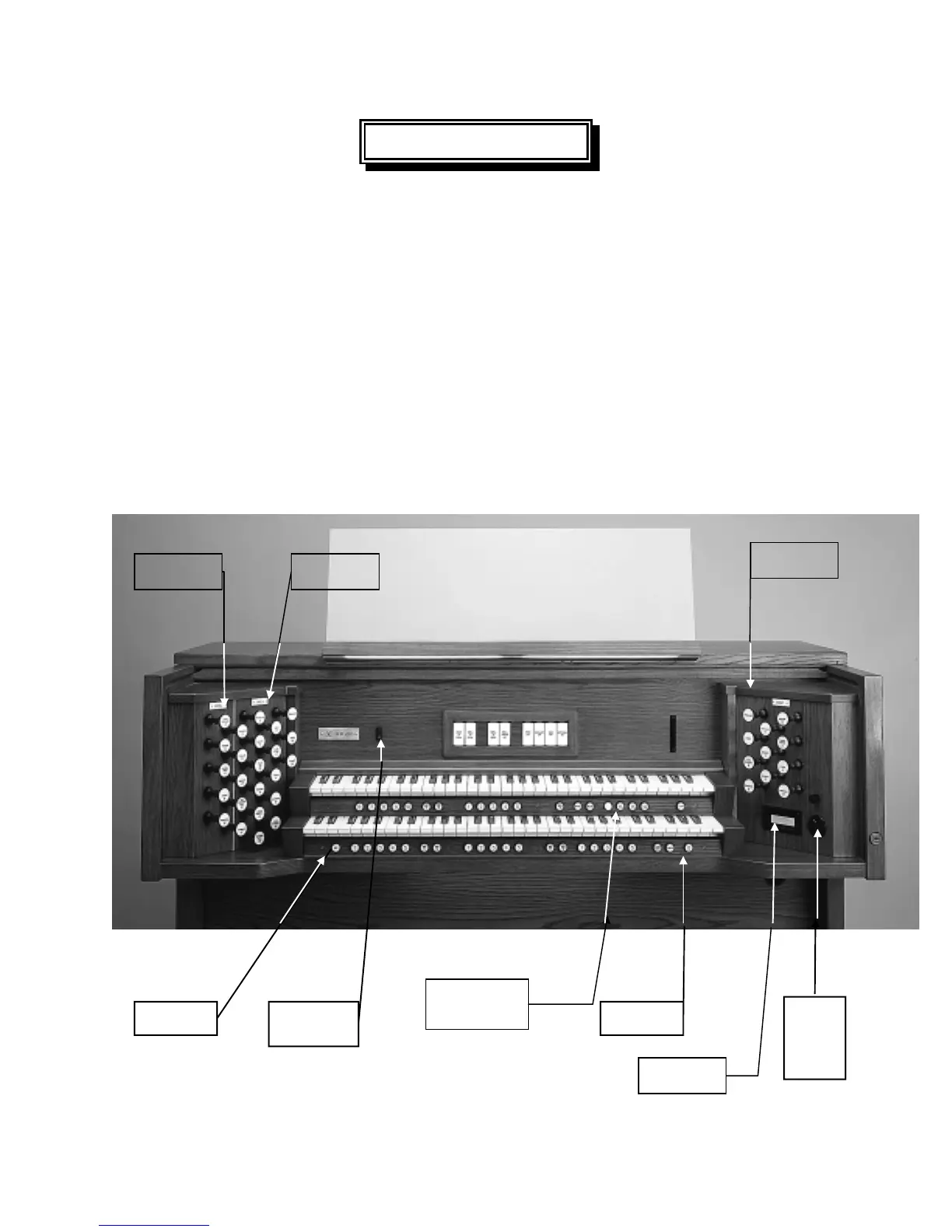
To get started, here is a tour of the basic operations of the Rodgers 795:
TURN ON/TURN OFF
To turn the organ on, press the top part of the rocker switch to the left of the coupler
tablets. “RODGERS 795 CLASSIC ORGAN” or your personalized greeting will appear in the
Console Display. The organ will perform a self diagnostic test of its systems within a few
seconds. When completed, the Console Display will read “TRANSPOSER 0”; the Rodgers
795 is now ready to play. To turn the power off, press the lower part of the rocker switch.
CONSOLE DIVISION, COMBINATION MEMORY
AND PISTON LOCATIONS
PEDAL
DIVISION
SWELL
DIVISION
GREAT
DIVISION
MEMORY LEVEL
PISTONS
M1, M2, M3, M4
CONSOLE
DISPLAY
POWER
SWITCH
SELECT
KNOB
AND
ALPHA
DIAL
SET
PISTON
GENERAL
CANCEL





 To Next Page