EasyManua.ls Logo

Rodix VF-3 - User Manual

Default Icon
10 pages
Print Icon
To Next Page IconTo Next Page
Loading...
File No. E183233
RODIX INCORPORATED
TOLL FREE (800) 562-1868, FAX (815) 316-4701
E-mail custserve@rodix.com
rodix.com
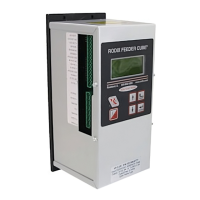
FEEDER CUBE ®
VF-3, P/N 121-000-0754* and 121-200-0754
* Includes CFR vibration sensor P/N 123-215
GENERAL PURPOSE MODEL
IMPORTANT: APPLICATION NOTE
Input: 90 - 264 VAC, 50/60 HZ.
Single Unit Fuse Size: 5 AMPS
Output: 0 - 120/240 VAC
Maximum output voltage matches input voltage
Output Frequency: 5 - 180Hz
Rated Output Current: 3 Amps at 120V or 2 Amps at 240V
Model Information: The Autotune Series of Variable Frequency Feeder Cubes® generates an output frequency for feeding
that is independent from the power line frequency. An optional vibration sensor, P/N 123-215, can be used to maintain the
vibratory feeder at a constant feed rate. The start/stop operation of the output can be controlled with an optional parts
sensor. For more information on this control, refer to the enclosed Adjustments and Set Up pages.
© 2005, 2020 RODIX INC. VF-3 cover.docx 3/9/20 Page 1
Question and Answer IconNeed help?

Do you have a question about the Rodix VF-3 and is the answer not in the manual?

Summary

Feeder Cube VF-3 Series Overview

Key Specifications

Details input voltage, frequency, single unit fuse size, and output capabilities.

Wiring Diagram Details

VF Series Control Menu Layout

Power Settings Menu

Configures power-related settings like amplitude, current limit, and soft start.

Frequency Settings Menu

Adjusts frequency parameters including max, min, and mode selection.

Auto Tune Series Controls

Control Sizing Guidelines

Guidelines for selecting the correct VF control size based on feeder amp requirements.

Adjustments and Setup Procedures

Electrical Connection Procedures

Guidance on making electrical connections, including safety warnings.

Parts Sensor Input Connection

How to connect a PNP sensor for parts detection and operation.

Run Input Enable Setup

Connecting a jumper or external device for the run input control.

Software Adjustment Procedures

Control Menu Navigation

Details how to use the keypad (ENTER, BACK, ARROW keys) to navigate menus.

Amplitude Power Adjustment

How to adjust the output power (vibration amplitude) using arrow keys.

Max Output Limiting

Setting a maximum amplitude limit to prevent feeder damage or overload.

Min Output Setting

Adjusting the minimum amplitude level for low-speed vibration control.

Soft-Start Configuration

Configuring the ramp-up time for the output to start smoothly.

External Speed & Frequency Control

Controlling power level via external signals like PLC or CFR sensor.

CFR Positive and Negative Gain

Current Limit Trip Settings

Frequency Settings Configuration

Auto Scan Frequency Operation

Using the auto scan feature to automatically find the resonate frequency.

Time Delay Settings

Parts Sensor Input Settings

Run Mode Settings Configuration

Auxiliary Output Operation

Security Settings Management

CFR Set Point Configuration

Interlocking Two VF Series Controls

Interlocking FC-40 Plus to VF Series Control

Interlocking FC-200 to VF Series Control

Installing the CFR Sensor

Sensor Orientation Guidelines

Proper orientation of the sensor's sensitive axis relative to vibration.

Sensor Mounting Location Selection

Selecting a suitable mounting location on the feeder for sensor bonding.

Feeder Surface Preparation

Detailed steps for cleaning and preparing the feeder surface for adhesive.

Rodix Solution: Avoiding Electrical Noise

Rodix VF-3 Specifications

General IconGeneral
BrandRodix
ModelVF-3
CategoryPower Supply
LanguageEnglish

Related product manuals