Note: When the failure occurs,the color of indicator light will show the prority in the following order.
1. Error receiving card.
2. The power is above 36V or below 24V
3. Excessive panel temperature.
4. Wrong signal.
5. No signal.
Light status on the backside of MC-7H Series
OK Signal input from top
to bottom
Green (2Hz/second) Normal
Normal
The receiving card doesn’t work.
The supply voltage is above 36V or below 24V.
The temperature of panel exceeds 50℃.
1.The bad connection between the receiving cards.
2.The pins on the receiving card is curved or broken.
Disconnected the UTP cable between the receiving
card and the panel.
Blue (2Hz/second)
Red (Always)
Red (2Hz/second)
Green (Always)
Blue (Always)
Yellow (2Hz/second)
Signal input from
b
ottom to top
Error
receiving card
OK
OK
Wrong signal
No signal
OK
OK
OK
OK
OK
Above 36V or below 24V
Power Data Color of Light Factors
Service and Maintance:
08
- 17 -
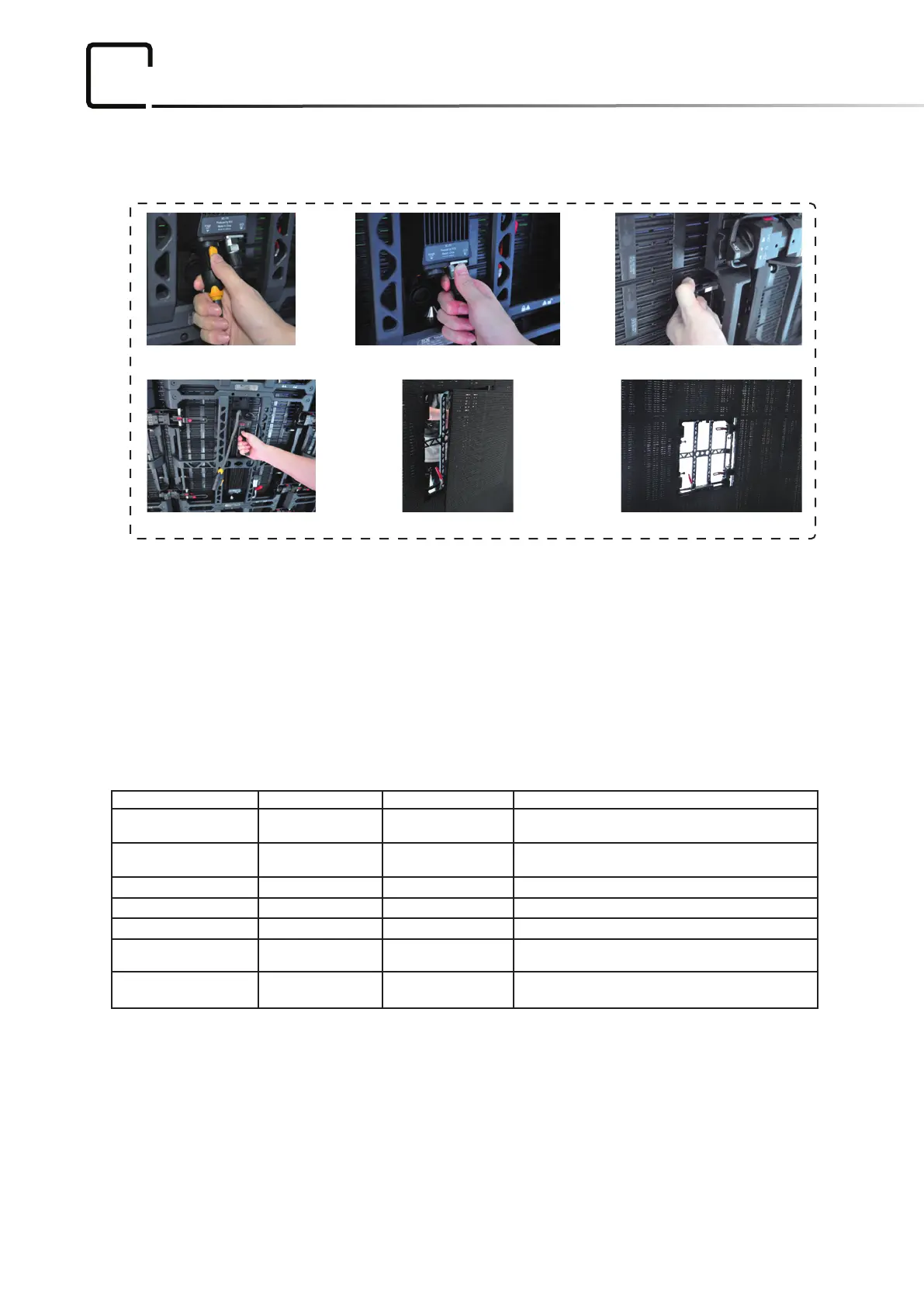
Picture 1 Picture 2 Picture 3
Picture 4 Picture 5 Picture 6
Maintance:
1. Remove the Power Cable.
2. Remove the Data Cable.
3. Pull out the Lock Pin.
4. Hold the handle to push the panle forward.
Maintenance on overall installaon, just replace the bad panels.


 To Next Page