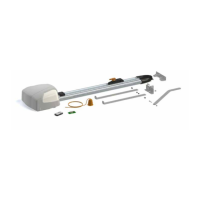
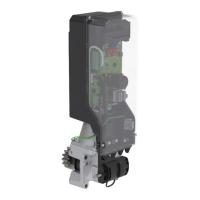
This document serves as a comprehensive "USE AND MAINTENANCE MANUAL" for Roger Technology swing gates, providing essential information for safe operation, maintenance, and troubleshooting. The manual is dated 28/07/2016, Rev.00.
Function Description
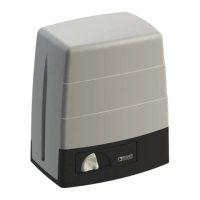
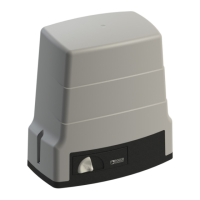
The manual outlines the operation and maintenance of Roger Technology automation systems for swing gates. These systems are designed to automate the opening and closing of gates, enhancing convenience and security. The document covers various series of swing gate operators, including BE20 - BR20 - R20 Series, BM20 - M20 - H20 Series, BH23 - H23 Series, R23 Series, and BR21 - R21 Series, each with specific unlocking and locking procedures.
Important Technical Specifications
While the manual does not list specific technical specifications like motor power or gate weight capacity, it details the various models of motors, control units, radio receivers, remote controls, and photocells that are part of the Roger Technology product line. This implies a modular system where different components can be combined based on specific installation requirements.
Motors:
- R20/300, R20/302, R20/500, R20/502
- M20/340 (also available as SET M20/342)
- H20/370, H20/500
- R23/371, R23/372 (also available as SET R23/373, SET R23/374)
- Brushless BM20/340 (also available as KIT R20/310, KIT R20/510, SET BM20/342)
- Brushless BR20/300, BR20/500 (also available as KIT BR20/310, KIT BR20/510)
- Brushless BE20/200 (also available as KIT BE20/210)
- SMARTY5, SMARTY5R, SMARTY7, SMARTY7R
- Brushless H23/282 (also available as SET H23/284)
- Brushless BH23/282 (also available as SET BH23/284)
Control Units:
- R21/351, R21/351SUB, R21/361, R21/362, R21/362SUB, R21/368, R21/353, R21/354, R21/356
- H70/200AC, B70/2DC, B70/2DCHP
- Brushless BR21/351, BR21/361, BR21/362
Radio Receivers and Remote Controls:
- H93/RX22A/I, H93/RX2RC/I
- R93/RX12A/I, R93/RX2RC/U
- R93/RX14M/24
- E80/TX52R/2, E80/TX54R/2, E80/TX2R/RC, E80/TX4R/RC
- H80/TX22
- M80/TX44R
Photocells:
- R90/F2ES, R90/F4ES
- G90/F2ES, G90/F2ESI, G90/F4ES (also with TRIX/TX and TRIX/RX options)
- M90/F2ES, M90/F2ESO
- T90/F2S, T90/F4S
Accessories:
- R85/60ES, R85/60EAS, R85/60EAS/TRIX, R85/60EAE, R85/60EAE/TRIX, R85/60IS, R85/60IAS, R85/60IAE
- H85/TDS/E, H85/TDS/I, H85/TDS/TRIX, H85/TDR/E, H85/TDR/I, H85/TDR/TRIX
- H85/TTD/E, H85/TTD/I, H85/TTD/TRIX
- R92/LED24, R92/LED230, R92/LR3
- R91/AN1/LR1, R91/AN1/P1
- CFT500, CFT501
- TRIX50, TRIX100, TRIX50/G90, TRIX100/G90
The manual also includes sections for recording installation details such as material (Iron, Steel, Aluminium, Cast iron, Wrought iron, Wood), door leaf type (Solid, Slats), dimensions (LxH), weight (kg), and structure (Open/Closed position mechanical stops).
Usage Features
The primary usage feature is the automated opening and closing of swing gates. The manual emphasizes safety precautions for users, particularly regarding children and interaction with moving parts.
Safety Precautions:
- Keep away from hinges and moving parts.
- Do not try to stop the gate while it is moving.
- Children aged 8 and above, or persons with diminished capacities, can use the system if supervised and instructed on safe operation.
- Children must be supervised to prevent play with the installation and to keep them out of the gate's action area.
- Remote controls and other devices should be kept out of reach of children.
- In case of fault, turn off main power and contact a professional; do not attempt self-repair.
Unlocking and Locking Procedures:
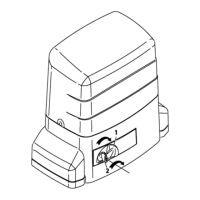
Detailed instructions with diagrams are provided for manually unlocking and locking the gate for each series:
- BE20 - BR20 - R20 Series: Open lock cover, insert key, turn clockwise 90°, pull key and lever to open. For locking, close lever, insert key, turn clockwise 90°, turn anticlockwise, remove key, close cover.
- BM20 - M20 - H20 Series: Turn lock cover, insert key, turn clockwise 90°, pull key and lever to open. For locking, close lever, insert key, turn clockwise 90°, turn anticlockwise, remove key, close cover.
- BH23 - H23 Series: Turn lock cover, insert key, turn clockwise 90°, pull key and lever to open. For locking, close lever, insert key, turn clockwise 90°, turn anticlockwise, remove key, close cover.
- R23 Series: Open lock cover, insert key, turn clockwise 90°, turn lever 180°. For locking, turn lever 180° back, insert key, turn anticlockwise, remove key, close cover.
- BR21 - R21 Series (RL650): Remove lock cover, fit release lever, turn 120° towards gate center. For locking, with gate open, fit lever, rotate towards hinges, fit cover. System re-engages automatically.
- BR21 - R21 Series (RL651): Remove lock cover, insert key, turn 90° towards gate center, pull lever to open. For locking, with gate open, turn lever, turn key 90° towards hinges, fit cover. System re-engages automatically.
Maintenance Features
The manual stresses the importance of periodical maintenance to ensure proper functioning and safety. It distinguishes between user and installer maintenance tasks.
Periodical Maintenance by User:
- Clean photocell lenses with a soft, damp cloth (no solvents).
- Clean guide rails to remove leaves or stones.
- Trim any plants encroaching on photocell areas or impeding gate movement.
- Do not direct water onto parts.
Periodical Maintenance by Installer:
- Disconnect system from mains, unlock gate.
- Check all parts for wear, deterioration, and corrosion; replace inadequate parts.
- Check condition and tightness of fastener screws.
- Clean and lubricate turning pins, gate hinges, and drive screw. Manually check smooth gate movement.
- Lock gate, reconnect to mains.
- Check all control devices, safety devices, and limit switches.
- Check force settings.
Troubleshooting:
A dedicated section helps diagnose common issues:
- Gate does not open/close: Possible causes include no power, unlocked gear motor, flat/broken transmitter battery, stuck STOP button, stuck open/close buttons or key selector switch. Solutions range from checking power supply and locking the gear motor to replacing batteries and contacting technical support.
- Gate opens but does not close: Obstacle detected by photocells. Solution: clean photocell lenses and check operation.
- Gate closes but does not open: Sensing edge malfunction. Solution: contact technical support.
- Flashing light not working: Bulb blown. Solution: replace bulb.
Environmental Requisites:
Roger Technology products contain electronic components and batteries with potentially harmful substances. Users are instructed to:
- Disconnect from mains before removing electronic components and battery.
- Observe local regulations for disposing of used materials and packaging.
- Deliver electric/electronic devices and batteries to specialized refuse collection centers.
The manual also includes a "Maintenance log" for recording corrective actions, replacements, and signatures, ensuring a documented history of maintenance. An "Initial test report" section is provided for both client and installer copies, detailing preliminary checks, functional tests, and performance tests to confirm the product's conformity and successful installation.


 To Next Page

 General