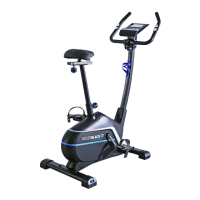
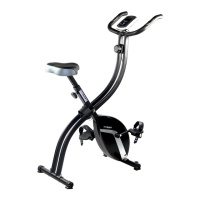
Need help?
Do you have a question about the Rogerblack 404/8800 and is the answer not in the manual?
Safety steps for assembling the exercise bike, including checking parts and workspace.
Safety steps for operating the exercise bike, covering user responsibility and equipment use.
Precautions for battery installation, mixing types, and proper disposal.
Attach front and rear stabilizers to the main frame using specified bolts and washers.
Connect sensor wire and attach the front post to the main frame with bolts and washers.
Connect pedals to cranks and attach the computer to the front post using bolts.
Attach the handlebars and bottle holder to the front post using bolts and screws.
Attach the saddle to the seat adjustment bracket and insert the seat post into the frame.
Explanation of console buttons (MODE, SET, RESET) and their operations.
Details on how to display Time, Speed, Distance, Calories, Odometer, and Pulse.
Information on the auto-scan function and low battery indication.
Step-by-step instructions for removing and replacing the computer batteries.
How to adjust workout resistance by turning the tension knob.
Using heart rate to determine optimal workout intensity for effective aerobic exercise.
Identification of upper and lower body muscles targeted during exercise.
Guidance on workout components (warm-up, training, cool-down) and training frequency.
Instructions for a hamstring and back stretch.
Instructions for stretching hamstrings, lower back, and groin.
Instructions for leg and hip stretching exercises.
 General
| Model | 404/8800 |
|---|---|
| Category | Exercise Bike |
| Type | Upright |
| Resistance | Magnetic |
| Console Display | LCD |
| Functions | Speed, time, distance, calories, pulse |
| Maximum User Weight | 300 lbs |
| Weight Capacity | 300 lbs |

 To Next Page