16
Cleaning of Components
First, use a soft and clean cloth to wipe the laser distance sensor, infrared lens, charging
electrode plates, and cliff sensors of the main unit. Turn the device over and use a
screwdriver to remove the omni wheel and clean the hair and dirt on the wheel.
Caution:
• Do not use wet wipes, detergents, sprays, or other chemical products to clean the
sensors, infrared recharging sensors, or charging electrode plates of the main
unit.
• Please be careful when using a screwdriver to replace components to avoid
scratching yourself.
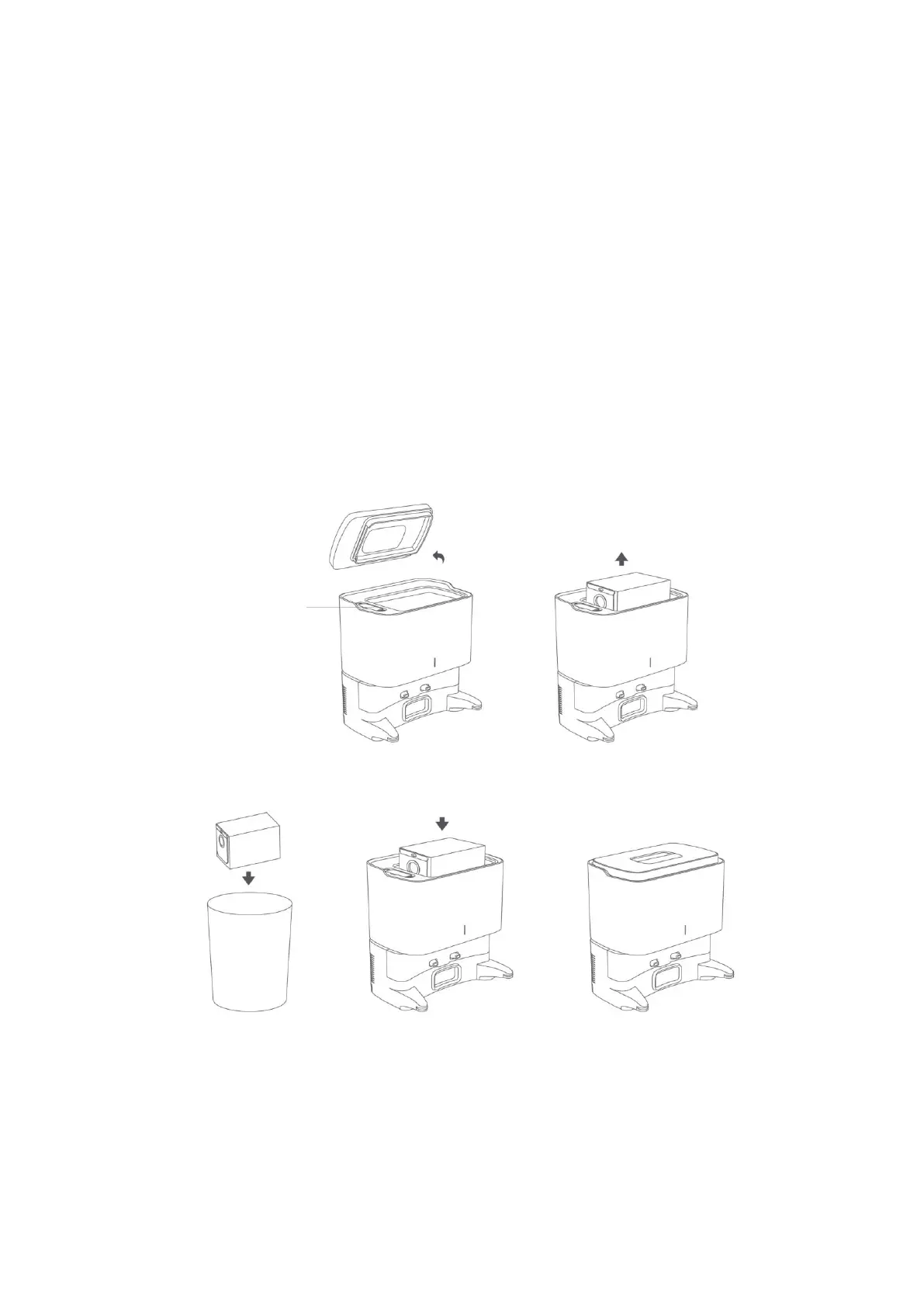
Cleaning of Dust Collection Station
When the dust bag is full, please replace it in time to avoid affecting the next dust
collection.
Next, use a soft and clean cloth to wipe and clean the infrared lens and charging pins of
the dust collection station to ensure they are clean and free of debris. Finally, check the
fan filter holder for any foreign objects or debris wrapped around it. Use a soft and
clean cloth to wipe and clean the holder to ensure it is clean and free of debris.



 To Next Page