Mute
Stummschaltung
Channel shortcuts
Shortcuts zu
Channels
Options
Optionen
Installation
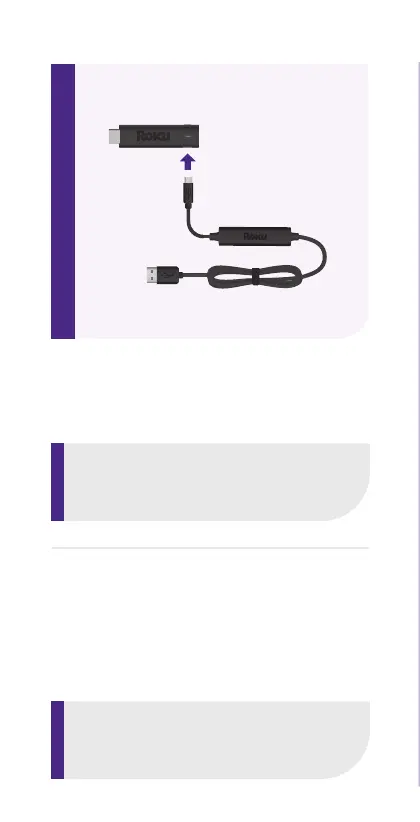
STEP 1: Connect your streaming player
Plug the USB power cable into your streaming
player. We recommend keeping the power
cable coiled in the velcro wrap.
SCHRITT 1: Schließe deinen
Streaming Player an
Stecke das USB-Netzkabel in deinen
Streaming Player. Wir empfehlen,
das Netzkabel eingewickelt in der
Klettvorrichtung zu lassen.
TIP:
For help setting up your device, visit
go.roku.com/rss4k
Tipp:
Hilfe beim Setup gibt es unter
go.roku.com/rss4k
1



 To Next Page