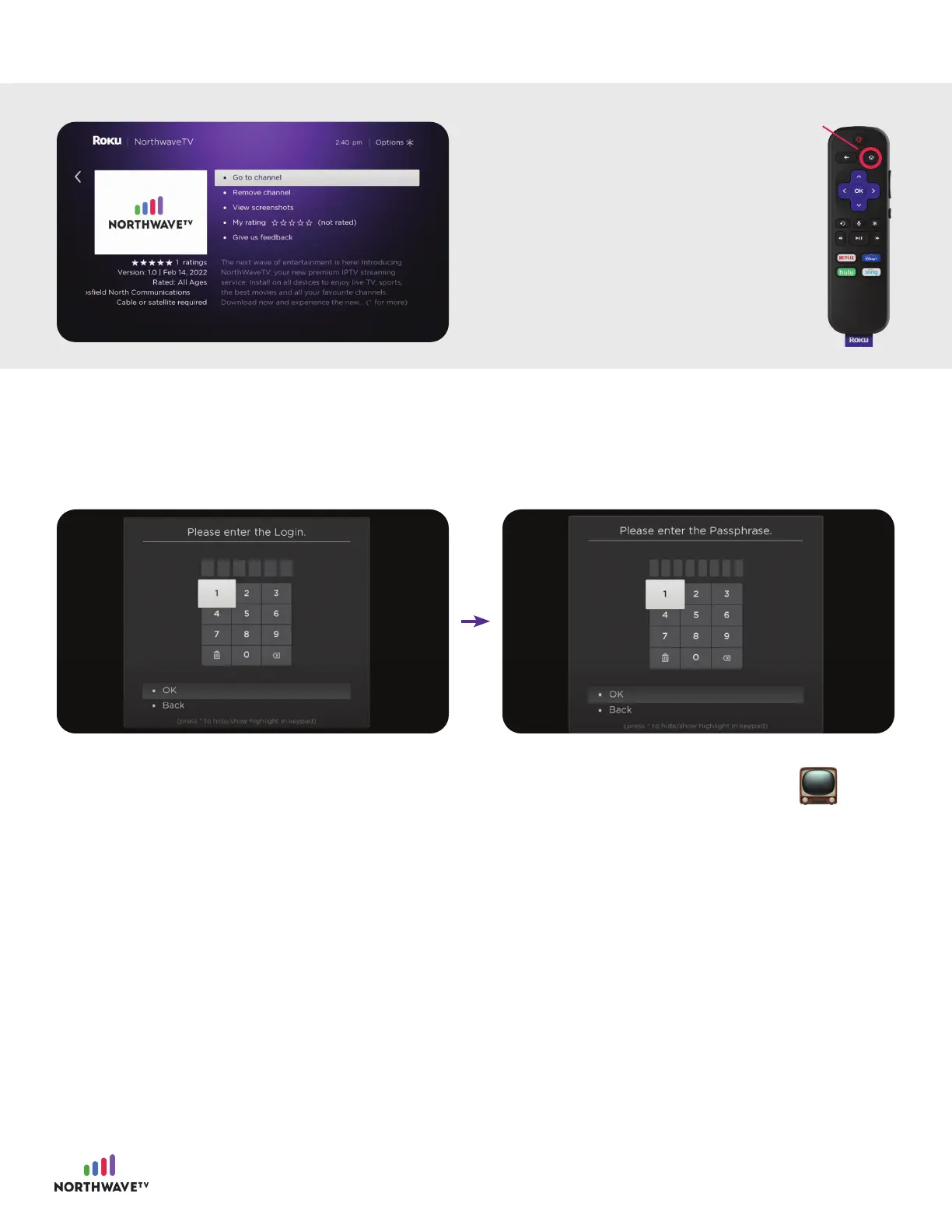
Step #5: Log-in and Start Streaming!
Click the NorthWaveTV app and then log in using the information provided in the email we sent you.
Once the app has downloaded,
you can select “Go to channel”
or click the home button on your
remote to view the app on your
homepage.
Select the app and proceed to
the next final step to connect to
NorthWaveTV.
Home
8
You’re ready to start streaming NorthWaveTV! .
For support, please contact your Internet Service Provider

















 To Previous Page