
 Need help?
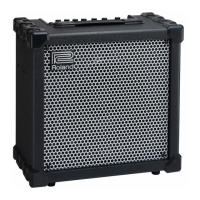
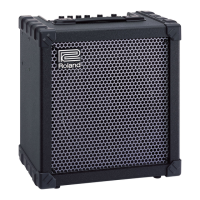
Do you have a question about the Roland Cube-100 and is the answer not in the manual?
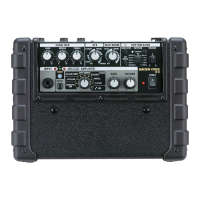
Details the two input jacks (High Gain, Low Gain) for connecting instruments.
Explains the function of the two LEDs indicating the selected channel.
How to switch to and control the Overdrive channel using Volume 1 and 2.
Guide to using the Normal channel for rhythm sounds and its Bright switch.
Description of Treble, Middle, and Bass tone controls.
Details the built-in reverb using a 3-spring unit for smooth sound.
Indicates the power status of the unit.
Connects optional footswitches for remote control of Overdrive and Reverb.
Outputs and inputs for connecting to external amps, mixers, or effect devices.
Ports for private listening via headphones or connecting an external speaker.
On/Off switch for the amplifier.
Setting up the amplifier for clean rhythm sounds.
Achieving hot sustain and lead tones in Overdrive mode.
Guide to Hard and Soft distortion sound settings.
 General
| Technology | Solid State |
|---|---|
| Power | 100 Watts |
| Speaker Size | 12 inches |
| Type | Guitar Amplifier |
| Channels | 2 (Clean, Lead) |
| Effects | Chorus, Flanger, Phaser, Tremolo, Delay, Reverb |
| Inputs | 1 x 1/4" (Guitar), 1 x 1/8" (Auxiliary) |





 To Next Page