EasyManua.ls Logo

Roland E-10 - Page 15

Roland E-10
54 pages
Print Icon
To Next Page IconTo Next Page
To Previous Page IconTo Previous Page
Loading...
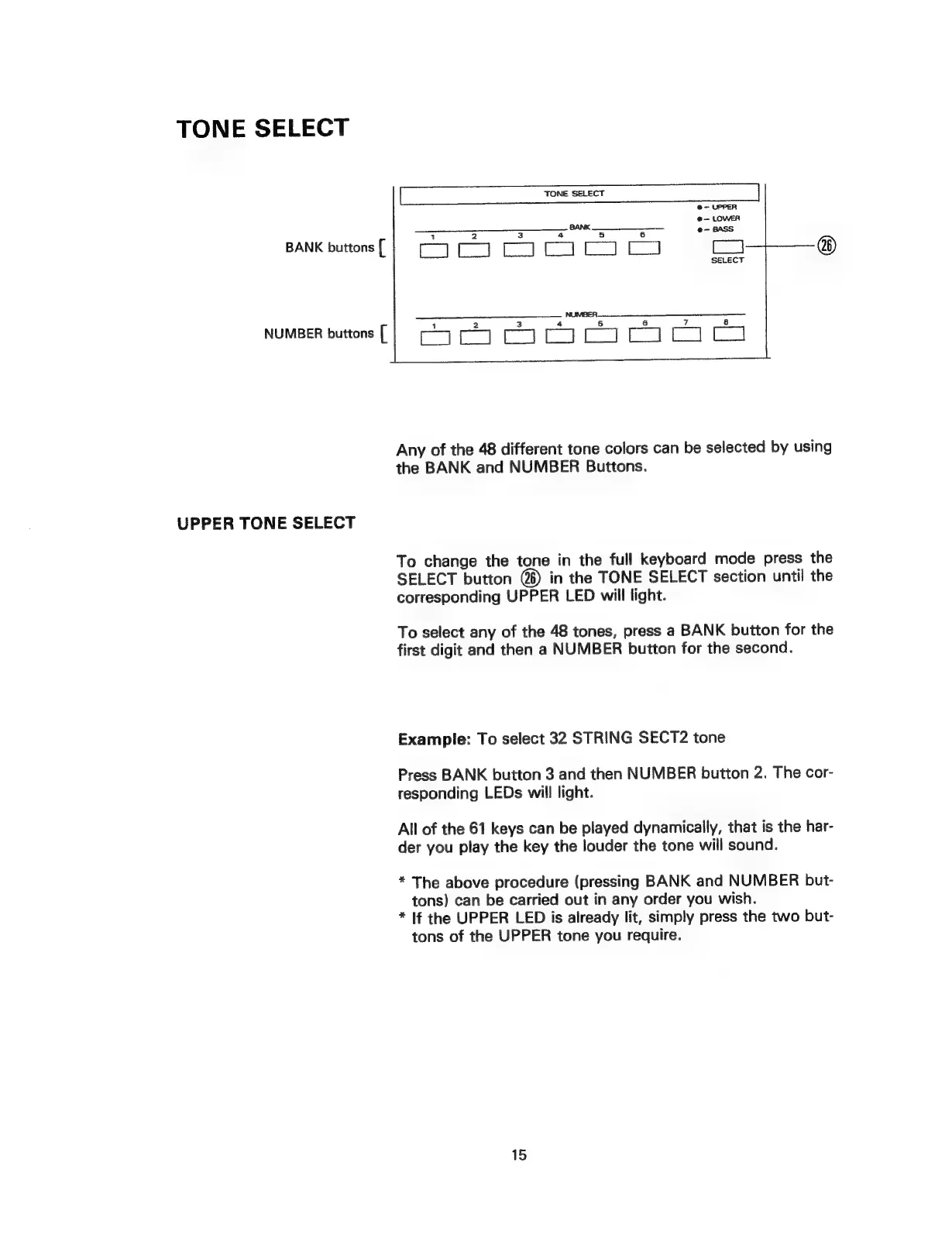
TONE
SELECT
@—
UPPER
@—
LOWER
BANK
@-
BASS
sank
oun
|
E29
CS
SELECT
NUMBER.
ea
a
see)
NUMBER
buttons
[
Any
of
the
48
different
tone
colors
can
be
selected
by
using
the
BANK
and
NUMBER
Buttons.
UPPER
TONE
SELECT
To
change
the
tone
in
the
full
keyboard
mode
press
the
SELECT
button
@)
in
the
TONE
SELECT
section
until
the
corresponding
UPPER
LED
will
light.
To
select
any
of
the
48
tones,
press
a
BANK
button
for
the
first
digit
and
then
a
NUMBER
button
for
the
second.
Example:
To
select
32
STRING
SECT2
tone
Press
BANK
button
3
and
then
NUMBER
button
2.
The
cor-
responding
LEDs
will
light.
All
of
the
61
keys
can
be
played
dynamically,
that
is
the
har-
der
you
play
the
key
the
louder
the
tone
will
sound.
*
The
above
procedure
(pressing
BANK
and
NUMBER
but-
tons)
can
be
carried
out
in
any
order
you
wish.
*
If
the
UPPER
LED
is
already
lit,
simply
press
the
two
but-
tons
of
the
UPPER
tone
you
require.
15