11
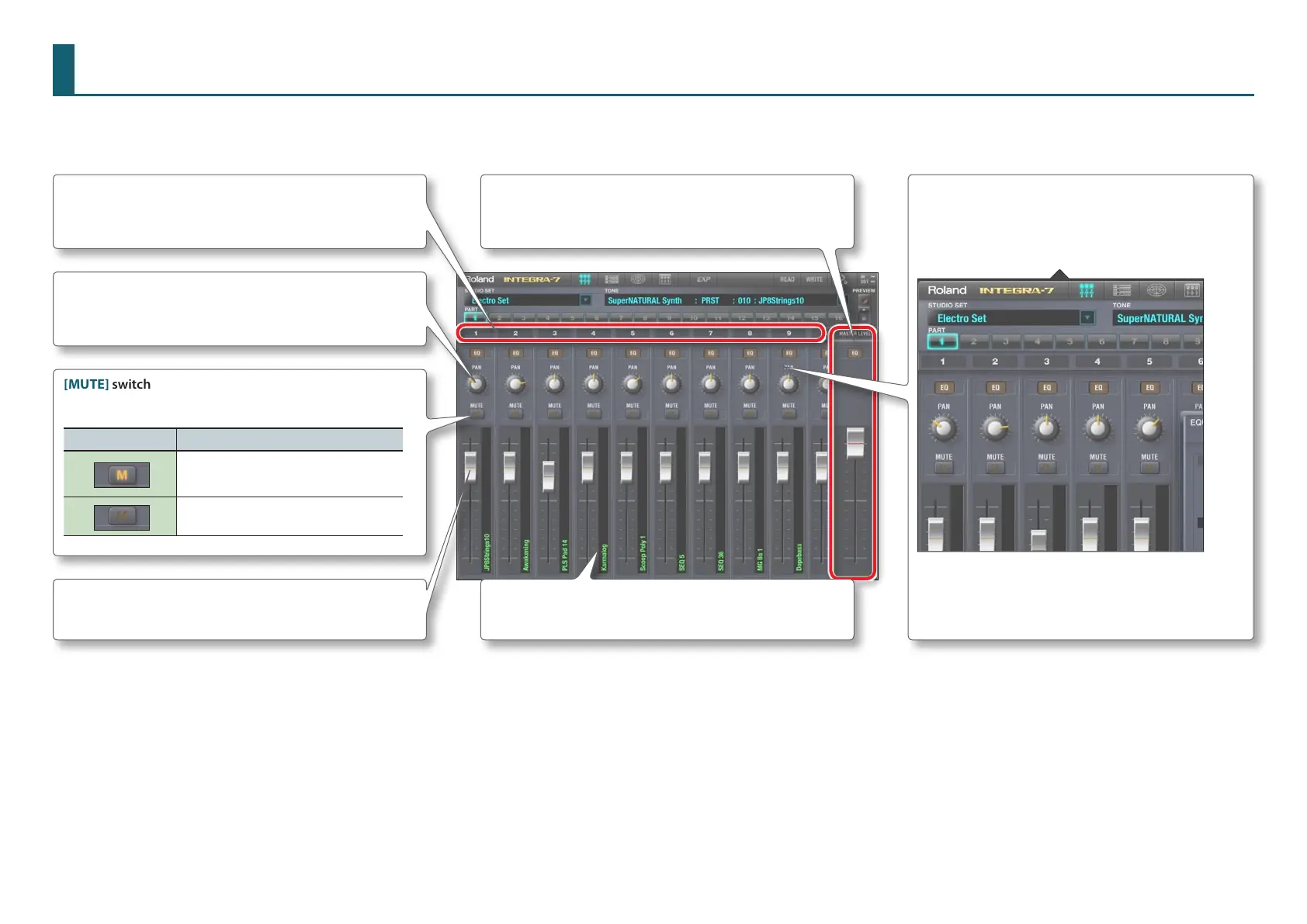
Studio Set Mixer
Here you can edit each part’s volume, pan, equalizer, and mute settings, as well as the overall volume and equalizer settings.
Level slider
Adjusts the volume of each part.
[MUTE] switch
Turn this on if you don’t want a part to be heard.
MUTE Switch Explanation
Mute is on
(The part’s sound will not be heard.)
Mute is o
(The part’s sound will be heard.)
[EQ] button
This accesses the 3-band equalizer screen.
Equalizer settings can be edited individually for each
part.
Part numbers of the studio set
By icking the screen to left or right you can switch the parts
that are shown.
MASTER LEVEL
Adjusts the volume and equalizer settings of the entire
INTEGRA-7.
Sound name
Shows the name of each part’s sound.
[PAN] knob
Species the left/right position of each part’s sound.



 To Next Page