EasyManua.ls Logo

Roland Juno-6 - Page 17

Roland Juno-6
33 pages
Print Icon
To Next Page IconTo Next Page
To Previous Page IconTo Previous Page
Loading...
te
Sooiids
18
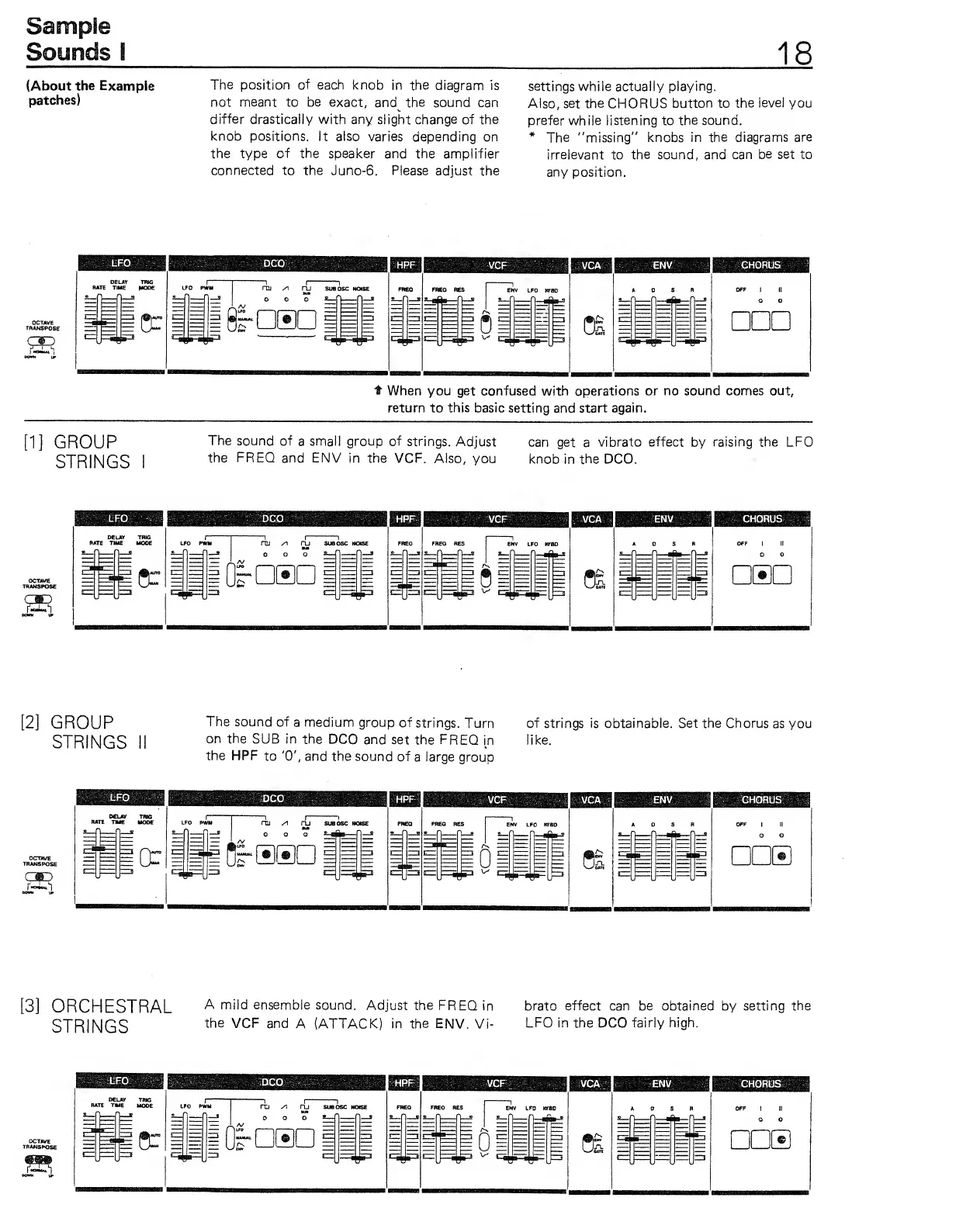
(About
the
Example
patches)
The position
of
each knob
in the
diagrann is
not
nneant
to
be
exact,
and^ the sound
can
differ drastically
with any
slight
change of the
knob positions.
It
also
varies
depending on
the type
of the
speaker and the
amplifier
connected to the Juno-6. Please
adjust the
settings while actually
playing.
Also,
set
the
CHORUS
button to
the
level
you
prefer while listening to
the sound.
*
The "missing"
knobs in the diagrams
are
irrelevant to
the
sound, and
can
be set
to
any position.
3^
t
When
you get confused with operations or
no sound
comes
out,
return to
this
basic setting
and
start again.
"1]
GROUP
STRINGS
The
sound of
a
small group
of strings.
Adjust
can
get
a
vibrato effect
by
raising
the LFO
the
FREQ
and ENV
in
the
VCF. Also,
you
knob
in
the DCO.
CMD
[2]
GROUP
STRINGS
The
sound of
a
medium
group of
strings.
Turn
on the
SUB
in
the
DCO and
set the FREQ
in
the
HPF
to
'0',
and the
sound of
a
large
group
of
strings is obtainable. Set the
Chorus
as
you
like.
CMD
[3]
ORCHESTRAL
a
mild ensemble
sound.
Adjust the
FREQ
in brato effect can be obtained
by
setting the
STRINGS
^^^
V^f^
3nd
A (ATTACK)
in the ENV.
Vi-
LFO
in
the
DCO
fairly high.