EasyManua.ls Logo

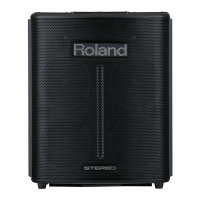
Roland Mobile BA - User Manual

Roland Mobile BA
116 pages
Print Icon
To Next Page IconTo Next Page
Loading...
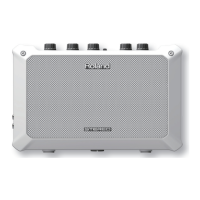
BATTERY POWERED STEREO AMPLIFIER
Owners Manual
Gebruikershandleiding
Bedienungsanleitung
Mode d’emploi
Manuale dell’utente
Manual del usuario
Manual do proprietário
Deutsch Français Italiano Español Português NederlandsEnglish

Table of Contents

Other manuals for Roland Mobile BA

Questions and Answers

  • A
    Amanda LopezJul 27, 2025
    Why is there no sound coming from my Roland Mobile BA?
    • J
      Jamie BrownJul 27, 2025
      If you're experiencing no sound or insufficient volume with your Roland Amplifier, first, double-check all connections to ensure they are correct. Then, make sure the [VOLUME] knob is set appropriately. Also, if headphones are connected, the sound will not be produced from the unit’s speakers.
  • M
    Mary HernandezAug 6, 2025
    How to fix a Roland Mobile BA Amplifier that won't turn on?
    • M
      Mary RiveraAug 6, 2025
      If your Roland Amplifier power won’t turn on, the batteries might be exhausted, so install fresh batteries. Also, ensure the specified AC adapter (PSB-series; sold separately) is correctly connected. Never use any AC adapter other than the specified model.
  • B
    bettymcgeeAug 14, 2025
    Why is my Roland Mobile BA Amplifier sound distorted?
    • K
      kjimenezAug 14, 2025
      If the sound from your Roland Amplifier is distorted or noisy, start by turning each [VOLUME] knob toward the left to adjust the volume appropriately. Also, lower the volume of the connected device to ensure the input level is appropriate. If the batteries are low, this can also cause distortion or cut off the sound at high volumes. Replace the batteries or use the AC adapter (sold separately).

Summary

Federal Communications Commission Radio Frequency Interference Statement

Product Features Overview

Easy Portability

Highlights the compact design and lightweight nature for transport.

Versatile Usage Scenarios

Details the unit's versatility for different environments and connections.

Vocal Practice Features

Explains features like Center Cancel and Mic Echo for vocal performances.

Getting Ready

Attaching the Strap

Instructions on how to attach the included carrying strap securely.

Installing the Batteries

Guide on inserting batteries correctly for power operation.

Panel Descriptions

Top Panel

Overview of controls and indicators on the unit's top surface.

Side Panel (Connecting Your Equipment)

Details on connecting external equipment and ports.

Side Panel Features

Information on additional side panel features like headphone and power connections.

Rear Panel

Details on rear panel features like security slot and battery compartment.

Turning the Power On and Off

Step-by-step guide for powering the unit on and off safely.

Anti-Feedback Function

Explanation of the built-in anti-feedback mechanism.

Mounting on a Mic Stand

Requirements when using a mic stand

Specifications and safety guidelines for using a microphone stand.

Troubleshooting

Power wont turn on

Solutions for issues where the unit fails to power on.

No sound;Insufficient volume

Steps to resolve issues with no sound or low volume output.

Insufficient volume from the speakers

Troubleshooting steps for low volume from the unit's speakers.

Connected device volume too low

Guidance for when connected device volume levels are too low.

PC;AUDIO sound issues

Solutions for sound issues with PC/AUDIO connected devices.

Sound distortion or noise

Tips for resolving distorted or noisy audio output.

Specifications

Rated Power Output

Technical details on the amplifier's power output.

Nominal Input Level (1 kHz)

Input sensitivity levels for different connections at 1 kHz.

Speakers

Details about the unit's built-in speaker specifications.

Controls

List and description of the unit's operational controls.

Connectors

Information on available input and output connection types.

Power Supply

Details on how the unit is powered, including battery and adapter.

Current Draw

Electrical current consumption specifications.

Expected battery life

Estimated battery duration for continuous operation.

Dimensions

Physical size specifications of the unit.

Weight

The unit's weight including accessories.

Accessories

List of items included with the product.

Option (sold separately)

Optional accessories available for purchase.

USING THE UNIT SAFELY

WARNING and CAUTION Notices

Explanations of warning and caution symbols used in the manual.

About the Symbols

Definitions and meanings of safety symbols.

General Safety Precautions

Important safety instructions for proper usage and handling.

Handling Specific Conditions

Safety advice for extreme volume, liquids, malfunctions, and children.

Electrical Safety and Handling

Precautions for AC adaptor, wet hands, and ventilation.

IMPORTANT NOTES

Power Supply

Notes regarding power connection and AC adaptor usage.

Power Supply: Use of Batteries

Guidance on battery usage, replacement, and life.

Placement

Recommendations for optimal unit placement and environmental considerations.

Maintenance

Instructions for cleaning and maintaining the unit.

Additional Precautions

Ground terminal

Information and precautions regarding the ground terminal connection.

Copyrights;Licences;Trademarks

Legal notices concerning copyrights, licenses, and trademarks.

Roland Mobile BA Specifications

General IconGeneral
Number of speakers2
LED indicatorsYes
Purpose-
Product colorWhite
Volume controlRotary
Connectivity technologyWired
Line inputs (RCA)1
Speakers connectivity type6.35mm
Audio output channels- channels
Peak power per channel- W
Signal-to-Noise Ratio (SNR)- dB
Total Harmonic Distortion (THD)- %
Weight and Dimensions IconWeight and Dimensions
Depth108 mm
Width280 mm
Height177 mm
Weight2500 g

Related product manuals