To Next Page

M
Mary ShannonJul 29, 2025
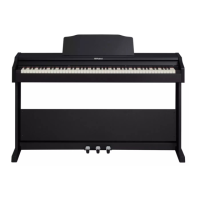
What to do if my Roland RP30 speakers don't sound when playing?
- CCarlos BarnesJul 29, 2025
Check if the master volume is set too low or if headphones are plugged into Jack 2.

What to do if my Roland RP30 speakers don't sound when playing?
Check if the master volume is set too low or if headphones are plugged into Jack 2.
Why does my Roland Musical Instrument make noise when I use my mobile phone?
Using a mobile phone in close proximity to the Roland Musical Instrument may produce interference. To prevent this, turn off the mobile phone or keep it away from the instrument when using.
Overview of the piano's front control panel, including buttons and keys.
Instructions for unpacking, assembling the piano stand, and important precautions during setup.
Steps for connecting the AC adapter and powering on the instrument safely.
Connecting the piano to a computer via USB for MIDI or audio data transfer.
How to control the overall sound output level using the volume knob.
Using the metronome for practice, including tempo and time signature adjustments.
Solutions for common problems encountered with the digital piano.
 General
| Tones | 15 Tones |
|---|---|
| Keyboard | 88 keys |
| Sound Engine | SuperNATURAL Piano |
| Effects | Brilliance |
| Speakers | 2 x 12 cm |
| Included Accessories | Power Cord |