_____________________________________________________________________
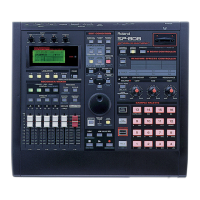
1. Shift + Region IN/OUT = Adjust Timing menu
2. Shift + the "Sampling" button + pad 1-16 = sample delete
3. Shift + effects (D-Beam) = VA synth patch
_____________________________________________________________________
Using Pad-Track
_____________________________________________________________________
With Pad --> Track engaged...
A B C D <--------- Volume Fader on SP-808 face
To
Track A B C D <--------- FX Patch (master insert)
A B C D ----------> Track sub outs (OP1 board)
A B C D <--------- FX Patch (Channel Insert)
A B C D <--------- Master Volume Fader
---------------
13 14 15 16
9 10 11 12
5 6 7 8
1 2 3 4
PADS
_____________________________________________________________________
Crossfading
_____________________________________________________________________
"Pad To Track" can be toggled by pressing "Shift" and "edit Song/Track".
If you mean Xfade of one sample, turn "Pad To Track" on and turn "FadeSw Track X" within the
Edit Song/Track Menu on, "X" being whatever track that pad works out to be on.
If you mean xfade from one sample to another, turn "Pad To Track" on and then the fader
for track X or Y corresponds to pad bank row X or Y. you can then crossfade, albeit manually, by
using the faders.
_____________________________________________________________________
Using the Vocoder
_____________________________________________________________________
There are 4 ways to use the vocoder patch:
1. Mic = source, line in = modulator
2. Pad = source, pad = modulator
3. Mic = source, pad = modulator
4. Mic = source, track audio = modulator



 To Next Page
 Loading...