EasyManua.ls Logo

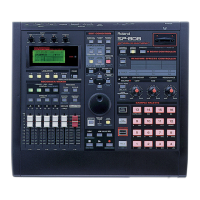
Roland SP-808 - User Manual

Roland SP-808
47 pages
Print Icon
To Next Page IconTo Next Page
Loading...
Question and Answer IconNeed help?

Do you have a question about the Roland SP-808 and is the answer not in the manual?

Roland SP-808 Specifications

General IconGeneral
BrandRoland
ModelSP-808
CategorySamplers
LanguageEnglish

Summary

Roland SP-808 Basics

I. The SP-808 Architecture

Describes the physical layout and main sections of the SP-808.

II. Sampling

Sampling CD (Auto Divide)

Explains how to automatically divide samples from a CD.

III. Sample Editing

Trim

Explains how to adjust the start, loop, and end points of a sample.

Time Stretch

Details how to change tempo or BPM without altering pitch.

Pitch

Explains how to change the pitch of a sample without altering tempo.

Level

Covers adjusting the volume of individual samples.

IV. Using Effects

Applying Effects to a Sample

Provides steps to apply effects to a sample.

Sampling with Effects

Explains how to record samples with effects embedded.

Realtime Effects Knobs and the D-Beam

Describes controlling effects in real-time with physical controls.

Virtual Analog Synth

Introduces the built-in virtual analog synthesizer.

V. Using the Step Modulator

VI. Re-sampling

Re-sampling with Effects

Describes re-sampling samples while applying effects.

VII. Track Recording

Step Recording

Explains recording sequences using step-by-step input.

Realtime Recording

Details recording samples or sequences in real-time.

Audio Recording

Explains direct audio input recording.

Bouncing

Describes combining multiple tracks into one.

VIII. Track Editing

Cut

Explains how to delete a section and shift subsequent material.

Erase

Details how to delete a section without shifting subsequent material.

Insert

Describes inserting material at a specific point.

Paste

Explains copying material to a new point, overwriting existing data.

General Tips

Syncing

Drive too Busy Workarounds

Remixing

Smoother Timestretch

Offers tips for achieving better time-stretch results.

Complex Breaks & Beats

Chopping up Loops

BPM Matching

Seamless Looping

Using Pad-Track

Using the Vocoder

Details how to use the vocoder patch.

Diskless Mode

Mute Groups

Mastering

Pre Mastering

Explains the initial stage of mastering.

Commercial Mastering

Discusses the final stage of mastering.

External Sequencers;Triggering Samples

Diagnostic Mode

Save OS with Zipdisk

Upgrading Zip;Jumper Settings

Example Setups

Cool Effects

Loff. Bit;RateDown

Explains parameters for a specific effect.

Fuzz Brush

Describes settings for a "Fuzzy Radio" effect.

Scream Tube

Details parameters for a "Scream Tube" effect.

SP-808 Stomper

Provides settings for the "Stomper" effect.

SP-808: Internal Memory

SP-808: Sampling Time

SP-808: Effect Algorithm List

SP-808: Pre and Post-Fader Effect Settings

SP-808: Varying the Pitch Using the D Beam

SP-808: Real-time Effects Knobs Options

SP-808: Jumping to a Song Location

SP-808: Deleting a Locator

SP-808: Pad Response Options

SP-808: Reversing Sample Playback

SP-808: Protecting the Pad Banks 16 Samples

SP-808: Expanding or Compressing the length of One Sample to Match That of Another

SP-808: Using MIDI Machine Control

SP-808, SP-808 EX: Updating The Operating System Using MIDI Files

SP-808: Using the Foot Switch

SP-808: Cleanup Disk Options

SP-808: Initializing - Restoring the Factory Settings

Related product manuals