6. Press ENTER/YES.
7. Press the PLAY button to return to the main play screen and press the pad to hear the
results.
Fig. 5
Pitch Shift
Example
Level
The Level function allows you to adjust the volume of each sample. This will help you blend all your
samples so that one is not louder than another. Use the following procedure to set the level of a
sample:
1. Press LEVEL.
2. Press the pad you wish to change.
3. Rotate the VALUE/TIME dial to adjust the level as desired (0-100).
4. Press PLAY to return to the main play screen and press the pad to hear the results.
IV. Using Effects
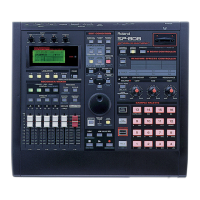
Roland is well known for their great effects processors and the effects on the SP-808 are no
exception. There are many unique effects such as the analog synth, the step modulator, analog
modeled choruses, tape delays, and flangers. They've even included effects from popular Roland
products such as the SDE-330 Digital Delay, SRV-330 Digital Reverb, and the VS8F-Series Effect
Expansion boards used in our popular hard disk recorders. It's amazing how these effects can make
even the most tired, overused samples seem brand new.
The SP-808 also allows you to use the dual D-Beam controller to alter the effects in real time, great
for live performance and re-sampling (page 15).
Use the following procedure to apply effects to a sample:
1. Press REALTIME EFFECTS [ON/OFF] so it is lit.
2. Hold SHIFT and press SELECT ROW so that "a" (PATCH) is lit.
3. Hold SHIFT and press MUTE to display the Mix Common screen.
4. CURSOR to FxLoc and use the VALUE/TIME dial to select "(FX PATCH)."
5. Hold SHIFT and press EFFECTS.
6. CURSOR to the Fx value and use the VALUE/TIME dial to adjust the overall effect level as
desired.
7. Press FX INFO and use the VALUE/TIME dial to select the desired effect.
8. Press ENTER/YES to select the effect.



 To Next Page
 Loading...