EasyManua.ls Logo

Roland VT-12 - User Manual

Roland VT-12
176 pages
Print Icon
To Next Page IconTo Next Page
Loading...
* 5 1 0 0 0 2 9 5 2 7 - 0 1 *
Nederlands
English
Deutsch
Français
Italiano
Español
Português

Table of Contents

Other manuals for Roland VT-12

Questions and Answers

  • J
    John WaltersAug 16, 2025
    Why is there no sound coming from my Roland Fitness Equipment?
    • T
      Tanya WatkinsAug 16, 2025
      There might be several reasons for the absence of sound. First, check if the connections with other devices are correct. Second, verify the volume settings of any connected external speakers. Also, ensure that the [VOLUME] dial is appropriately adjusted and the [MIC VOLUME] switch is correctly set. Finally, if headphones are connected, the internal speaker will be muted.
  • J
    juandavisAug 18, 2025
    How to fix Roland Fitness Equipment when power won't turn on?
    • C
      Chloe PhamAug 18, 2025
      If your Roland Fitness Equipment isn't powering on, the batteries might be exhausted. Try installing fresh batteries. Also, ensure the specified AC adaptor (PSB-6U; sold separately) is correctly connected. Never use any AC adaptor other than the specified model.
  • K
    Karen FloresAug 21, 2025
    What to do if my Roland Fitness Equipment sound is distorted?
    • D
      Daniel MasseyAug 21, 2025
      If the sound from your Roland Fitness Equipment is distorted, the [VOLUME] dial might not be set appropriately. Try adjusting the volume to a suitable level.
  • R
    Richard HernandezAug 25, 2025
    What to do if Roland Fitness Equipment recording stops while recording a song?
    • E
      Elizabeth PattonAug 26, 2025
      If your Roland Fitness Equipment stops recording while you’re recording a song, it could be because you're trying to record for longer than ten minutes. Recording can only be done for a maximum of ten minutes per song.
  • K
    Kaitlyn BoydAug 27, 2025
    Why does my Roland Fitness Equipment power turn off unexpectedly?
    • J
      Jeffrey RuizAug 27, 2025
      Your Roland Fitness Equipment is designed to turn off automatically after 30 minutes of inactivity, either without any buttons being pressed or after track playback has stopped.
  • J
    Jeffrey LinAug 31, 2025
    Why is the volume level too low from the instrument connected to OUTPUT/PHONES jack on my Roland Fitness Equipment?
    • D
      Daryl WadeAug 31, 2025
      If the volume level of the instrument connected to the OUTPUT/PHONES jack is too low, you might be using a connection cable that contains a resistor. Use a connection cable that does not contain a resistor.
  • H
    hernandezchristopherSep 2, 2025
    Why is the volume from the internal speaker on my Roland Fitness Equipment insufficient?
    • S
      Sandra SmithSep 2, 2025
      If you're experiencing insufficient volume from the internal speaker of your Roland Fitness Equipment, the batteries might be low. Try installing fresh batteries.
  • M
    mitchellryanSep 5, 2025
    How to fix Roland Fitness Equipment when power won't turn off?
    • E
      emily08Sep 5, 2025
      If your Roland Fitness Equipment won't turn off and “Err” is displayed, first ensure that all tracks are stopped and all song captures are complete before attempting to power it off.
  • P
    patriciawilliamsSep 8, 2025
    Why is there insufficient volume or distorted sound in a recorded song on my Roland Fitness Equipment?
    • C
      Courtney Randall DDSSep 8, 2025
      If you notice insufficient volume or distorted sound in a recorded song, it may be because you are not recording at the appropriate volume. Adjust the volume on the external audio device.
  • Z
    zfuentesSep 12, 2025
    Why pitch is not detected or unexpected operation occurs on my Roland Fitness Equipment?
    • K
      Karen EatonSep 12, 2025
      If the pitch is not being detected or unexpected operation occurs on your Roland Fitness Equipment, ensure the [MIC VOLUME] switch is set appropriately. Also, avoid checking the pitch in a noisy location. Finally, verify that the setting for the reference pitch is appropriate; during the playback of Preset tracks, the reference pitch is fixed at 440 Hz.

Summary

What You Can Do with the VT-12

Checking Vocal Pitch

The VT-12 detects pitch for single or dual voices, aiding harmony accuracy.

Vocal Training Features

Vocal Practice Modes

Utilize built-in tracks for warming up and improving vocal technique and expression.

VT-12 Panel Overview

Top Panel Controls and Indicators

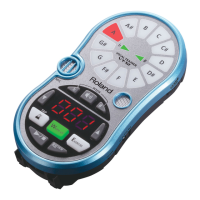
Details the pitch indicator, microphone, display, and control buttons on the top surface.

Getting Started with Your VT-12

Pitch Checking Guide

Selecting Pitch Detection Modes

Choose between MONO EQUAL, CHORD EQUAL, and CHORD JUST detection methods.

Interpreting Pitch Results

How to vocalize and read the pitch indicator for accuracy feedback.

Vocal Practice Modes

Using the Metronome Feature

Troubleshooting Common Issues

Problem Resolution Guide

A table listing common problems, suggested actions, and relevant page references.

Safe Unit Operation

General Handling and Location Safety

Covers safe handling, avoiding disassembly, and appropriate usage locations.

Electrical Safety and Cord Care

Guidelines for using power adaptors, cords, and preventing electrical hazards.

Important Operational Notes

Roland VT-12 Specifications

General IconGeneral
TypeVocal Trainer
DisplayLCD
Tuning Accuracy±1 cent
MetronomeYes
EffectsPitch Correction
Inputsaux input
Outputsheadphone output
Power SupplyAC adapter
AccessoriesAC adapter, manual

Related product manuals