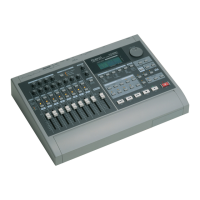
Here is a list of the functions that can be performed by pressing multiple buttons, or by using the TIME/VALUE dial in con-
junction with a button.
■ MIXER MODE buttons
[SHIFT] + [SELECT] Switch between INPUT➝TRACK mode and INPUT MIX / TRACK MIX mode
■ CH EDIT buttons
[SHIFT] + [Input/BUSS (CH EDIT)] To the input select setting page (in INPUT➝TRACK mode)
To the buss select setting page (in INPUT MIX / TRACK MIX mode)
[SHIFT] + [V.Track (CH EDIT)] To the V-track setting page (in INPUT
➝TRACK / TRACK MIX mode)
[SHIFT] + [EQ Low (CH EDIT)] To the equalizer low gain / frequency setting page
[SHIFT] + [EQ Mid (CH EDIT)] To the equalizer mid gain setting page (in INPUT
➝TRACK mode)
[SHIFT] + [EQ Hi (CH EDIT)] To the equalizer high gain / frequency setting page
[SHIFT] + [AUX Send (CH EDIT)] To the AUX switch setting page
[SHIFT] + [EFFECT-1 (CH EDIT)] To the effect 1 switch setting page (if a VS8F-1 is installed)
[SHIFT] + [EFFECT-2 (CH EDIT)] To the effect 2 switch setting page (if a VS8F-1 is installed)
[SHIFT] + [SOLO (EDIT)] Solo function on/off
■ EDIT CONDITION buttons
[SHIFT] + [SYSTEM] Switch sync sources
[SHIFT] + [SONG] Display various information about the song.
[SHIFT] + [EFFECT] Switch between the effect select page, effect name page, and effect on/off page.
■ Transport control buttons
[SHIFT] + [STORE (ZERO)] Store song data to the disk drive
[SHIFT] + [SONG TOP (REW)] Move to the time where the first sound of the song is recorded
[SHIFT] + [SONG END (FF)] Move to the time where the last sound of the song is recorded
[SHIFT] + [SHUT/EJECT (STOP)] Shut-down
[SHIFT] + [RESTART (PLAY)] Re-start (after shut-down)
[REC] + [STATUS] Switch the track status to REC (indicator blinks red)
[STOP] + [STATUS] Switch the track status to PLAY (indicator lights green)
■ LOCATOR buttons
[SHIFT] + LOC button Register a locate point 5Ð8
[CLEAR] + LOC button Clear the setting of a locate point 1Ð4
[SHIFT] + [CLEAR] + LOC button Clear the setting of a locate point 5Ð8
[SHIFT] + [TAP] To the Tempo Map setting page
[CLEAR] + [TAP] Erase a mark point
[SHIFT] + [CLEAR] + [TAP]
➝[YES] Erase all mark points
[LOCATOR] + [LOC1/5]Ð[LOC4/8] Switch locate banks.
[TRACK] + [LOC1/5] Direct input of Start point
[TRACK] + [LOC2/6] Direct input of End point
[TRACK] + [LOC3/7] Direct input of From point
[TRACK] + [LOC4/8] Direct input of To point
■ SCENE button
[SCENE] + [SELECT] Auto mix on/off
[SCENE] + [TAP] Execute snapshot
[SCENE] + [PREV] Gradation to mixer settings of previous mark point
[SCENE] + [NEXT] Gradation to mixer settings of next mark point
[SCENE] + [REC] Auto Mix realtime recording
Special key operations
136


 To Next Page