EasyManua.ls Logo

Roli Lightpad Block - User Manual

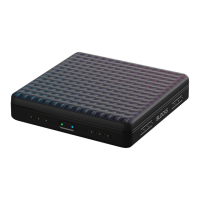
Roli Lightpad Block
19 pages
Print Icon
To Next Page IconTo Next Page
Loading...
Lightpad Block Creator Manual
1 Introduction - Lightpad Block
Welcome to the Creator Manual for the Lightpad Block. We think of the people who buy and use
ROLI’s products as creators more than customers. Our products are designed to extend the joy of
music creation to everyone and thereby empower people as the creators they are. Everyone
who buys and uses BLOCKS is investing in this vision of creativity and therefore is also a co-
creator of ROLI.
BLOCKS is the most accessible and versatile music creation system ever made. It is a modular
music studio that lets anyone make music whether they’re a professional musician or a total
beginner. Each individual Block is powerful and intuitive, offering unique capabilities that let
people make music in simple but far-reaching ways. The Blocks connect together to create
customizable kits that suit any budget, skill level, and musical style. With a click of magnetic
connectors, music-makers can build their own instruments as they go.
You’re starting with the Lightpad Block, the center of the BLOCKS system. You may already be
shaping music on its tactile, glowing surface. This comprehensive Creator Manual explains the
details of your Lightpad Block to ensure that you get the most out of it.
We have included a short list of terms specific to BLOCKS at the beginning of this manual. We
will refer to these terms throughout this Creator Manual.

Other manuals for Roli Lightpad Block

Question and Answer IconNeed help?

Do you have a question about the Roli Lightpad Block and is the answer not in the manual?

Summary

2 Glossary of selected BLOCKS terms

The Five Dimensions of Touch (5 D Touch)

Explanation of real-time sound modulation via basic movements.

Lightpad Block

Definition of the central, tactile Master Block in the BLOCKS system.

Lightpad Surface

Description of the illuminated tactile surface for shaping sound.

Master Block

Definition of central Blocks like Lightpad and Seaboard.

NOISE

Definition of the free modular music app powering BLOCKS.

3 Start

3.1 Charge Your Lightpad Block

Instructions for charging the Lightpad Block using a USB-C cable.

3.2 What is BLOCKS?

Explanation of the modular music platform and its components.

3.4 System Requirements

Specifies the necessary iOS version and devices for NOISE app.

3.5 Product Registration and Setup

Steps to register the product and set up an account.

Connecting and Registering Blocks

Guide to connecting and registering additional BLOCKS to the system.

Updating Firmware

Instructions for updating the Lightpad Block's firmware for improved functionality.

Re-Connecting to NOISE

Steps to re-establish a Bluetooth connection between the Block and NOISE.

4 Learn

4.2 Five Dimensions of Touch or 5 D Touch

Detailed explanation of touch gestures (Strike, Glide, Slide, Press, Lift) for sound modulation.

5 Create

5.7 Recording Loops

Guide on how to record beats, basslines, chords, and melodies.

7 Lightpad Block Appendix

The Lightpad Surface

Detailed description of the tactile LED matrix surface and its properties.

Roli Lightpad Block Specifications

General IconGeneral
Control typeTouch
Mixer section-
Product colorBlack
Built-in optical driveNo
USB portYes
USB version3.2 Gen 1 (3.1 Gen 1)
USB connector typeUSB Type-C
USB ports quantity1
Cables includedUSB
Bundled softwareAbleton Live Lite, Equator Player, Strobe2 Player, Tracktion Waveform, 10 NOISE soundpacks, BLOCKS Dashboard, Max MSP (three-month license)
Battery life (max)4 h
Power supply typeDC / Battery
Windows operating systems supportedWindows 10
Weight and Dimensions IconWeight and Dimensions
Width94 mm
Height20 mm
Weight250 g

Videos

How to pair your ROLI Lightpad Block with your Mac