Need help?
Do you have a question about the Roli Seaboard RISE 25 and is the answer not in the manual?
Lists essential items included in the Seaboard RISE package, like the device, case, and USB cable.
Step-by-step guide to register your Seaboard RISE online via My ROLI using your unique registration code.
Details the software components included in the installer, such as ROLI Dashboard, Equator, and the User Manual.
Instructions for activating the Seaboard RISE software bundle by logging into Equator with your ROLI account.
Explains how to connect the Seaboard RISE to your computer using the provided USB cable for operation.
Guides users on preparing the Seaboard RISE for Bluetooth pairing with compatible computers or mobile devices.
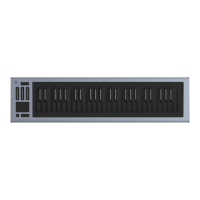
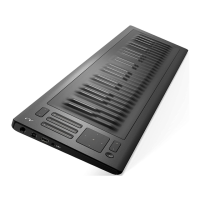
Identifies and describes the functions of the key elements on the Seaboard RISE control panel, including faders and touch pad.
Explains the meaning of various mode indicators (Expression, MIDI, Bluetooth) and battery status lights.
Details the functions of the Seaboard RISE ports, including USB A, USB B, DC power, and pedal jack.
Instructions for connecting sustain or expression pedals to the Seaboard RISE using the 1/4 inch pedal jack.
Advice on using the Seaboard RISE storage case for optimal protection during transport and at home.
Information on how to get help and find additional resources like FAQs and user guides via My ROLI.
 General
| Connectivity | USB, Bluetooth |
|---|---|
| Keys | 25 |
| Keywave Surface | Pressure-responsive surface |
| Key Technology | 5D Touch Technology: Strike, Glide, Slide, Press, Lift |
| Battery Life | Up to 8 hours |
| Power | USB or Battery |
| MIDI Compatibility | MIDI over USB, Bluetooth MIDI |
| Software Included | Equator, ROLI Dashboard |
| Compatibility | Mac, Windows, iOS |
| Type | MIDI Controller |

 To Next Page