Need help?
Do you have a question about the Roli LUMI Keys 1 and is the answer not in the manual?
Defines LUMI as hardware, software, and content interacting as one unit.
Explains LUMI's use for playing songs and learning keyboard skills interactively.
Identifies target users as both beginners and skilled musicians seeking new tools.
Lists key features of LUMI Keys including illumination, modularity, and connectivity.
Instructions for carefully unboxing LUMI Keys and checking contents.
Details on charging LUMI Keys using USB-C and understanding battery indicator lights.
Guide to downloading the LUMI app and registering the keyboard.
Steps for pairing LUMI Keys with the LUMI app via Bluetooth for initial use.
Instructions on how to re-establish a lost Bluetooth connection between LUMI Keys and the app.
Information for music makers on downloading ROLI Studio and ROLI Connect software.
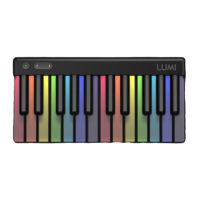
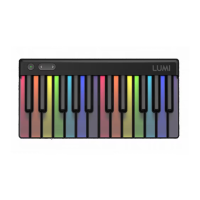
Describes the LUMI Keys' illumination and custom DS5.5 key size for comfort.
Details the Power/Mode and Octave Shift buttons, including their functions and interactions.
Explains the visual indicators for Bluetooth pairing and connection status on LUMI Keys.
Describes the USB-C port for charging and connecting LUMI Keys.
Explains the function of the magnetic DNA connectors for linking LUMI Keys and other BLOCKS.
Guide to selecting songs from the LUMI app, including Essential and Complete tiers.
Explains how to select display views like Cascade and Rainbow for playing songs.
Directs users to the Learn section of the app for instructional content.
Focuses on exercises for developing right and left-hand keyboard skills.
Covers learning musical basics like pitch, dynamics, scales, and rhythm.
Teaches how to read musical staff and play songs from sheet music.
Encourages using LUMI Games to reinforce piano skills and technique.
Introduces ROLI Studio (Player, Drums) and ROLI Dashboard for advanced users.
Guide to downloading and accessing ROLI software entitlements via ROLI Connect.
Explains connecting LUMI Keys to Digital Audio Workstations and plugins via MIDI.
Details connecting multiple LUMI Keys together using DNA connectors for an expanded playing surface.
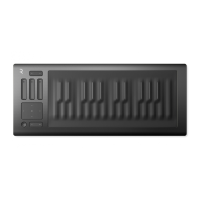
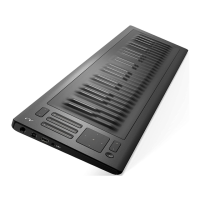
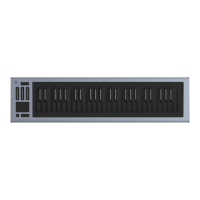
Explains integrating LUMI Keys with other ROLI BLOCKS products like Seaboard and Lightpad.
Introduces customizable modes for keyboard illumination and MPE touch response.
Activates aftertouch and per-key pitchbend, highlighting the root note of the scale.
Activates aftertouch, customizes key colors, and dims other keys when a note is played.
Transforms keys to black and white with white illumination, disabling pitchbend and aftertouch.
Displays keys in a rainbow palette at 20% brightness, maxing color on play, with pitchbend enabled.
Details how to use the Octave Shift button to raise or lower the keyboard's pitch.
Explains adjusting Strike, Press, and Lift sensitivities in ROLI Dashboard for playing style.
Instructions for performing a firmware reset by holding all three buttons.
Covers MIDI settings, Pitch Bend Range, and other configurations in ROLI Dashboard.
Adjusting octave shifts and semitone transpositions for pitch control.
Configuring Strike, Press, Lift sensitivities, and Fixed Velocity for expressiveness.
Managing active modes, scale display, key colors, and brightness of the keyboard.
Configuring how pitch bend and aftertouch respond to playing input.
Details how to configure active features like Pitch Bend, Pressure, and Color Scheme for different modes.
Provides information on how to contact ROLI support for questions or issues.
Offers guidance on cleaning, storing, and maintaining LUMI Keys for optimal condition.
Outlines the process for obtaining RMA, returning, and repairing LUMI Keys under warranty.
 General
| Number of Keys | 24 |
|---|---|
| Keywave Technology | Yes |
| Connectivity | USB-C, Bluetooth |
| Battery Life | Up to 8 hours |
| Compatibility | iOS |
| Software Included | ROLI Studio |
| Power Source | Rechargeable battery |
| Dimensions | 1.1 inches |
| Type | Keyboard Controller |

 To Next Page