Need help?
Do you have a question about the Roli Seaboard RISE and is the answer not in the manual?
How to contact ROLI support for assistance, problems, or feedback.
The entire playing surface including keywaves and ribbons, mapping to a keyboard.
A wavelike element representing a single key, enabling Five Dimensions of Touch.
ROLI's multidimensional software synthesiser and sound engine for refined control.
Application for managing and customising the RISE's internal settings.
Mode where Touch Faders control Glide, Slide, and Press for expressive play.
Mode where Touch Faders map to MIDI CCs for sound customisation.
Five fundamental elements of physical interaction: Strike, Press, Glide, Slide, and Lift.
Velocity/force of finger contact with a keywave, mapping to MIDI velocity.
Pressure after Strike, allowing detailed expression like swells and fades.
Horizontal movements for pitch bend, vibrato, and glissando on keywaves/ribbons.
Vertical movements on keywaves to modulate parameters like filter cutoff.
Release velocity of liftoff from a keywave, affecting resonance or pluck.
Control for adjusting keywave surface sensitivity to touch dimensions.
Lists OS, RAM, processor, and Bluetooth requirements for the Seaboard RISE.
Details the necessity of downloading the Software Bundle from My ROLI.
Instructions for account creation and product registration on the My ROLI portal.
Steps for installing the RISE software on macOS and Windows operating systems.
Describes the ports: DC, USB Type A, USB Type B, and pedal jack.
Guidance on correctly inserting the pedal jack into the Seaboard RISE.
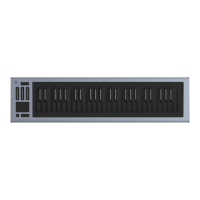
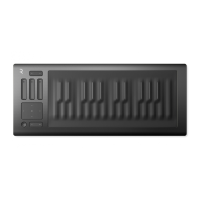
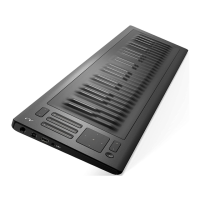
Details the continuous, elastic silicone surface with 25 keywaves.
Explains the Preset Switch, Touch Faders, XY Touchpad, Octave shift, and Power/Mode button.
How the RISE connects via USB, functions as a MIDI controller, and charges.
Details the process of pairing the RISE with devices using Bluetooth.
How to switch between Expression Mode and MIDI Mode, and Touch Fader functions.
Controls parameters in Equator via XY Touchpad; details its MIDI CC assignments.
MIDI Mode allows Touch Faders to be assigned to MIDI CCs for customisation.
Information on charging the battery, LED indicators, and charge times.
Recommendations for long-term battery care and storage.
Details connecting to DC power and charging attached devices via USB-A port.
Information on the RISE calibration process during bootup.
Overview of ROLI Dashboard's features for managing RISE settings.
Description of Equator as a sound engine for expressive control.
How to update RISE software and firmware using ROLI Dashboard.
Explains the five dimensions of touch and their MIDI messages.
Describes various playing techniques like vibrato, glissando, and legato bends.
How the RISE and Equator integrate with DAWs like Cubase, Logic, and Reaper.
The RISE's compatibility as a USB Class Compliant MIDI device.
 General
| Model | Seaboard RISE |
|---|---|
| Keywave Surface | Silicone |
| Key Technology | 5D Touch |
| Connectivity | USB, Bluetooth |
| Software | Equator, ROLI Dashboard |
| Type | MIDI Controller |
| Number of Keywaves | 25, 49 |
| Power | USB |
| Battery Life | 8 hours (depending on usage) |
| Compatibility | Mac, Windows, iOS |
| Weight | RISE 25: 2.8 kg; RISE 49: 5.5 kg |

 To Next Page