EasyManua.ls Logo

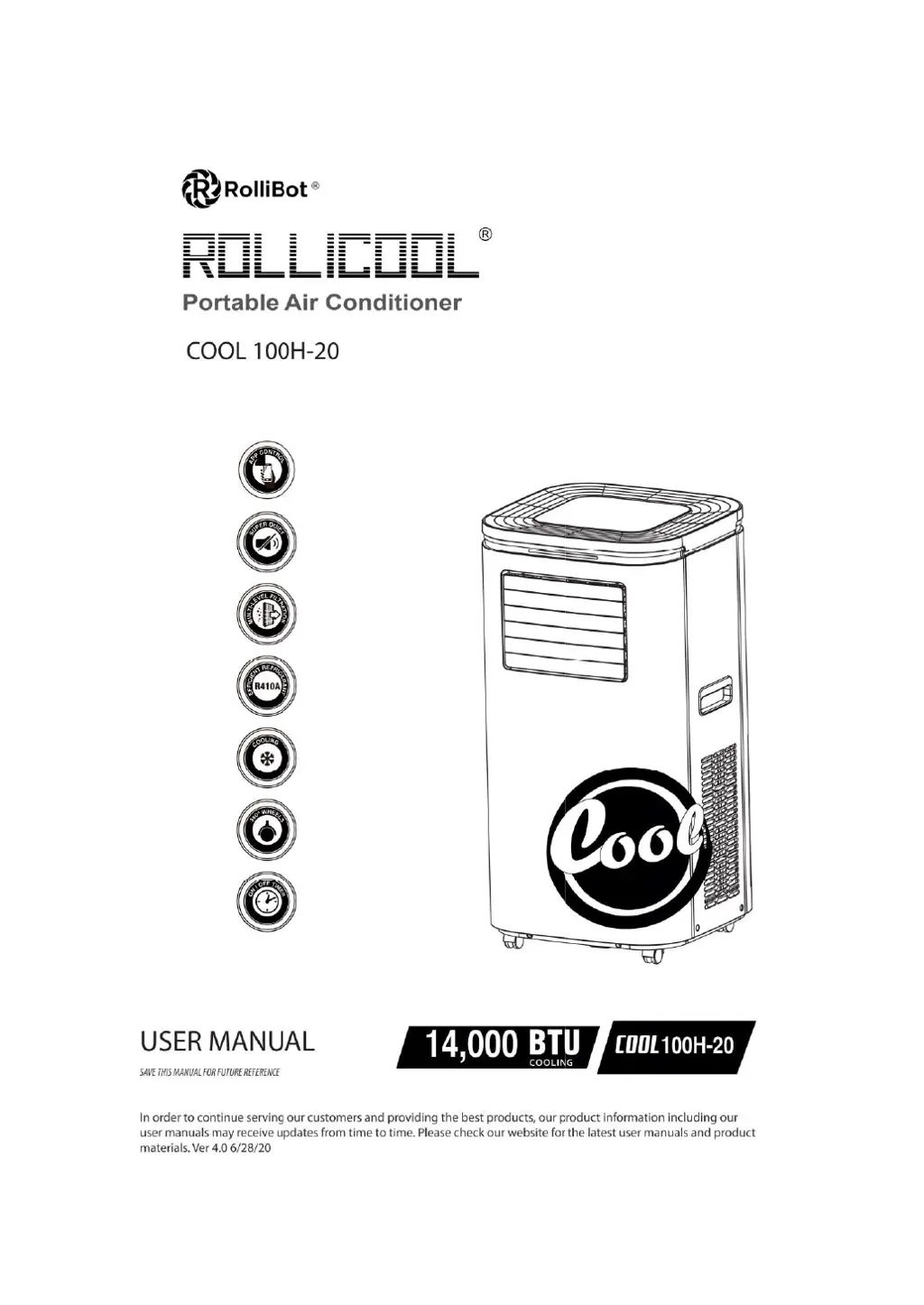
rollibot ROLLICOOL COOL 100H-20 - User Manual

rollibot ROLLICOOL COOL 100H-20
24 pages
Print Icon
To Next Page IconTo Next Page
Loading...

Questions and Answers

  • M
    Melissa AllenAug 2, 2025
    What to do if my rollibot Air Conditioner doesn't work?
    • S
      stephanie40Aug 2, 2025
      If your rollibot Air Conditioner isn't working, there could be several reasons. First, make sure it's connected to a socket with electricity and turned on. If the overVow indicator is on, drain the water inside. Also, the system might be protected; in that case, wait 3 minutes for the temperature to lower, and then restart the unit.
  • T
    Theresa OrozcoAug 7, 2025
    Why is my rollibot Air Conditioner cooling effect weak?
    • S
      Stephanie ParrishAug 7, 2025
      A weak cooling effect in your rollibot Air Conditioner can occur due to several factors. Check if there's direct sunlight coming through the windows and cover it. Ensure that doors and windows are closed to prevent heat from entering. A dirty Ulter can also reduce cooling, so clean or replace it. Finally, make sure the air inlet or outlet isn't blocked by any obstructions.
  • J
    Jennifer AlexanderAug 11, 2025
    What to do if my rollibot ROLLICOOL COOL 100H-20 Air Conditioner is leaking while moving it?
    • H
      Hannah PerezAug 11, 2025
      If your rollibot Air Conditioner is leaking when you move it, the water reservoir might be full, so drain it before moving. Also, check the drain stop plug for cracks.
  • J
    Jeffrey WatkinsAug 15, 2025
    What to do if my rollibot ROLLICOOL COOL 100H-20 Air Conditioner display is not on?
    • R
      Ryan JohnsonAug 15, 2025
      If the display on your rollibot Air Conditioner is not on, check the power plug, power cord, and socket to ensure they are properly connected and have power.
  • A
    amynelsonAug 20, 2025
    Why does my rollibot ROLLICOOL COOL 100H-20 Air Conditioner have water beads on the surface?
    • S
      stevensjenniferAug 20, 2025
      Water beads on the surface of your rollibot Air Conditioner can occur due to a few reasons. In areas with high humidity, condensation may form on the air outlet and control panel, which is normal. Long-term cooling in open spaces with windows open can also cause this; closing windows and doors may help. Low fan speed or a small opening angle of the louvers may also increase condensation, so try increasing the fan speed or adjusting the louvers to Oscillate mode.
  • R
    Raymond MillerAug 25, 2025
    How to fix the oscillator on my rollibot Air Conditioner?
    • S
      Sherri BrownAug 25, 2025
      If the oscillator on your rollibot Air Conditioner isn’t working, first, engage the oscillator function using the on-screen display or Rollibot app. Ensure the front air vent is open, as the oscillator is inside and vertical. If it's still not working, power the unit oW and then back on.
  • G
    Gabriel SilvaAug 28, 2025
    What does E7 mean on my rollibot Air Conditioner?
    • M
      marshallselenaAug 29, 2025
      E7 on your rollibot Air Conditioner indicates a full water alarm. You should drain the water reservoir.

Summary

Information & Safety Warnings

Introduction

Get acquainted with the RolliCool 100H-20 portable AC and user manual instructions.

General Safety Guidelines

Essential safety precautions for operating the RolliCool portable air conditioner.

FCC and Disposal Compliance

Understand FCC regulations and proper end-of-life disposal for the unit.

RolliCool Unit Components

Box Contents and Parts List

Details of all items included in the RolliCool 100H-20 packaging and their purpose.

Unit Component Identification

Visual guide to the various parts and features of the RolliCool portable AC unit.

Control Panel Operation

Explanation of the RolliCool's control panel buttons, display, and icons for easy operation.

Setting Up Your RolliCool AC

Window Kit Assembly

Step-by-step guide to assembling the window kit for proper installation.

Exhaust Pipe Installation

Instructions for connecting the exhaust pipe for efficient ventilation.

Final Installation and Ventilation

Completing the setup by connecting the exhaust to the window kit and ensuring proper placement.

Wireless Connectivity and App Control

RolliCool App Installation

How to download and install the RolliCool mobile application on your smartphone.

Pairing Your Device with the App

Steps to connect your RolliCool AC unit to the mobile app via Bluetooth/Wi-Fi.

Amazon Alexa Integration

Guide to setting up and using Alexa voice commands with your RolliCool unit.

Troubleshooting Connectivity Issues

Solutions for common problems when connecting the RolliCool to Wi-Fi or the app.

Operating Your RolliCool Air Conditioner

Using the Timer Function

How to set automatic on/off times for your RolliCool AC unit.

Fan Mode Operation

Instructions for using the fan-only mode for air circulation.

Cool Mode Operation

Guide to setting and using the cooling function for optimal comfort.

Dehumidify Mode Operation

How to use the dehumidifier function to reduce moisture in the air.

Maintenance and Care

Cleaning Air Filters

Detailed steps for cleaning the RolliCool's air filters for peak performance.

Draining the Water Reservoir

Instructions on how to drain excess water from the unit when the reservoir is full.

Storage and Protection

Proper Unit Storage

Guidelines for storing your RolliCool AC unit to ensure longevity and performance.

Troubleshooting Common Issues

Problem-Solving Guide

Solutions for common problems encountered with the RolliCool portable AC unit.

Warranty Information

Warranty Violations

Conditions that may void the warranty for the RolliCool portable AC.

One-Year Limited Warranty

Details of the limited hardware warranty coverage for the RolliCool unit.

rollibot ROLLICOOL COOL 100H-20 Specifications

General IconGeneral
Brandrollibot
ModelROLLICOOL COOL 100H-20
CategoryAir Conditioner
LanguageEnglish

Related product manuals