EasyManua.ls Logo

rollibot ROLLICOOL COOL 208-20V2 - User Manual

rollibot ROLLICOOL COOL 208-20V2
24 pages
Print Icon
To Next Page IconTo Next Page
Loading...
Portable Air Conditioner
USER MANUAL
COOL 208-20V2
SAVE THIS MANUAL FOR FUTURE REFERENCE
In order to continue serving our customers and providing the best products, our product information including our
user manuals may receive updates from time to time. Please check our website for the latest user manuals and product
materials. Ver 5.0 4/25/21

Questions and Answers

Summary

Section 1. Information & Safety Warnings

1.1 - Introduction

Provides a basic overview of the manual and the RolliCool unit.

1.2 - Safety Warnings

Covers essential safety precautions for operating and installing the unit.

1.3 - FCC Information

Details the device's compliance with FCC regulations and potential interference.

1.4 - Disposal at End-of-Life

Outlines proper procedures for environmentally responsible disposal of the unit.

Section 2. RolliCool Parts

2.1 - Box Contents

Lists all items included in the product packaging for the user.

2.2 - Components Overview

Identifies and illustrates the main physical parts and features of the unit.

2.3 - Control Panel

Explains the functions of buttons, display, and icons on the unit's control interface.

2.4 - Tips for Optimal Use

Offers recommendations to maximize the performance and efficiency of the air conditioner.

Section 3. Setting Up the Unit

Installation - Part 1 of 4: Prepare the Unit

Steps for initial placement and preparation of the RolliCool unit before operation.

Installation - Part 2 of 4: Water Drain

Instructions for connecting the drainage system to manage condensate water.

Installation - Part 3 of 4: Exhaust Hose

Guide to correctly attaching and routing the exhaust hose for ventilation.

Installation - Part 4 of 4: Window Kit

Procedures for assembling and installing the window kit for proper exhaust vent placement.

Section 4. Wireless Setup

4.1 - App Installation

Instructions on how to download and install the necessary mobile application.

4.2 - App Pairing

Steps to connect the RolliCool unit to your smartphone via Bluetooth or Wi-Fi.

4.3 - Amazon Alexa Setup

Guide to integrating the unit with Amazon Alexa for voice-controlled operation.

Section 5. How to Use the RolliCool

5.1 - Timer

How to set the unit to turn on or off automatically at a scheduled time.

5.2 - Fan Mode

Instructions for operating the unit solely in fan mode for air circulation.

5.3 - Cool Mode

Steps to activate and adjust the cooling function to the desired room temperature.

5.4 - Dehumidify Mode

How to use the unit to remove excess moisture from the air in the room.

Section 6. Maintenance

6.1 - How to Clean the Filter

Detailed instructions for cleaning the air filter to ensure optimal performance.

6.2 - How to Drain the Unit

Procedures for draining accumulated condensate water from the unit's internal reservoir.

Section 7. Storage

Storage Steps

A step-by-step guide for properly storing the unit to maintain its condition.

Section 8. Troubleshooting

Troubleshooting Guide

Identifies common issues, their causes, solutions, and error codes for the unit.

Section 9. Warranty

9.1 - Violation

Lists actions or conditions that will invalidate the product's warranty.

9.2 - Information

Details the terms, conditions, and scope of the limited hardware warranty.

Overview

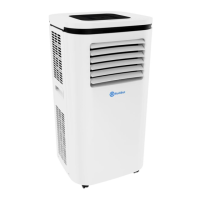
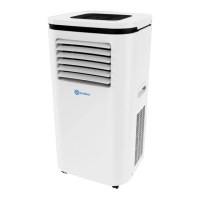
The RolliCool 208-20V2 is a portable air conditioner designed for indoor use, offering a range of features to enhance comfort and air quality. It boasts a cooling capacity of 10,000 BTU, making it suitable for various indoor spaces. The unit is equipped with casters for easy portability, allowing users to move it from room to room as needed.

Function Description:

The RolliCool 208-20V2 operates in multiple modes:

  • Cool Mode: This mode allows the unit to cool a room to a desired temperature, ranging from 62°F to 86°F (16°C to 30°C). Users can adjust fan speeds (High or Low) in this mode. It requires the drainage hose to be attached to the upper draining opening for water runoff.
  • Fan Mode: In fan mode, the unit circulates air without cooling, promoting air circulation. Users can select between high and low fan speeds.
  • Dehumidify Mode: This mode is designed to remove moisture from the air, making it ideal for humid environments. Similar to cool mode, it requires the drainage tube to be connected to the upper draining opening for water collection. In dehumidify mode, the fan speed is automatically set to low and cannot be adjusted.
  • Timer Mode: The unit features a timer function that allows users to schedule automatic turn-on or turn-off times. When the unit is off, the timer can be set to turn it on after a specified number of hours. When the unit is on, the timer can be set to turn it off after a set duration.

Important Technical Specifications:

  • Cooling Capacity: 10,000 BTU
  • Refrigerant: R410A (efficient refrigerant)
  • Connectivity: Wi-Fi and Bluetooth for app control, compatible with Amazon Alexa.
  • Display: LED control panel displaying temperature in Fahrenheit by default.
  • Portability: Equipped with 360° wheels (casters) for easy movement.
  • Air Vents: Features both closed (non-oscillating) and open (non-oscillating) air vents. The inner louvers oscillate for air distribution, while outer vents open and close for dust protection during storage.
  • Filtration: Includes an air filter for improved air quality.
  • Drainage: Features upper and lower drainage openings for water removal. The upper drainage is used for continuous draining in dehumidify and cool modes in high-humidity areas. The lower drainage is for when the internal reservoir is full.

Usage Features:

  • Control Panel: The unit has an intuitive LED control panel with buttons for power, temperature adjustment (up/down), oscillation, fan speed, and mode selection.
  • App Control: The RolliCool app, available for Android and iOS smartphones, provides comprehensive control over the unit's features, including setting cooling schedules, changing modes, and adjusting settings.
  • Amazon Alexa Integration: The unit can be paired with Amazon Alexa for voice control, allowing users to power on/off, and set the temperature using voice commands.
  • Optimal Placement: For best performance, the unit should be placed on a flat, level surface, at least 11.8 inches (30 cm) from walls or other obstructions. Doors and windows in the room should be closed, and direct sunlight should be minimized.
  • Exhaust Hose and Window Kit: The unit requires an exhaust hose to be connected to a window kit for proper ventilation, expelling hot air outside. The window kit includes adjustable sections (A, B, C) and screw fasteners for a secure fit in various window sizes. The exhaust hose should be kept as short and straight as possible to avoid inhibiting airflow.
  • Water Drainage: For cool and dehumidify modes, the upper drainage hose must be connected to a container for continuous water runoff. If the internal reservoir becomes full, an alarm will sound, and an "E7" error code will appear, requiring drainage from the lower drainage opening.
  • Quiet Operation: Designed for super quiet operation.
  • Multi-level Filtration: Incorporates multi-level filtration for cleaner air.

Maintenance Features:

  • Filter Cleaning: The air filter should be cleaned regularly, at least twice a month, to maintain optimal performance. It can be removed by reaching under a notch, soaked in lukewarm water (with mild detergent if needed), or cleaned with a hand vacuum. The filter must be completely dry before reinstallation and should not be dried in direct sunlight or an appliance.
  • Unit Drainage:
    • Upper Drainage: Used for continuous draining in cool and dehumidify modes. The drainage tube should be connected to the upper drainage opening, with the other end placed in a container.
    • Lower Drainage: Required when the internal reservoir is full (indicated by "water full" light or E7 error). The unit should be powered off and unplugged, then the cap removed from the lower drainage opening, and the draining tube connected to a container. After draining, it's recommended to run the unit in Fan Mode for at least two hours to ensure the interior dries completely.
  • Exterior Cleaning: The exterior can be wiped clean with a non-abrasive, damp cloth. Harsh chemicals should be avoided.
  • Storage: Before storage, the unit should be turned off, unplugged, and all water drained. The exhaust hose and window kit should be removed. Filters should be cleaned and reinstalled. The unit should then be run in fan mode at the lowest speed for at least two hours to ensure complete internal drying. Finally, the power cord should be installed into its fixture on the back of the unit. Store in a dry, indoor environment, covered, and with vents closed to protect from dust. Avoid dusty environments and extreme temperature fluctuations.
  • Troubleshooting: The manual provides a troubleshooting guide for common issues such as the unit not powering on, weak cooling, excessive noise, leaking, and display errors, along with possible causes and solutions. Error codes (E1, E2, E4, E7) are also listed with corresponding solutions, often involving contacting customer service or draining the unit.

rollibot ROLLICOOL COOL 208-20V2 Specifications

General IconGeneral
Brandrollibot
ModelROLLICOOL COOL 208-20V2
CategoryAir Conditioner
LanguageEnglish

Related product manuals