Operation
Gleaning mode
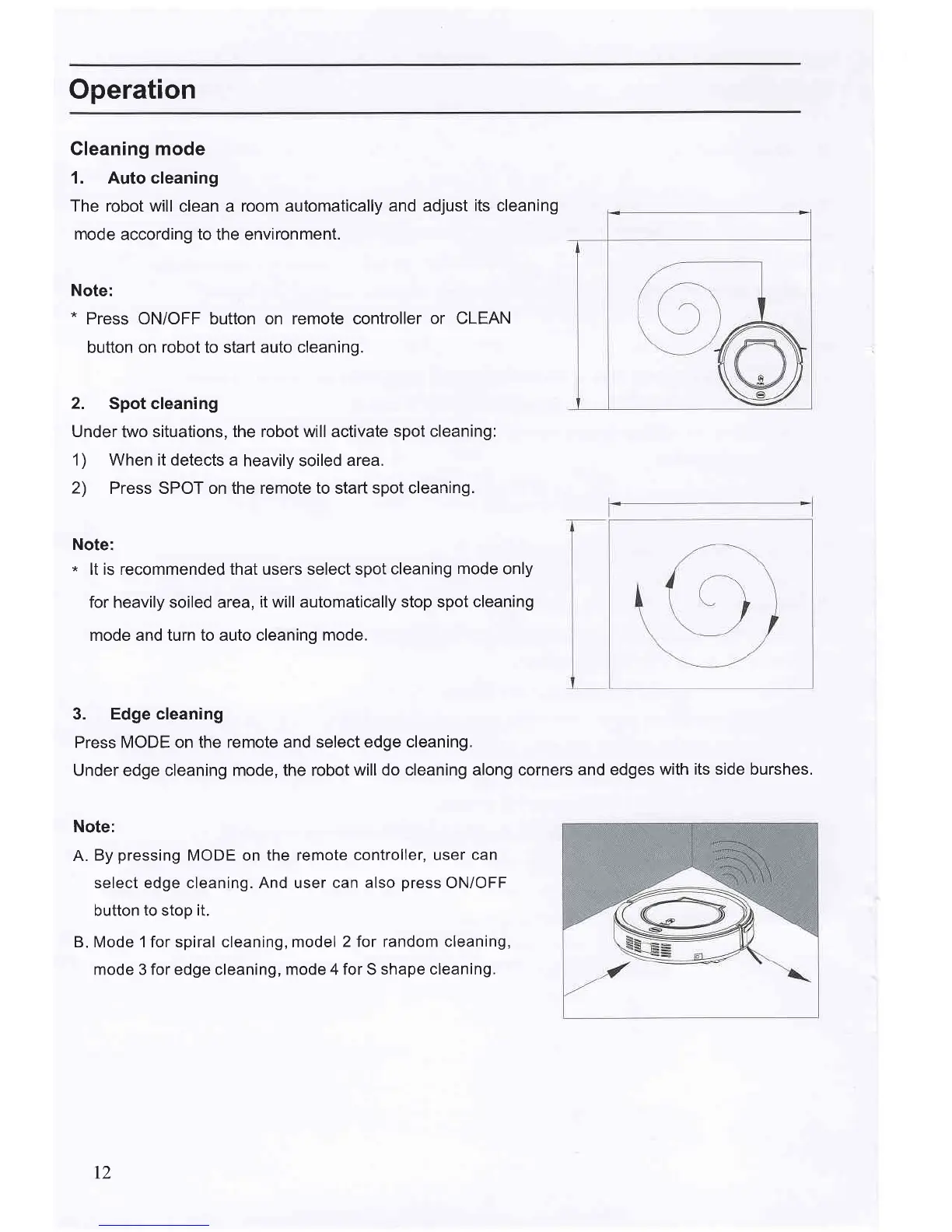
1. Auto cleaning
The robot will
clean a
room automatically
and adjust
its
cleaning
mode
according to the environment.
Note:
*
Press ON/OFF button on remote controller
or CLEAN
button on
robot
to start auto
cleaning.
2. Spot cleaning
Under
two
situations, the robot will activate
spot cleaning:
1) When it detects a
heavily soiled
area.
2)
Press SPOT on the remote
to
start
spot cleaning.
Note:
*
lt is recommended that users select spot
cleaning
mode
only
for heavily soiled area,
it will automatically stop spot
cleaning
mode and turn to auto cleaning
mode.
3. Edge cleaning
Press MODE on the remote and
Under
edge
cleaning mode, the
Note:
A.
By
pressing
MODE on the remote
controller, user
can
select edge cleaning. And user
can also
press
ON/OFF
button
to
stop
it.
B. Mode 1 for spiral cleaning, model
2 for random cleaning,
mode 3 for edge cleaning, mode 4 for S
shape cleaning.
select
edge cleaning.
robot
will do cleaning along corners
and edges with
its side burshes.
I2



 To Next Page