cs
-----
--
---
-
--
Rolls-Royce
&
Bentley------
-
Air
Conditioning
System
Manual
Section C2
OPERATING THE SYSTEM
INTRODUCTION
Two slightly different control switches are fitted to
operate the Rolls-Royce Silver Cloud
11
and Bentley
S2
car
Air Conditioning (Refrigeration) O.M.C. unit;
these are described
in
detail below. The first descrip-
tion (No.
l)
of
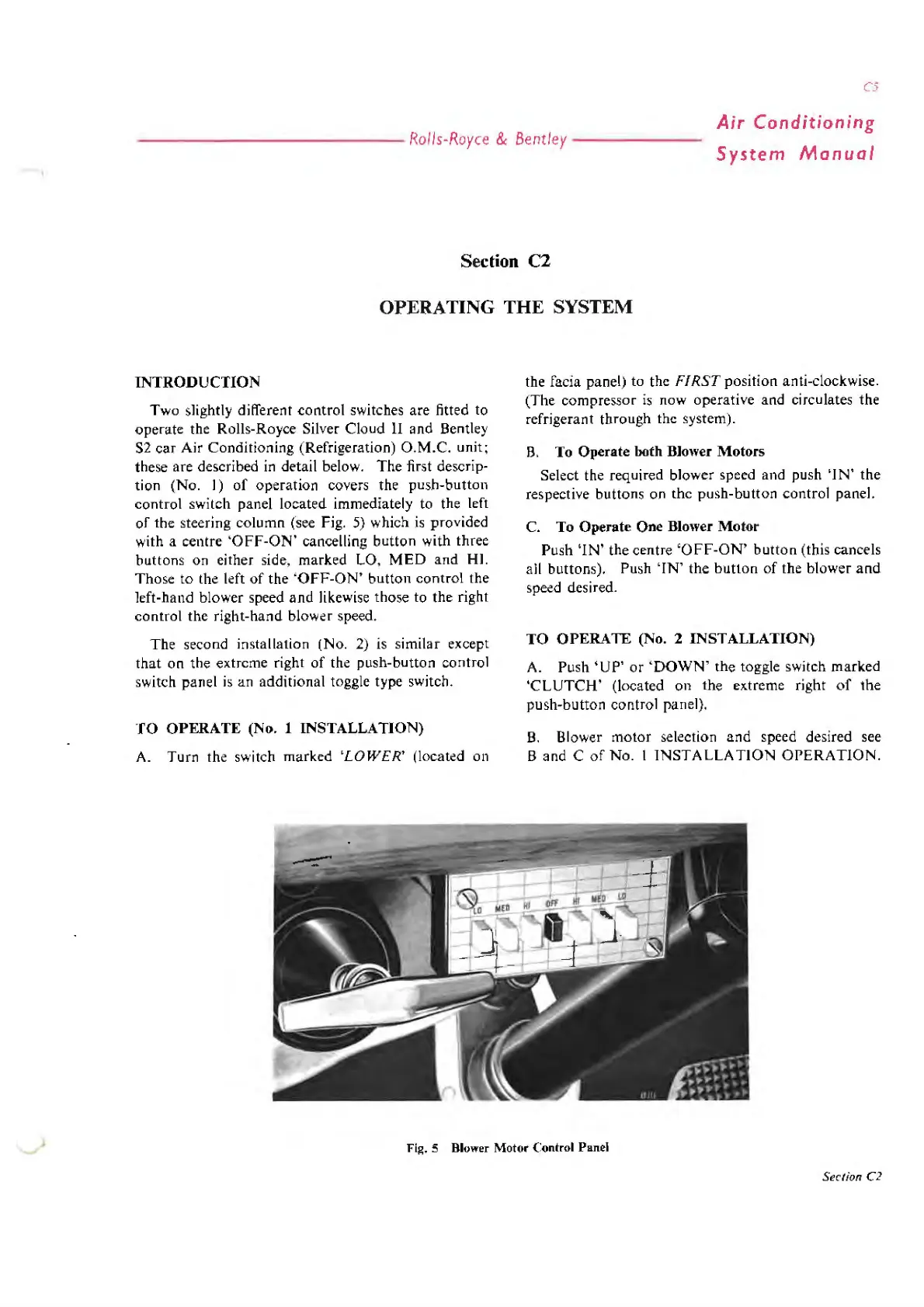
operation covers the push-button
control
sw
itch panel located immediately to the left
of
the steering column (see Fig.
5)
which
is
provided
with a centre
'OFF-ON'
cancelling button with three
buttons on either side, marked LO,
MED
and
HI.
Those to the left
of
the
'OFF-ON'
button control the
left-hand blower speed
and
likewise those to the right
control the right-hand blower speed.
The second installation (No. 2)
is
similar except
that
on
the extreme right
of
the push-button control
switch panel is an additional toggle type switch.
TO OPERATE (No. 1 INSTALLATION)
A. Turn the switch marked
'LOWER'
(located on
the facia panel) to the
FIRST
position anti-clockwise.
(The compressor
is
now operative and circulates the
refrigerant through the system).
B.
To Operate both Blower Motors
Select the required blower speed and push
'IN'
the
respective buttons on the push-button control panel.
C. To Operate
One
Blower Motor
Push
'IN'
the centre
'OFF-ON'
button
(this cancels
all buttons). Push
'IN'
the
button
of
the blower
and
speed desired.
TO OPERATE (No.
2 INSTALLATION)
A. Push
'UP'
or
'DOWN' the toggle switch marked
'CLUTCH'
(located on the extreme right
of
the
push-button control panel).
B. Blower motor selection
and
speed desired see
Band
C
of
No
. I
INSTALLATION
OPERATION.
Fig. 5 Blower
Motor
( :ontrol Panel
Section C2



 To Next Page