Need help?
Do you have a question about the Rongta Technology RP330 and is the answer not in the manual?
Safety warnings for operating the printer, including precautions regarding hot components and handling.
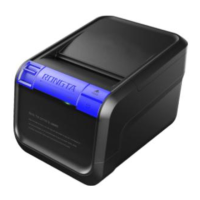
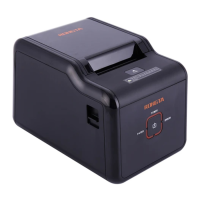
Key features of the RP33X series thermal receipt printer, highlighting printing quality, noise level, and connectivity.
Detailed specifications for printing method, speed, paper width, resolution, dot density, and character sizes.
Information on the printer's status indicators and their meanings, including buzzer error codes.
Description of various printer interfaces such as USB, Serial, Network, and Cashbox control connections.
Steps for checking and unpacking the printer and its included accessories.
Instructions for connecting the printer to a PC and an optional cashbox.
Step-by-step guide for easily loading thermal paper rolls into the printer.
Explanation of the FEED key and POWER indicator functions, plus status indicator meanings.
Details on buzzer beeps, their corresponding error causes, and troubleshooting indicators.
Procedure for cleaning the printer head to resolve unclear printing issues.
Steps to clean the paper shortage sensor to ensure accurate paper detection.
Instructions for cleaning the rubber roller to maintain print quality and reduce noise.
Steps to check and resolve issues when the printer's control panel indicator is not on.
Guidance for diagnosing and fixing printer issues when the indicator is normal but printing fails.
Instructions for installing the printer driver on Windows systems for printing.
Explanation of using the port direct drive method for printing without installing a driver.
 General
| Type | Thermal Printer |
|---|---|
| Print Method | Direct Thermal |
| Print Width | 72 mm |
| Resolution | 203 DPI |
| Paper Type | Thermal Paper |
| Paper Width | 79.5 ± 0.5 mm |
| Auto Cutter | Yes |
| Connectivity | USB, Serial, Ethernet |
| Paper Thickness | 0.06 to 0.08 mm |
| Power Supply | DC 24V/2.5A |
| Interface | USB, Ethernet, Serial |

 To Next Page