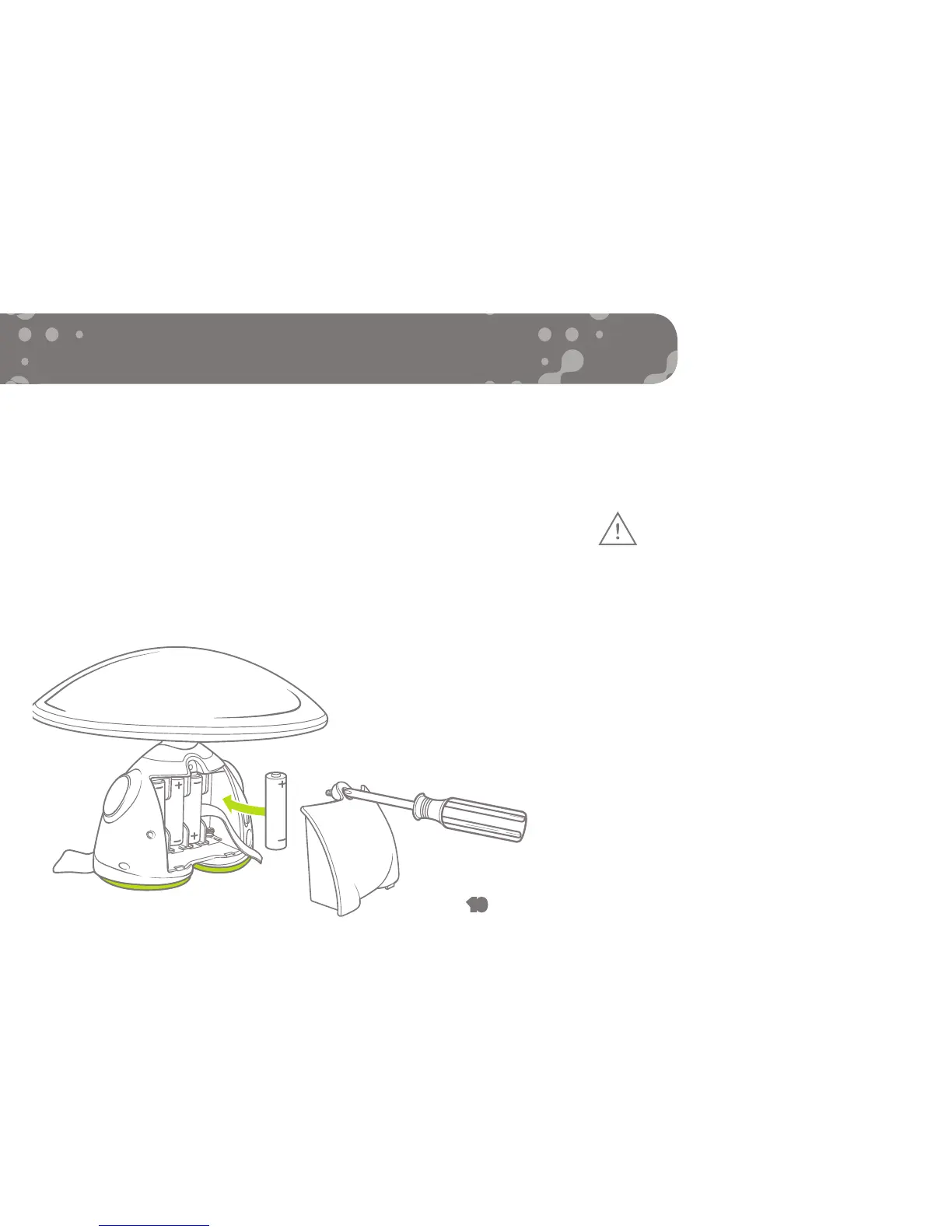
When the batteries start to get low, your character’s eyes
will occasionally flash red to let you know it needs fresh
batteries.
Use a Phillips/cross head screwdriver (not included) to
loosen screw in battery compartment cover (screw remains
attached to cover). Remove cover. Remove and discard
old batteries. Replace with 4 x 1.5V “AA” size alkaline
batteries. Replace cover and tighten screw.
TO REPLACE BATTERIES
CAUTION: TO
AVOID BATTERY
LEAKAGE
1. Be sure to insert the batteries
correctly and always
follow the toy and battery
manufacturers’ instructions;
2. Do not mix old and new
batteries or alkaline, standard
(carbon-zinc) or rechargeable
(nickel-cadmium) batteries;
3. Always remove weak or dead
batteries from the product.
10


 To Next Page