MACHINE OPERATION
The machine operates with two brooms. The side broom
takes dirt from the side into the reach of the main broom.
The main broom maintains its direction of rotation to
throw the dirt into the hopper in forward direction of the
machine. To use the machine, simply push it at a normal
walking speed.
MACHINE OPERATION
In case of normal obstacles coming in the way of
sweeping the machine should be pressed down at the
handle. This will cause the two brooms to lift off from the
floor and the machine can easily surmount these
obstacles.
The dirt hopper can be easily lifted by using the handle
provided. The dirt hopper is secured to the machine by
means of the frame. The dirt hopper must be in direct
contact with the broom compartment in order to prevent
leakage of dirt.
The main broom consists of a broom shaft with two
broom core assemblies fastened with six self tapping
screws.
The broom cores can be replaced as below:
Ÿ Unscrew the self tapping screws.
Ÿ Pull the broom core assembly to the front (broom
viewed from user side) to remove it from the broom
shaft.
Overcoming Obstacles
Emptying of Dirt Hopper
Renewal of Broom Assemblies
When reassembly of the broom ensure the
split pins are fixed in the holes to guide the
broom.
Rubber Sealing Aprons
The rubber aprons avoid leaking of the dust produced
by the broom. Damaged or used aprons cannot fulfil this
task any longer and must be replaced.
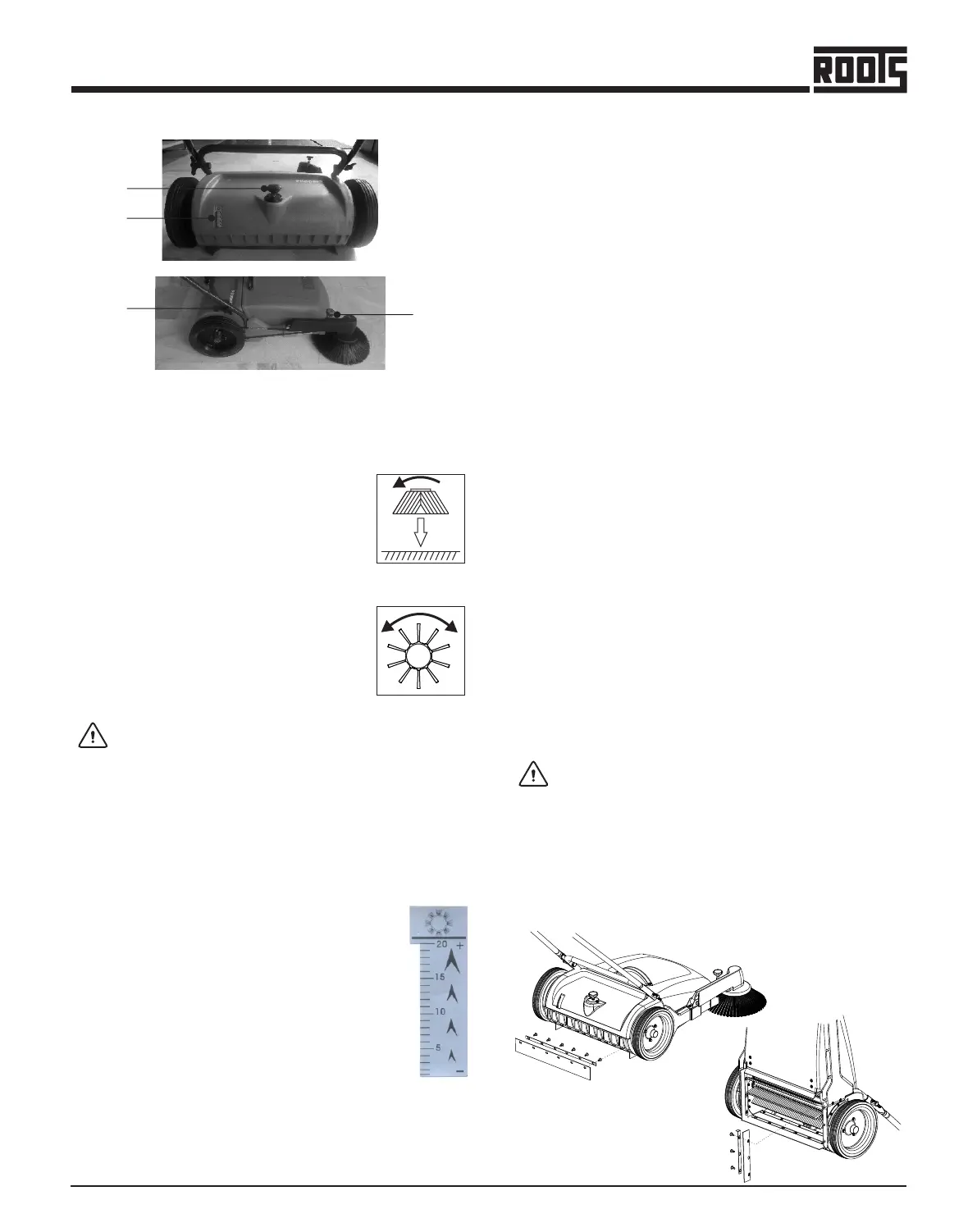
Ÿ Used for setting of the side broom pressure. The side
broom may touch the floor only by its one third
section, so as to throw the swept matter into the
machine.
1. Pressure Adjustment Knob for Side Broom
2. Pressure adjustment knob for Main Broom
3. Knobs
Ÿ Used to secure the handle to the machine or to
reposition it.
-
+
Indicates the pressure at which the main
broom has been set. Setting must be
performed as described below :
Ÿ Set the main broom by turning the knob
clock-wise to increase the pressure, at this
position the scale should read ‘5’ .
Ÿ Starting with this setting, the main broom
pressure can be increased to meet the
requirement. (As the broom wears out)
4. Main Broom Pressure Reading Scale
Ÿ Turn the knob in counter-clockwise direction to
reduce the main broom pressure according to the
requirement.
Excess pressure will cause unnecessary
wear of the broom and increased load for the
operator.
Controls
1
3
2
4
Ÿ The castor wheel is to keep the pre-
set working height of the side broom.
Ÿ Used for setting of the main broom
pressure. The pressure must be set
so as to assure perfect cleaning
operation.
7
+
Flipper


 To Next Page
 Loading...