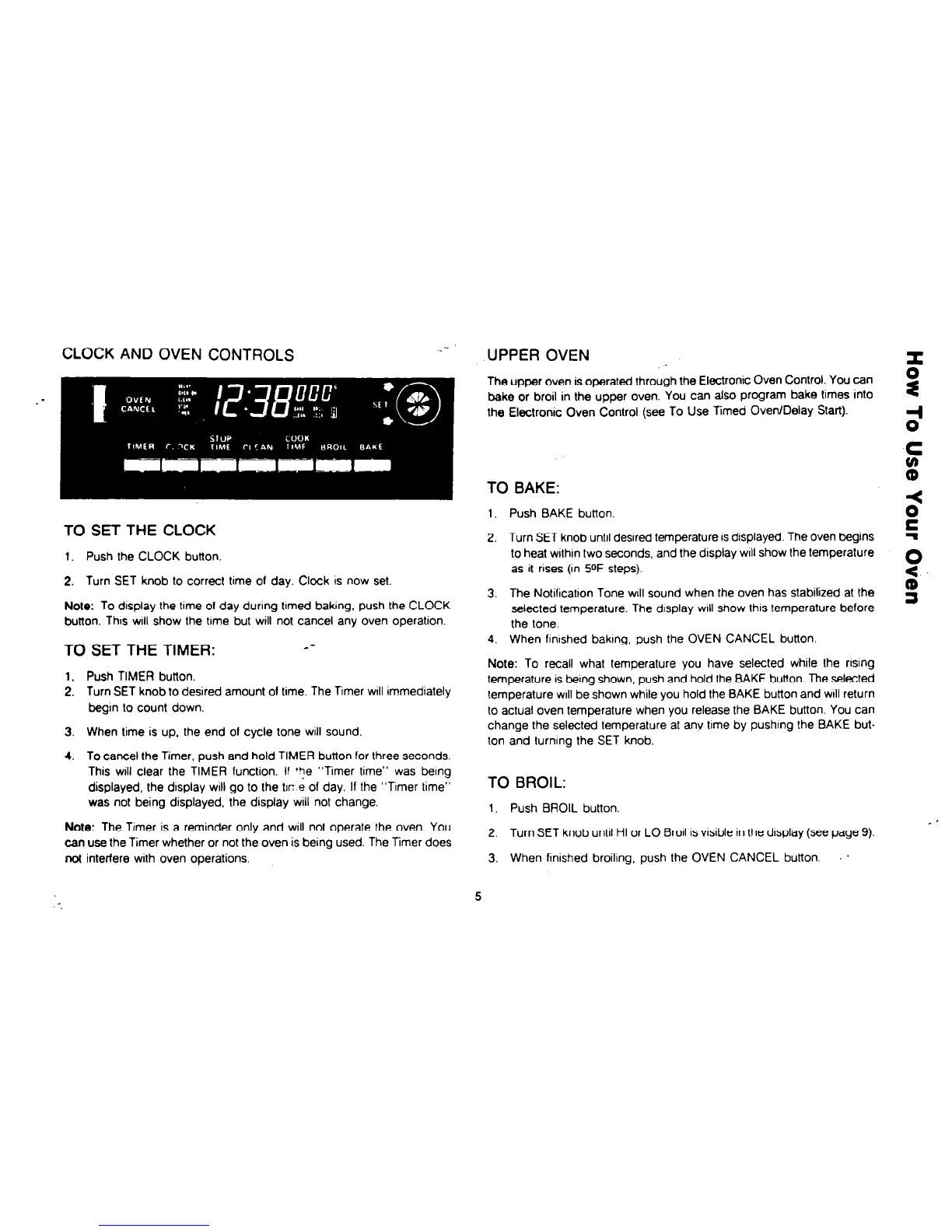
CLOCK AND OVEN CONTROLS
.-
UPPER OVEN
TO SET THE CLOCK
1. Push BAKE button
2. Turn SET knob until desired temperature IS dlsplayed. The oven begins
to heat wlthln two seconds, and the display ~111 show the temperature
as it rises (In 5oF steps).
3. The Notilicatton Tone will sound when the oven has stabilized at the
selected temperature. The display WIII show this temperature before
the lone.
4. When finished baking, push the OVEN CANCEL button.
Note: To recall what temperature you have selected while the risng
temperature is being shown, push and hold the BAKE button. The selected
temperature will be shown while you hold the BAKE button and will return
to actual oven temperature when you release the BAKE button. You can
change the selected temperature at anv time by pushing the BAKE but.
ton and turning the SET knob.
1. Push the CLOCK button.
2. Turn SET knob to correct time of day. Clock is now set.
Note: To display the lime of day during tlmed baking, push the CLOCK
button. Thus
will
show the time but will not cancel any oven operation.
TO SET THE TIMER:
--
1. Push TIMER button.
2. Turn SET knob to desired amount 01 time. The Timer WIII immediately
begin lo count down.
3. When time is up, the end 01 cycle tone will sound.
4. To cancel the Timer, push and hold TIMER button for lhree seconds.
This WIII clear the TIMER function. If ‘ye “Timer time” was being
displayed, the display will go to the tlr: e of day. If the “Timer time”
was not being displayed, the display will not change.
Note: The Timer is a reminder only and will not operate the oven. You
can use the Timer whether or not the oven is being used. The Timer does
not interfere with oven operations.
TO BROIL:
1. Push BROIL button.
2. Turn SET knob until HI or LO Broil
IS
visible In the display (see page 9).
3. When flnished broiling. push the OVEN CANCEL button. .



 To Next Page