STSC112 Camera Installation
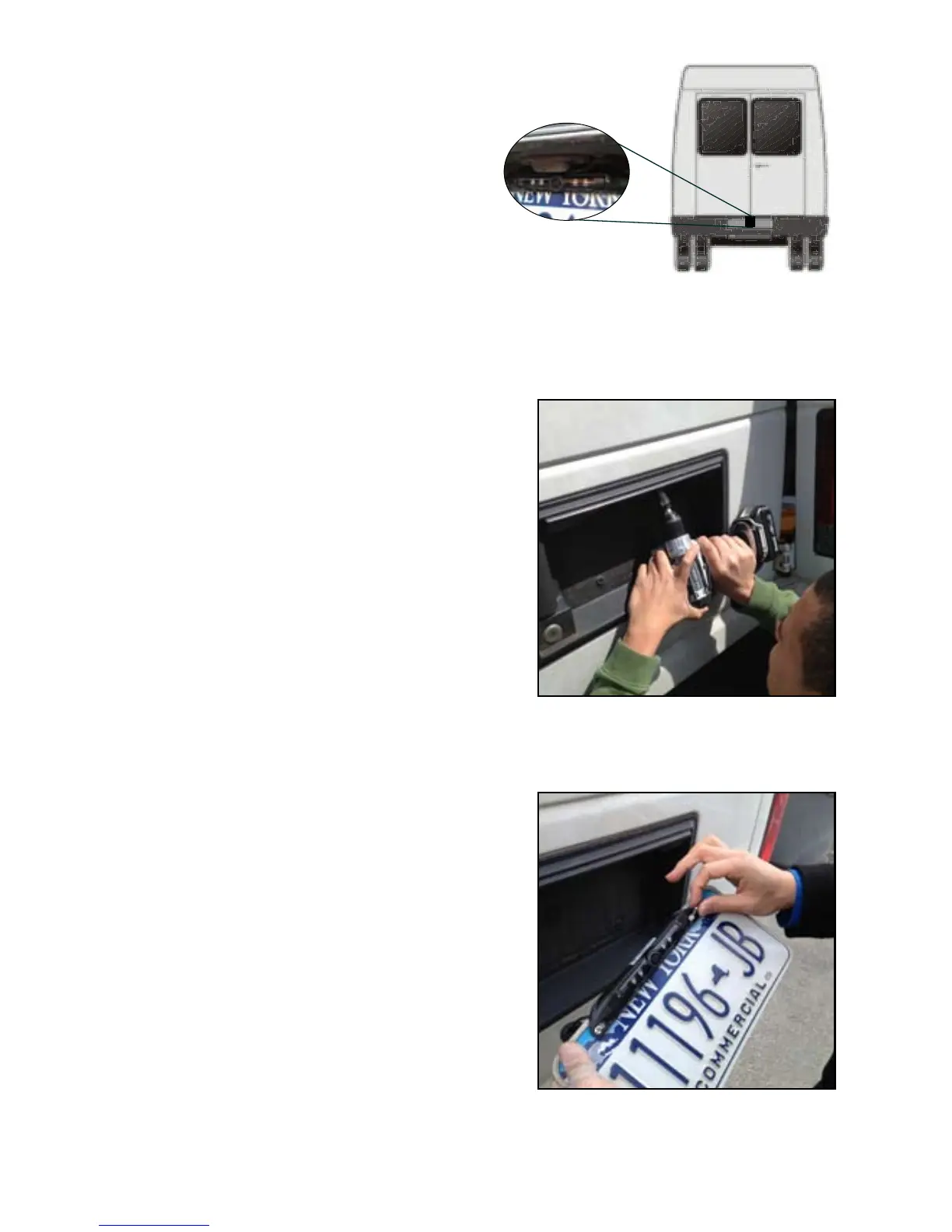
1. Locate rear license plate and
remove screws.
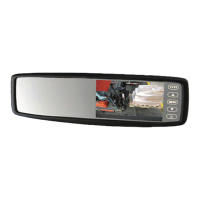
2. Find suitable location to drill
connector hole above/behind
license plate.
3. Once the location is chosen, drill
pilot hole to the inside of the
vehicle using a 5/16 drill bit.
Be sure to clear any obstacles
before drilling hole (See Figure 2).
4. Push connector through hole.
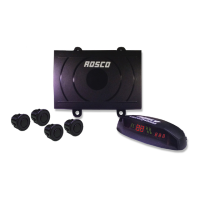
5. Mount camera on license plate and
use provided screws to mount
license plate back into position
(See Figure 3).
6. Use supplied grommet to plug up
drilled hole or use sealant to close
and secure hole.
7. Connect camera to extension
harness previously wired.
8. You have the option to change the
camera angle. Two set screws
located in the front of the camera
may be loosened to adjust the
camera angle. After the camera
angle is adjusted just retighten the
screws.
Figure. 2
Figure. 3
Figure. 1
Camera mount in
suggested location
10
www.roscovision.com


 To Next Page