STSC106 Camera Installation
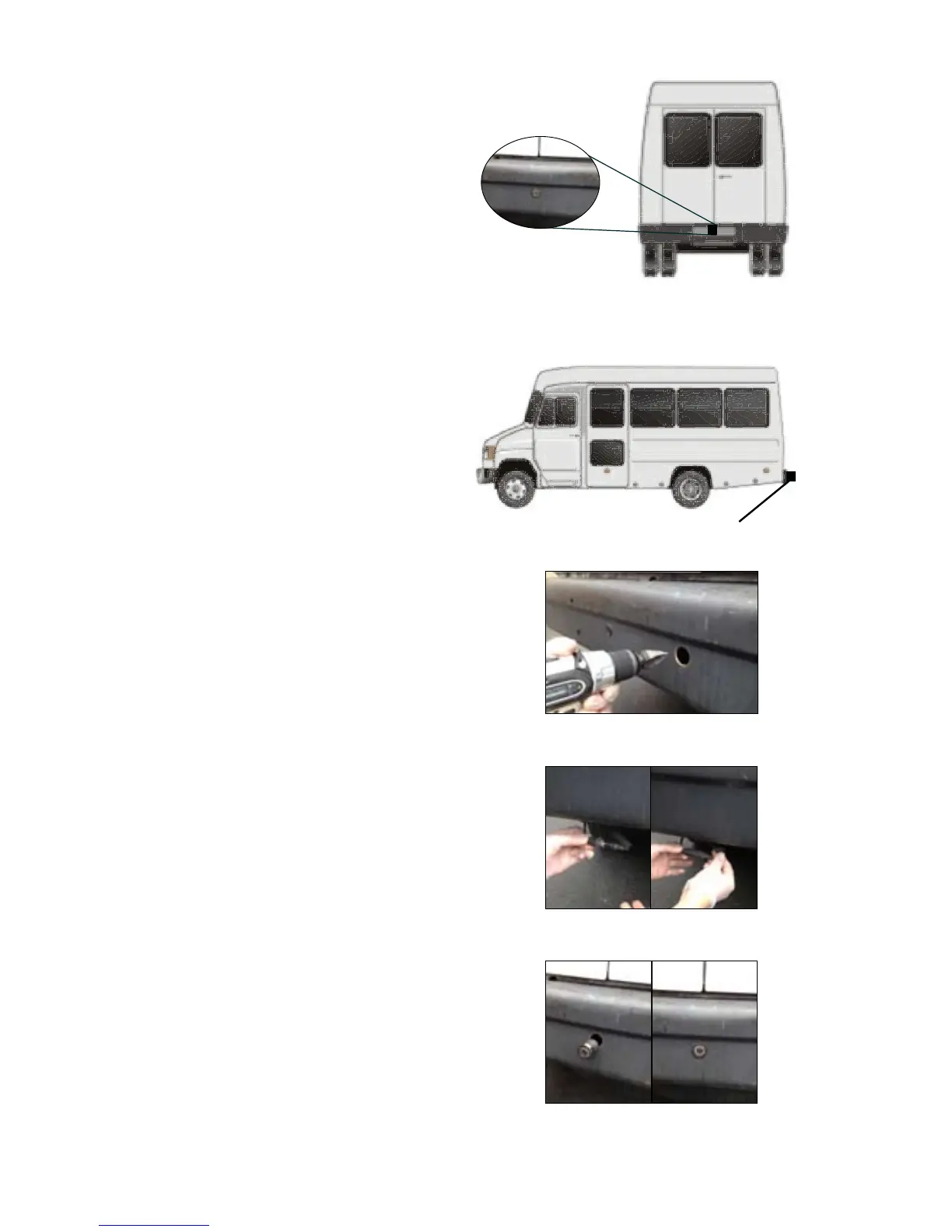
Figure. 3b
Figure. 4
Figure. 5
Figure. 6
Figure. 3a
Camera mount in
suggested location
Position of camera
A Century of Automotive Safety
9
1. Find a at centered location on
your bumper. (Figures 3a & 3b)
2. Make sure clearance behind
camera location is unobstructed.
3. Using a 31mm (1.25”) hole saw
(not included). Carefully drill a hole
in the surface. (See Figure 4)
4. Remove retaining rings from
camera and remove from harness.
5. Place harness through hole until
camera is ush. Do not run the cable
over sharp edges or corners. Do not
kink the cable. Keep the cable away
from hot and rotating parts.
(See Figure 6)
6. Replace retaining rings onto body of
camera. DO NOT TIGHTEN.
7. Connect camera to previously wired
harness.(See Figure 5)
8. Tighten rings behind camera until
completely snug (verify camera
orientation by viewing image on
monitor.)
9. Fasten all cable runs, and secure
all excess cable.


 To Next Page